The article describes the Contour ShuttleXpress support in the "ivihome" &
"ividesktop" packages used in the MeeGo IVI images.
http://repo.meego.com/MeeGo/builds/trunk/1.1.99.4.20110426.4/repos/oss/source/ivihome-1.18-4.24.src.rpm
http://repo.meego.com/MeeGo/builds/trunk/1.1.99.4.20110426.4/repos/oss/source/ividesktop-1.2-2.6.src.rpm

I understand the device is seen as a mouse, not a joystick.

regards
Joel

-----Original Message-----
From: [email protected] [mailto:[email protected]] On
Behalf Of Niels Mayer
Sent: Saturday, April 30, 2011 7:25 PM
To: [email protected]
Subject: [MeeGo-dev] Enable contour shuttlexpress or shuttlepro in MeeGo 1.2?
(vs total wiimote success)

In http://www.linuxjournal.com/article/10935?page=0,2  Ibrahim Haddad writes:
"Figure 9. The MeeGo IVI home screen with the taskbar as it appears on
the left side of the screen. The taskbar, [...] can be controlled by a
Contour ShuttleXpress scroll wheel, touchscreen or mouse, and it's
designed to reflect the scroll-wheel usage, with the ability to spin
through the menu options and make selections or go back, by pressing
two buttons or tapping the touchscreen (photo credit: meego.com)."

Seeing this, I plugged into my MeeGo 1.2 netbook my first generation
countour shuttlepro (ca 2002, something I'd given up on having an
interface written for Linux until I read the above) and lsusb(1)
reports;
"Bus 002 Device 002: ID 0b33:0010 Contour Design, Inc."

But doesn't seem to recognize it.  Any suggestions, or should I keep
giving up?  Chances are it needs a program to interpret events and
translate them to keyboard&joystick events, much like wminput(1) does
for the Wiimote (*).

Is there any way of separating out the MeeGo IVI's ShuttleXpress code
for use by other UX's, such as a custom input daemon which handles it?

-- Niels
http://nielsmayer.com

PS: (*) one device not to give up on is the old "Wii" video game
Wiimote. Trivial to pair and setup with
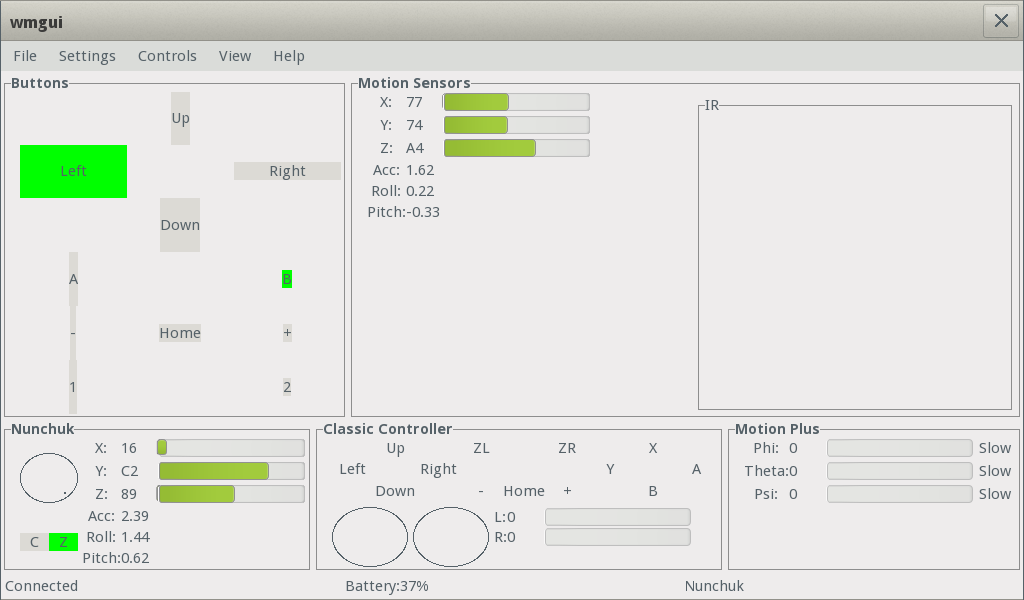
wmgui(1): ( http://abstrakraft.org/cwiid/ ). The  GUI looks like this
in MeeGo 1.2 while pressing a few buttons and moving around:
http://nielsmayer.com/meego/wmgui-for-wiimote-and-nunchuk-via-bluetooth-on-meegolem.png
. You can also run another cwiid program wminput(1) and then it turns
the Wiimote into a mouse control and the various buttons work as well.
Turns the Wiimote into an xbmc(1) remote.  Guess I know how I'll be
controlling a future home-made MeeGo set-top box. :-)

PPS: I guess a QtMobility sensors interface to the Wiimote
accelerometers would be too much success for one experiment...
wiining!
_______________________________________________
MeeGo-dev mailing list
[email protected]
http://lists.meego.com/listinfo/meego-dev
http://wiki.meego.com/Mailing_list_guidelines
_______________________________________________
MeeGo-dev mailing list
[email protected]
http://lists.meego.com/listinfo/meego-dev
http://wiki.meego.com/Mailing_list_guidelines