eirikbakke opened a new pull request #2967:
URL: https://github.com/apache/netbeans/pull/2967
This PR modernizes the look of the main NetBeans tabs components on the Windows LAF, and makes them look good on all the standard HiDPI scalings supported on Windows (100%, 125%, 150%, 175%, 200%, and 225%). A before/after comparison is shown here, first at 100% scaling (regular, non-HiDPI screens). To review these images, be sure to view them at 100% scaling on your screen. (If you have a HiDPI screen yourself, you may need to adjust your browser's zoom level so that each pixel in the screenshot corresponds to one device pixel on your screen.) 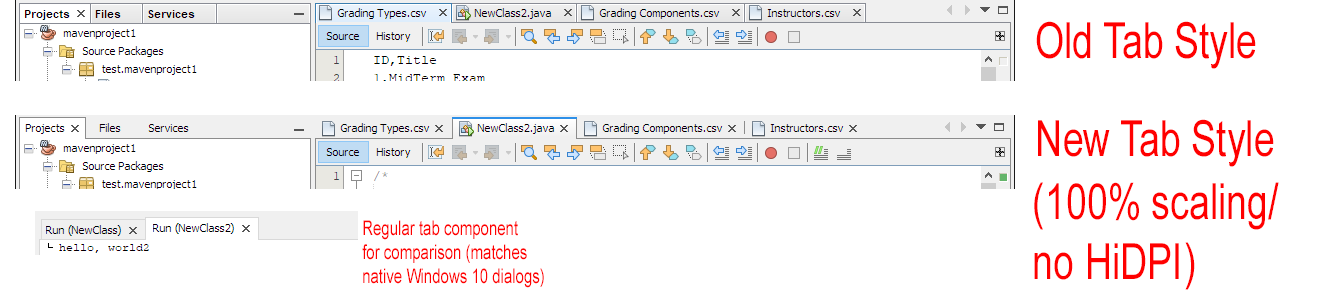 The new tabs adhere to the following design principles: * Keep the tabs consistent with the style in native Windows 10 dialogs. This style is also used in the regular JTabbedPane, which is used in NetBeans e.g. in the "Output" pane. * Keep the tab dimensions compact, as in the previous look. After trying various geometries, I ended up making the new tabs 2 pixels taller than the previous ones, but not more. * Minimize visual complexity, while making it obvious where the user can click. Keep drawing the selected tab as an actual tab (with borders around it), but use the "flat" style from FlatLAF for unselected tabs. For the editor tab component, use the subtle separators that were introduced in FlatLAF between unselected tabs. This is also the style used in Chrome tabs. The new tabs also solve various problems that were previously seen when HiDPI scaling was active, especially for fractional scalings (e.g. 150%). Here are before/after screenshots on 150% HiDPI scaling: 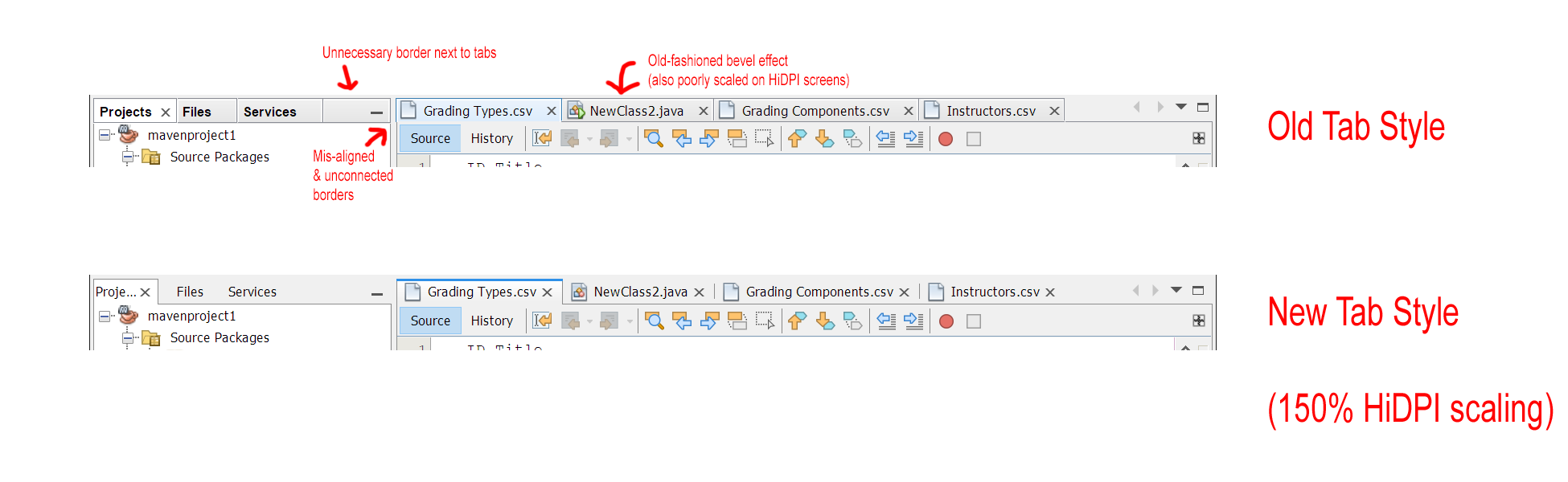 The new TabDisplayerUI classes are based on @DevCharly's previously added implementations for FlatLAF. These were already taking HiDPI scaling into account, and were very configurable. For now, I have added separate copies of these classes for the Windows LAF. I have split up the commits in this PR to make it clear which changes have been made to the "forked" copies. Some improvements, found in the second commit, could potentially be merged back into the FlatLAF classes if later desired. For example, one bug was fixed relating to the positioning of the "spinner" icon which is shown when the Navigator tab is being loaded: 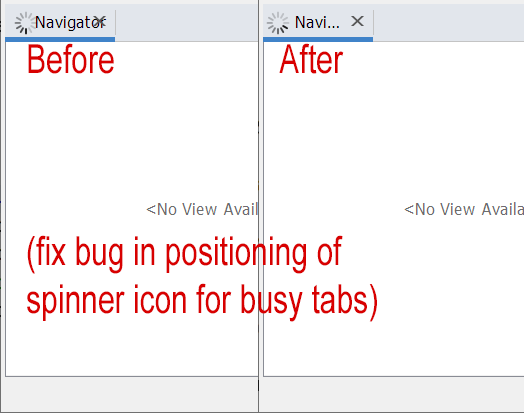 Finally, here are some screenshots of the entire NetBeans IDE with the old and the new tabs, this time at 200% HiDPI scaling. ### Before: 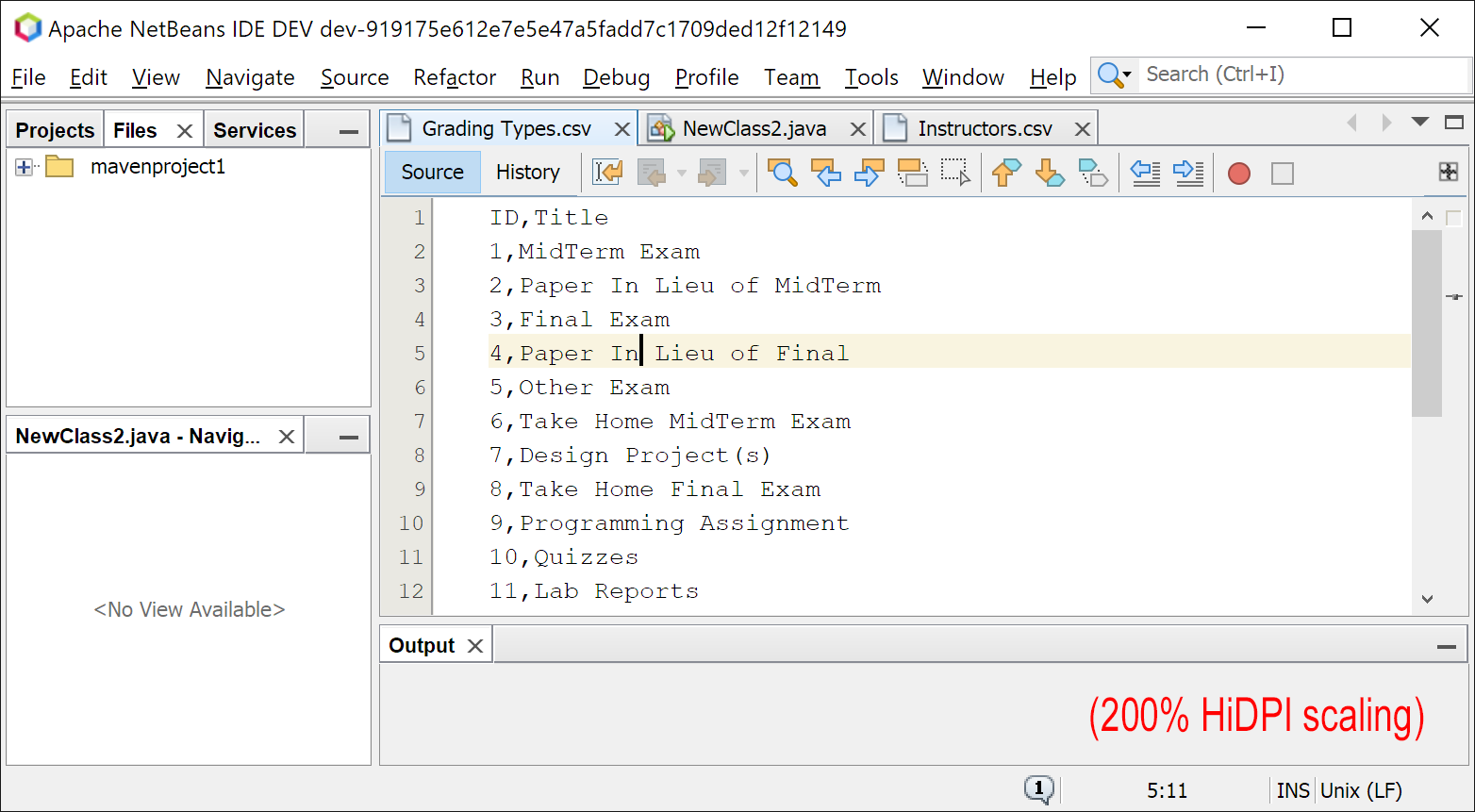 ### After: 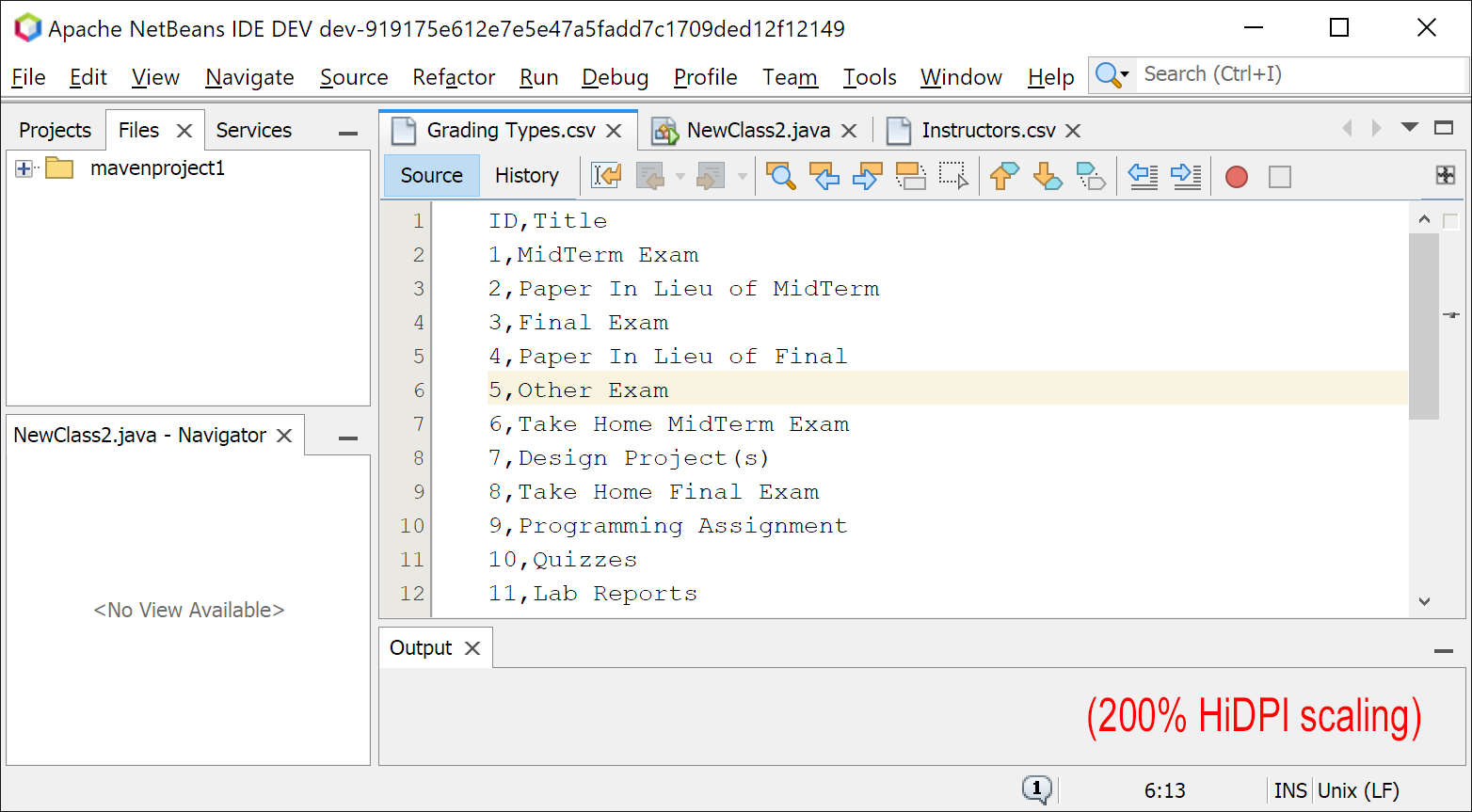 -- This is an automated message from the Apache Git Service. To respond to the message, please log on to GitHub and use the URL above to go to the specific comment. For queries about this service, please contact Infrastructure at: [email protected] --------------------------------------------------------------------- To unsubscribe, e-mail: [email protected] For additional commands, e-mail: [email protected] For further information about the NetBeans mailing lists, visit: https://cwiki.apache.org/confluence/display/NETBEANS/Mailing+lists





