andrewscarani opened a new issue #15562:
URL: https://github.com/apache/superset/issues/15562
**Is your feature request related to a problem? Please describe.** The current flow used to clone a chart allows for one to mistakenly overwrite the existing chart and isn't intuitive to new users. Current flow involves the following steps: - Click `View chart in Explore` from chart's dropdown - Click `Save` - Click `Save as...` (This is the step that's often forgotten) - And then begin to make changes to the chart If you click `View chart in Explore` and then forget to save first, you may make changes to an existing chart someone else is using and thus cause issues in your instance. **Describe the solution you'd like** It would be great to have an item on the charts dropdown, right under "View query" called "Clone": 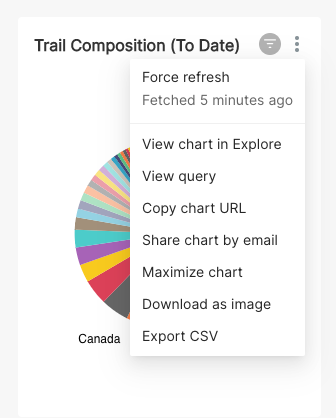 that, when clicked, brings-up the "Save As" modal for a chart (but without the radio button allowing you to rename the chart), and allows you to instantly clone the one you're looking at: 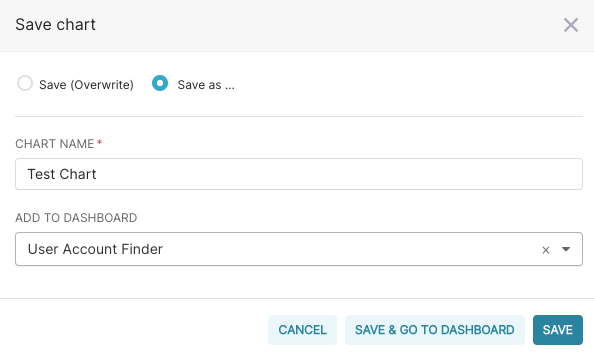 An example of the "Clone" button existing on the dropdown menu in Chartio: 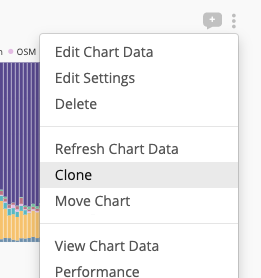 -- This is an automated message from the Apache Git Service. To respond to the message, please log on to GitHub and use the URL above to go to the specific comment. To unsubscribe, e-mail: [email protected] For queries about this service, please contact Infrastructure at: [email protected] --------------------------------------------------------------------- To unsubscribe, e-mail: [email protected] For additional commands, e-mail: [email protected]



