zeriyu opened a new issue, #21152:
URL: https://github.com/apache/superset/issues/21152
Hi, first time using superset, hopefully it's the right place. I recieve "The URL could not be identified. Please check for typos and make sure that ‘Type of Google Sheets allowed’ selection matches the input." when trying to add a privately shared sheet. #### How to reproduce the bug 1. Go to '/databaseview/list/' 2. Click on '+' > Data > Connect Google Sheet 3. Fill out data: > Display Name = Google Sheets > Type of Google Sheets allowed = Public and privately shared sheets > Upload service account JSON > Fill Out Sheet name and paste link 5. See error ### Expected results The DB is added successfuly ### Actual results Unable to add the DB #### Screenshots Error:  Console: 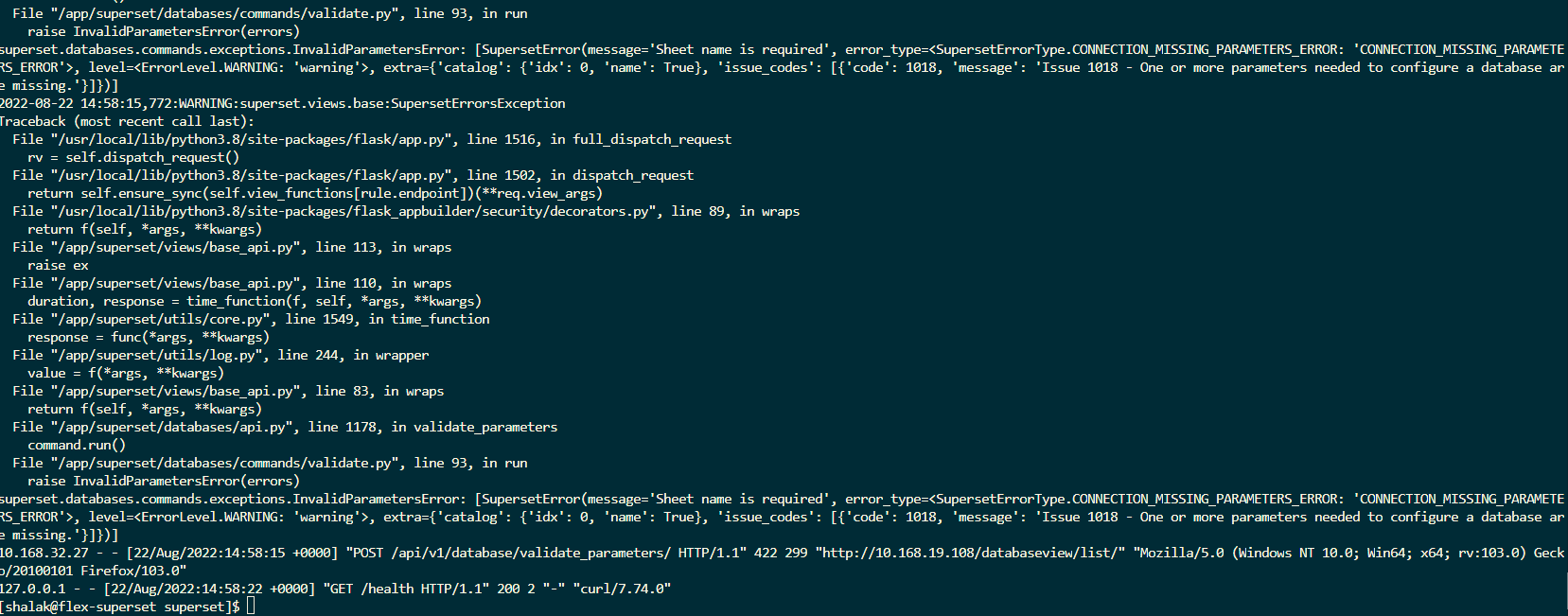 ### Environment - Firefox 103.0.2 and Chrome 104.0.5112.101 - Latest docker containter (using https://superset.apache.org/docs/installation/installing-superset-using-docker-compose) on Centos 9 Stream ### Checklist Make sure to follow these steps before submitting your issue - thank you! - [X] I have checked the superset logs for python stacktraces and included it here as text if there are any. - [X] I have reproduced the issue with at least the latest released version of superset. - [X] I have checked the issue tracker for the same issue and I haven't found one similar. ### Additional context I have no issues on preset.io I tried on Centos 7 and 9 Stream >$ cat docker/requirements-local.txt >psycopg2 >shillelagh[gsheetsapi] [superset.log](https://github.com/apache/superset/files/9395499/superset.log) Thanks! -- This is an automated message from the Apache Git Service. To respond to the message, please log on to GitHub and use the URL above to go to the specific comment. To unsubscribe, e-mail: [email protected] For queries about this service, please contact Infrastructure at: [email protected] --------------------------------------------------------------------- To unsubscribe, e-mail: [email protected] For additional commands, e-mail: [email protected]


