github-wcha opened a new issue #13327:
URL: https://github.com/apache/superset/issues/13327
When loading the superset welcome screen, two error messages pop up with the message: `There was an error fetching the favorite status: NetworkError when attempting to fetch resource.` There are also a stack of errors in the console, which I suspect is related to CORS support and my NGINX configuration. ### Expected results Welcome screen loads without errors and dashboard favourite status loads. ### Actual results When loading the superset welcome screen, two error messages pop up with the message: `There was an error fetching the favorite status: NetworkError when attempting to fetch resource.` In the browser console, I get a whole pile of security errors: `Security Error: Content at https://superset.wcha.asn.au/superset/welcome may not load data from http://superset.wcha.asn.au/api/v1/chart/favorite_status/?q=%21%28585%2C584%2C583%29.` And CORS errors: `Cross-Origin Request Blocked: The Same Origin Policy disallows reading the remote resource at https://localhost:9000/sockjs-node/info?t=1614223846539. (Reason: CORS request did not succeed).` #### Screenshots 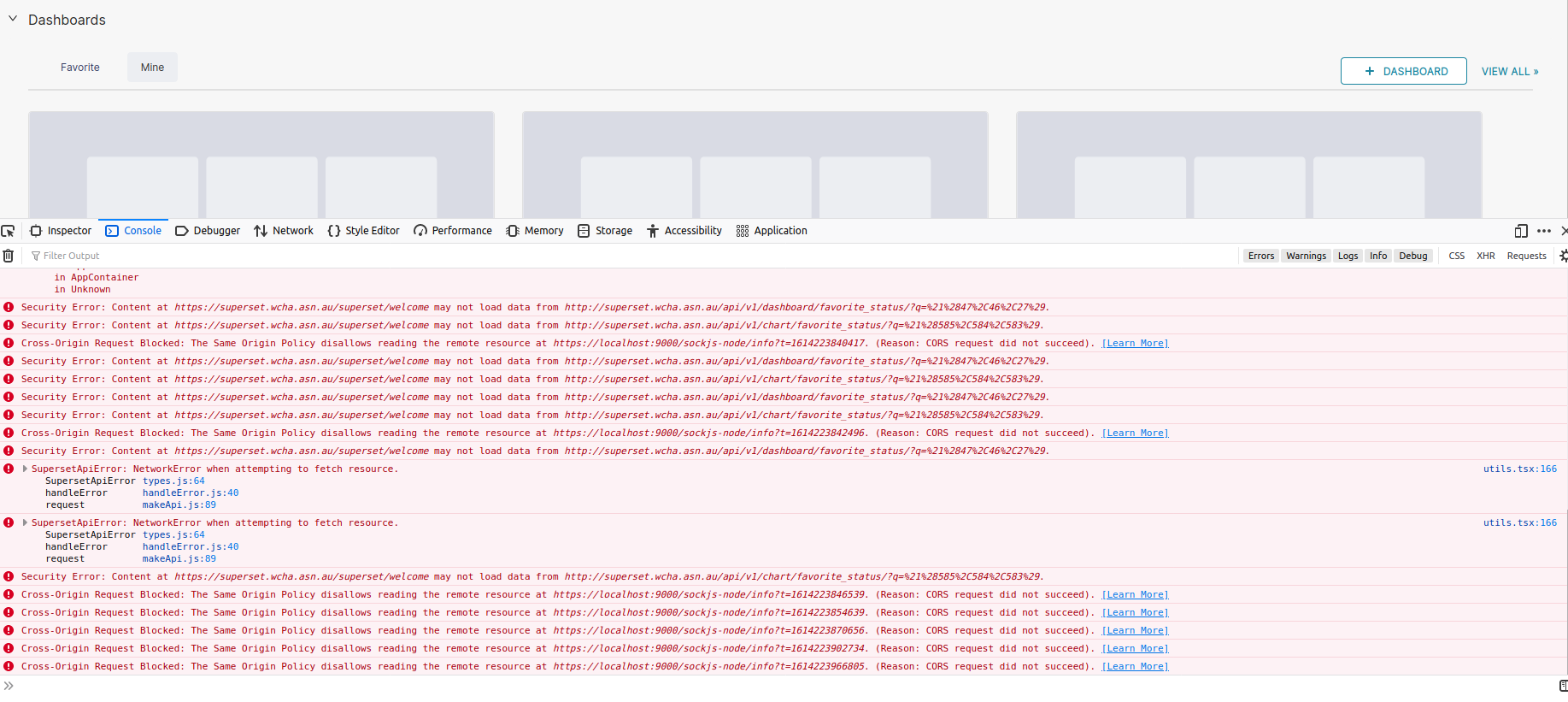 #### How to reproduce the bug 1. Go to /superset/welcome 2. See errors ### Environment (please complete the following information): - superset version: `1.0.1` - python version: `3.8.5` ### Checklist Make sure to follow these steps before submitting your issue - thank you! - [x ] I have checked the superset logs for python stacktraces and included it here as text if there are any. - [x] I have reproduced the issue with at least the latest released version of superset. - [x ] I have checked the issue tracker for the same issue and I haven't found one similar. ### Additional context I suspect this is a similar configuration problem as in [13072](https://github.com/apache/superset/issues/13072). I'm not in a Kubernetes environment so I opened a new issue. #### NGINX configuration As I understand it, this really is likely to be a problem with how I've got NGINX set up. We are running it as a reverse proxy on separate VM, and superset in a docker container on another VM altogether. The relevant blocks from my configuration: `###### SUPERSET HTTP ###### server { if ($host = mydomain.com) { return 301 https://$host$request_uri; listen 80 default_server; listen [::]:80 default_server; server_name mydomain.com www.mydomain.com; return 302 https://$server_name$request_uri; } ###### SUPSERSET HTTPS ###### # Proxies to port 8088 on the utilities VM server { listen 443 ssl http2 default_server; listen [::]:443 ssl http2 default_server; include snippets/self-signed.conf; include snippets/ssl-params.conf; server_name mydomain.com www.mydomain.com; location / { proxy_pass http://myIP:8088; proxy_set_header Host $host; proxy_set_header X-Real-IP $remote_addr; proxy_set_header X-Forwarded-For $proxy_add_x_forwarded_for; proxy_set_header X-Forwarded-Proto $scheme; } }` #### Stuff I've tried - I've read [Mozilla's documentation on CORS errors](https://developer.mozilla.org/en-US/docs/Web/HTTP/CORS/Errors/CORSDidNotSucceed) - I've run through the [discussion in this Gist](https://gist.github.com/Stanback/7145487) - I've tried the default [NGINX CORS configuration](https://enable-cors.org/server_nginx.html) provided by enable-cors.org None of these have made a schmick of difference. I'm getting the same stream of errors in the console when loading the page. Grateful for any advice! ---------------------------------------------------------------- This is an automated message from the Apache Git Service. To respond to the message, please log on to GitHub and use the URL above to go to the specific comment. For queries about this service, please contact Infrastructure at: [email protected] --------------------------------------------------------------------- To unsubscribe, e-mail: [email protected] For additional commands, e-mail: [email protected]

