Hi Chris,

I have noticed this as well, after I upgraded my install from 1.4.0.7 to
1.6.1.7, and haven¹t thought anything of it.
Personally, I like the gray/brown background colour in the Staff Client.

As for knowing how it¹s controlled, I unfortunately, don¹t have a clue??

Kindest Regards,
Joel


> From: "Sharp, Chris" <[email protected]>
> Reply-To: Evergreen Discussion Group
> <[email protected]>
> Date: Fri, 25 Mar 2011 06:58:41 -0400 (EDT)
> To: Evergreen Discussion Group <[email protected]>
> Subject: [OPEN-ILS-GENERAL] question about background color in the staff
> client (1.6.1.7)
>
> Hi all,
>
> I've been running 1.6.X.X on a test server for the past few months, and this
> has always been a "details schmetails" issue while testing functionality, but
> now that we're close to going live, and any little change would cause possible
> confusion, I'd like to know how this is controlled.  On our 1.4.0.7 production
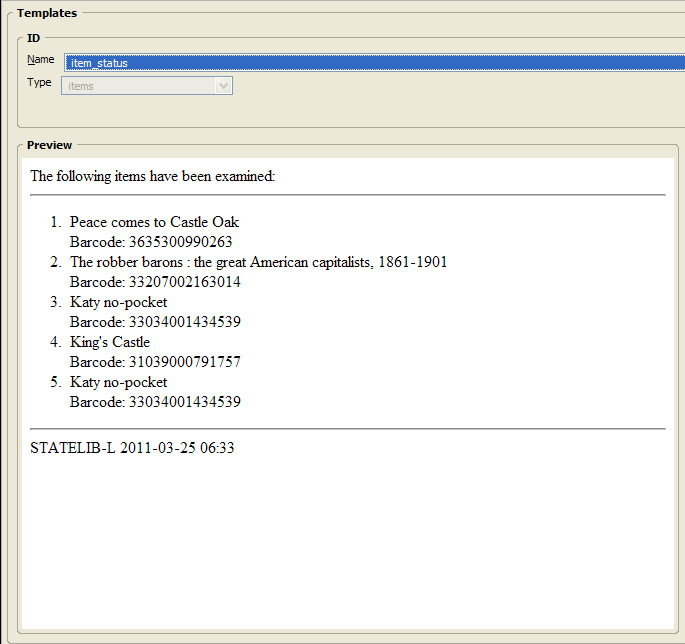
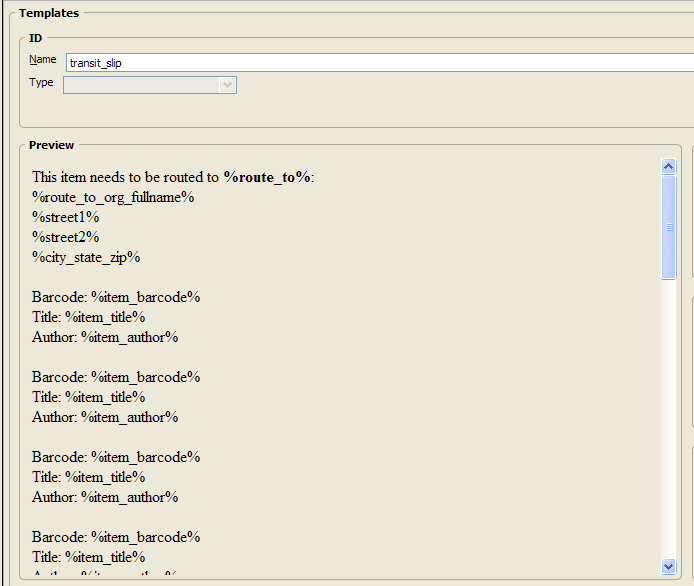
> server, the backgrounds of certain staff client screens (MARC View, etc. -
> this example is from the Receipt Template Editor) are white, but on my 1.6.1.7
> test server (a singleton "localhost" setup, if that makes a difference), they
> are the same gray/brown color as the default window.  Examples:
>
> 1.4.0.7: http://lupin.georgialibraries.org/~csharp/white-background.png
>
> 1.6.1.7: http://lupin.georgialibraries.org/~csharp/gray-background.png
>
> Does anyone know how this is controlled?  Is it a bug that it's no longer
> white?
>
> Thanks,
>
> Chris
>
> --
> Chris Sharp
> PINES Program Manager
> Georgia Public Library Service
> 1800 Century Place, Suite 150
> Atlanta, Georgia 30345
> (404) 235-7147
> [email protected]
> http://pines.georgialibraries.org/
>