On Mon, Aug 19, 2013 at 11:18:58AM -0700, Dale Snell wrote:
> My desktop system doesn't like booting to random USB devices.  I
> have to reset the BIOS for every drive (but only one at a time!),
> and it loses that setting once the drive's been removed.
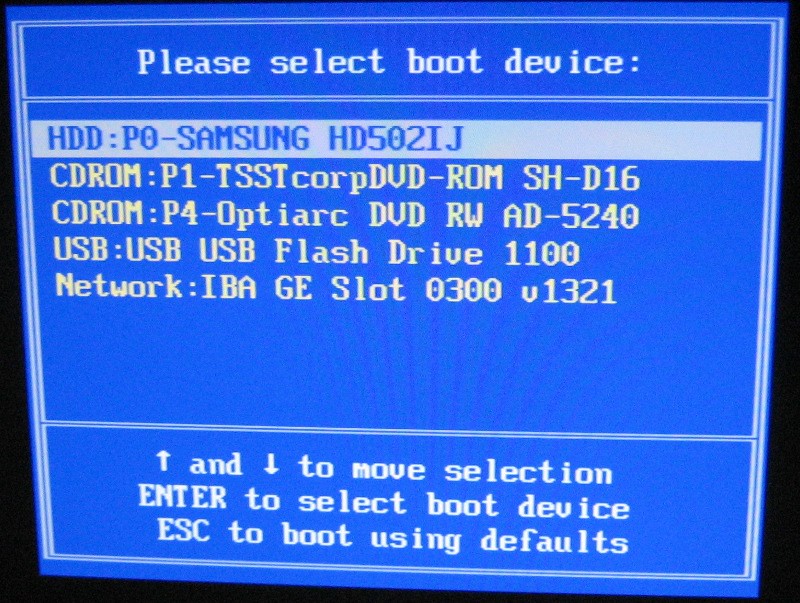
You can don't have to enter the Setup screen and alter the boot device
priorities each time you plug in a new device if your BIOS supports
the BIOS Boot Specification (which it should, unless the system is
quite old).  When you first power-on your system, you should see
something similar to "Press F8 for BBS Popup".  (It may be Escape or
F5 or some other key, depending on how the vendor configured the
BIOS.)

  https://imageshack.us/a/img60/6793/bbsjpgne7.jpg

The BBS "popup" menu presents a list of all bootable devices currently
available.

  https://farm9.staticflickr.com/8049/8350750816_f589819597_b.jpg


--
Paul
_______________________________________________
PLUG mailing list
[email protected]
http://lists.pdxlinux.org/mailman/listinfo/plug