I can't see what might be causing these crashes. I guess it's back to
basics:
* Did you have a look at the raster info (in GRASS Toolbox, go to the
Browser tab and click on the problem raster). Can you check that the
extents look right? And what range of values does it show?
* Display the GRASS region - you should see the red rectangle - then
verify that the vector and raster layers are within that region (again
from their info tables).
* In the Raster->Properties->Symbology, switch to a "pseudocolor" color
ramp. (Maybe the whole range is being displayed as white, for some reason?
* Are all the layers, raster and vector, in the same GRASS location and
mapset?
* How big are the original tiffs. Maybe displaying all four at once is
overloading the machine? It might be best to begin with just one, and a
section of the vector grid that covers just that raster?
Cheers,

Micha


M.E.Dodd wrote:
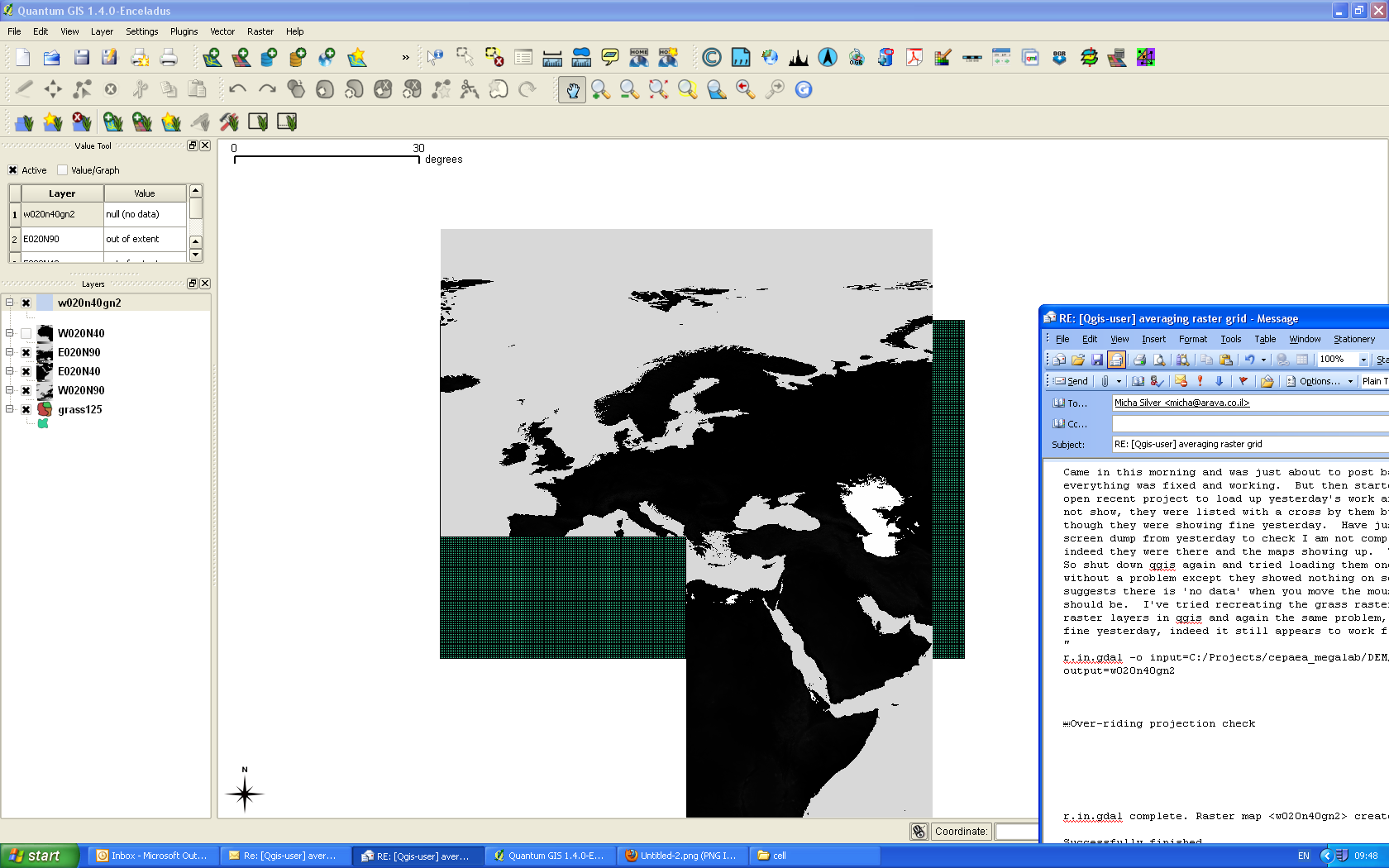
Came in this morning and was just about to post back to list saying how
everything was fixed and working.  But then started up qgis, did a file, 'open
recent project' to load up yesterday's work and the raster layers did not show,
they were listed with a cross by them but nothing on screen even though they
were showing fine yesterday.  Have just checked back at the screen dump from
yesterday to check I am not completely loosing my mind and indeed they were
there and the maps showing up
(http://www.amanita-photolibrary.co.uk/Untitled-2).png).  The vector layer was
fine.
So shut down qgis again and tried loading them one by one, they all loaded
without a problem except they showed nothing on screen and the value tool
suggests there is 'no data' when you move the mouse over where the map should
be.  I've tried recreating the grass raster layers from the original raster
layers in qgis and again the same problem, whereas all of this worked fine
yesterday, indeed it still appears to work fine today:
"
r.in.gdal -o input=C:/Projects/cepaea_megalab/DEM/W020N40.DEM output=w020n40gn2
Over-riding projection check
r.in.gdal complete. Raster map <w020n40gn2> created.

Successfully finished
"
But when you try to view output nothing appears.  Coordinate reference system
is correct and there is a large file with this name that has been generated in
the 'cell' part of where it should be.  I have checked the properties and its
not set to transparent (I'm clutching at straws now), its at the top of the
list so should be on top of anything else
http://www.amanita-photolibrary.co.uk/Untitled-3.png
the mouse is over NW Africa which is the w020n40gn2 area so it shows up the 'no
data' in the value tool, the other raster layers are qgis ones (I have switched
off the qgis version of w020n40)


-----Original Message-----
From: Micha Silver [mailto:[email protected]]
Sent: 15 April 2010 19:02
To: M.E.Dodd
Subject: Re: [Qgis-user] averaging raster grid

M.E.Dodd wrote:
I am running the v.in.ogr.qgis again and left it much longer even
after it said 100% and now notice that even after it gives 100% it
then goes onto other stages after a long wait so it appears that I may
not have been patient enough in the first place. Perhaps a less
confusing progress indicator would be helpful as the bar has been
across to 100% several times now and the program is still running, no
idea how long it will actually take. Ah now it says successfully
finished.
Good news.
GRASS always creates topologically correct vectors. That's an important
feature for GIS, but a double edged sword since every import goes thru
this long procedure of checking topology and fixing problems. That's
probably what was happening.
Post back to the list how everything goes...
Many thanks for all your help. Will start the next stage and try to
be more patient!
Mike
------------------------------------------------------------------------
--
Micha Silver
Arava Development Co. +972-52-3665918
http://www.surfaces.co.il


_______________________________________________
Qgis-user mailing list
[email protected]
http://lists.osgeo.org/mailman/listinfo/qgis-user