On 12/05/2019 19:29, Scener Spanish wrote:
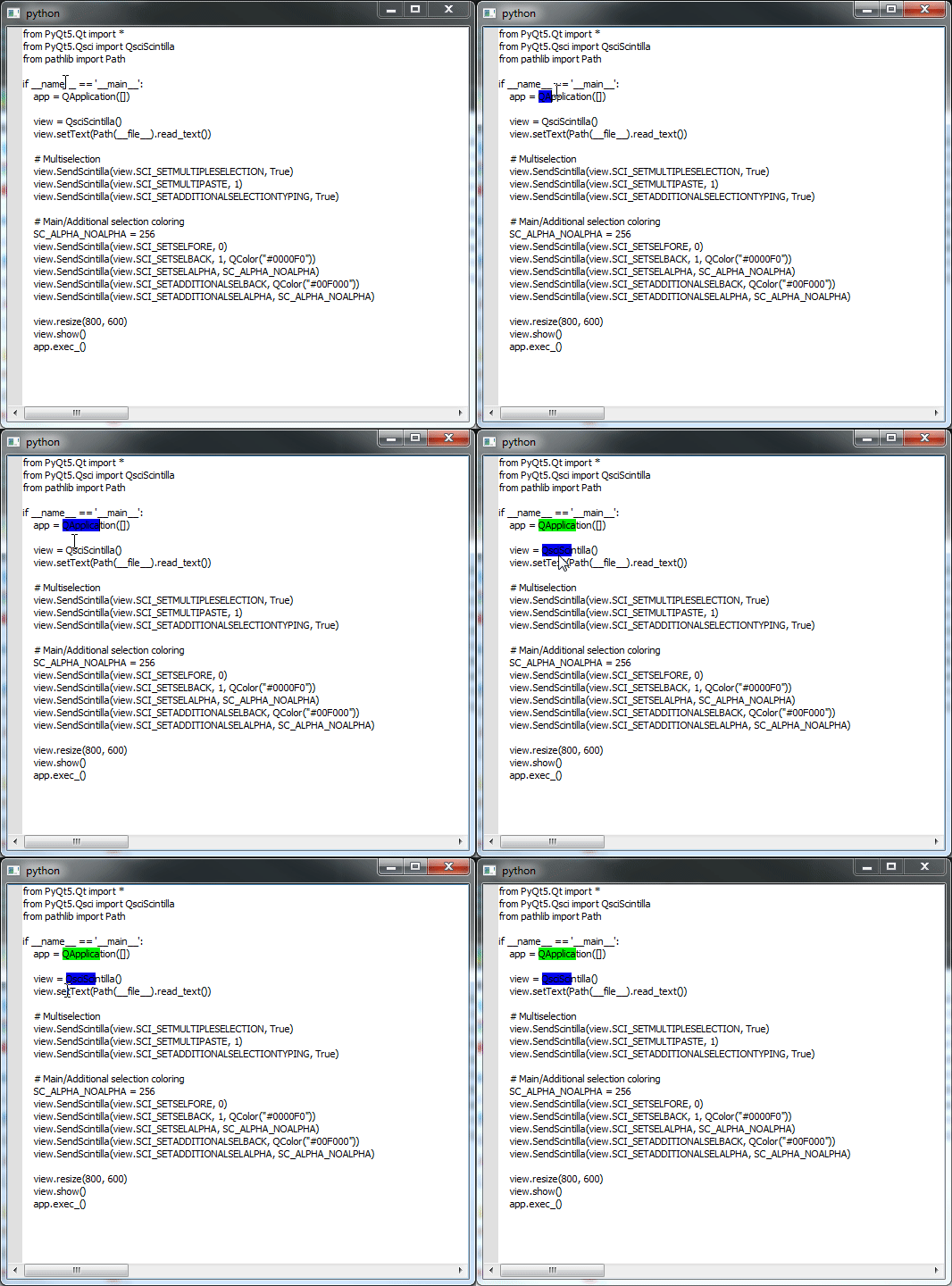
It works for me. The main selection is blue and the previous selection
turns green.
Mmm, strange... are you sure you followed the right steps I'd posted on
the
other forum (I'd also posted some videos)?
In any case, probably my explanation this time wasn't good enough
(sorry
for my bad english btw :)), let me try again:

- Test0 (a)
<https://dl.dropboxusercontent.com/s/h26f3utmc7d21s3/2019-05-12_20-12-59.gif>
: Check this video, my assumption is these are the steps you followed
when
run test0.py. Probably you just selected something (no control key
pressed
before starting the multiselection) and then you pressed CTRL making
another selection, in this case it will work fine and your main
selection
will always be blue and the additional selections will always be green,
no
bug here, so far so good

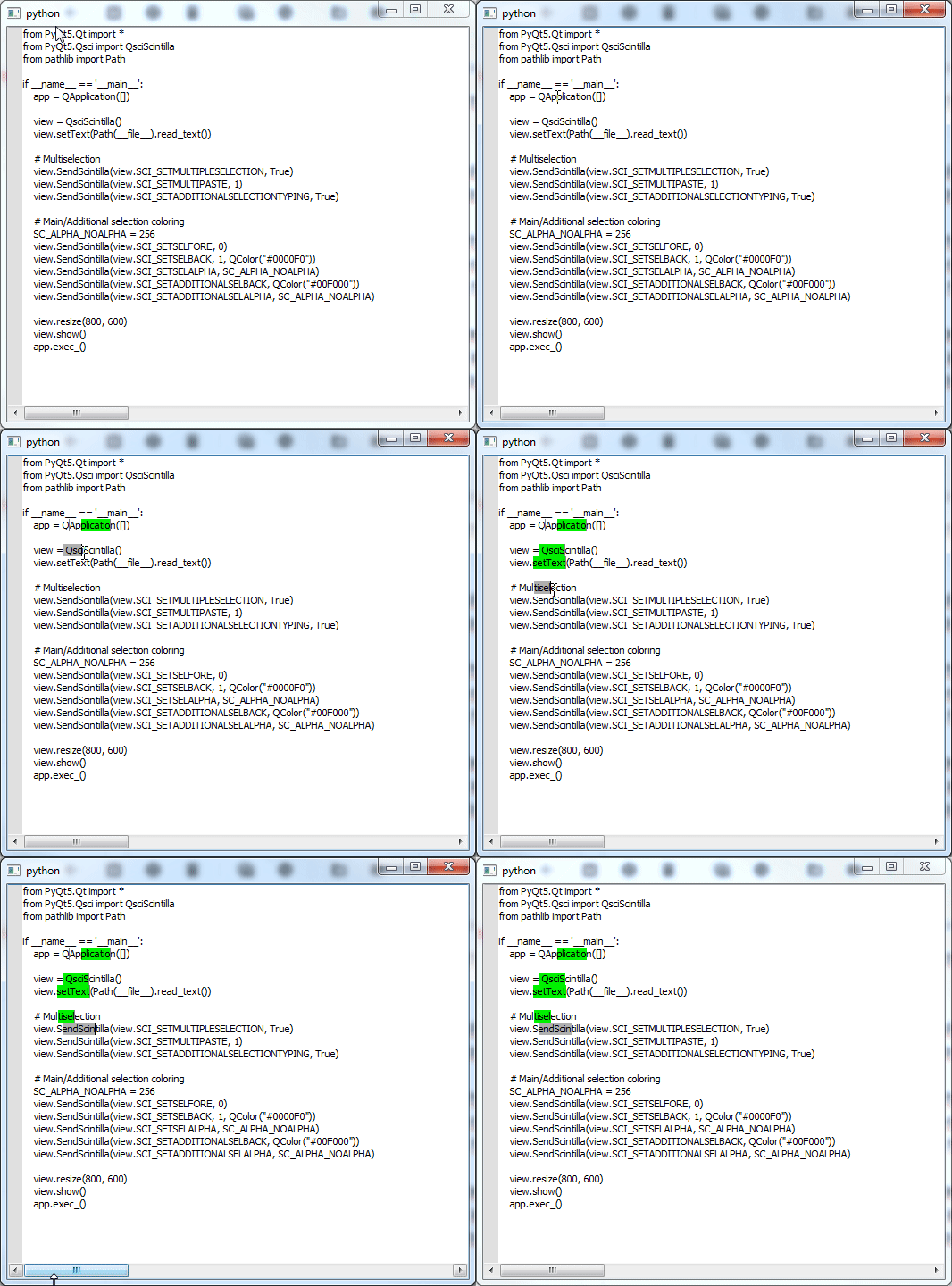
- Test0 (b)
<https://dl.dropboxusercontent.com/s/y190wb1pavc38ot/2019-05-12_20-19-24.gif>
: On this video, I run test0.py and before making any selection I press
Ctrl and then I start making additional selections, in this case you'll
see
the blue color won't be used (instead is used that gray one), this is
the
BUG i'm referring to. Please make sure you test it this way... Also, at
the
beginning of this thread I've mentioned I'm using windows7 over here.
Yes, the last selection is grey.
Cool you can reproduce that one as this is a bug :)
I can't really see how this is a QScintilla-specific problem as it's
not
really doing anything.
I don't know anything about QScintilla source code so I can't tell but
I've tested like the last 12 versions of wscite and the bug wouldn't
show up
there... so there must be something fishy going on here on
QScintilla...
you're the expert here :D

In any case, the idea is I'll be creating commands that will create
multiple selections programatically (like SublimeText) but the fact
there is this weird creepy main selection with a different color than
the
additional selections is really bad and ugly... So hopefully this can
be fixed ;)
Ok, I can now reproduce the first test. However it only fails if the
selection is away from the carat. If you start the selection at the
position of the carat then it works.
Looking at the Scintilla code...
The colour being used is a hardcoded value that cannot be changed. This
colour is used when the caret is not in the selection and the selection
is not the primary selection. As far as I can see, this reflects what is
happening. I don't know what the purpose of this colour is.
It seems to me that the behaviour you are expecting is that the CTRL
modifier should be ignored when making the first selection. Changing
line 4627 of Editor.cpp from...
    if (ctrl && multipleSelection) {

...to...

    if (ctrl && multipleSelection && !SelectionEmpty()) {

...achieves this. However this changes doesn't affect the second test.

Phil
_______________________________________________
QScintilla mailing list
[email protected]
https://www.riverbankcomputing.com/mailman/listinfo/qscintilla