Razzak,

Thanks! That is what I was looking for. Will play with it.
James Belisle

Making Information Systems People Friendly Since 1990


-----Original Message-----
From: [email protected] [mailto:[email protected]] On Behalf Of
A. Razzak Memon
Sent: Tuesday, May 31, 2016 1:57 PM
To: [email protected]
Subject: Re: [RBASE-L] - plus sign for multiple rows in detail section

Jim,

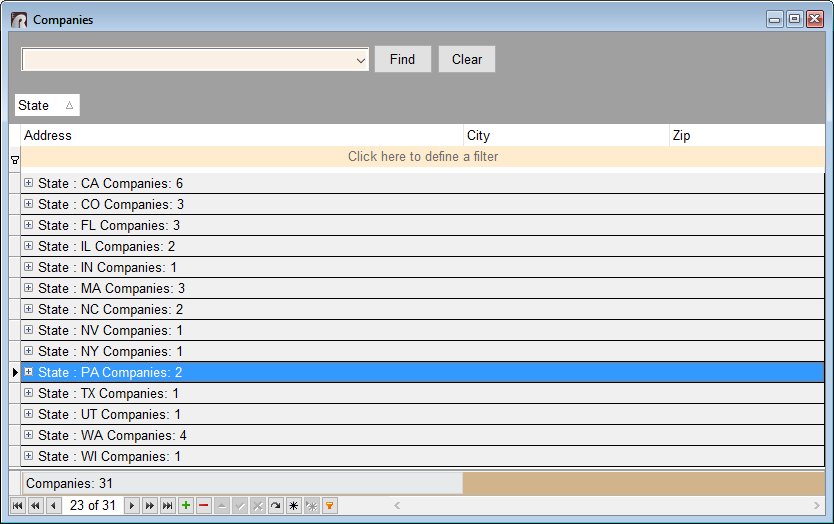
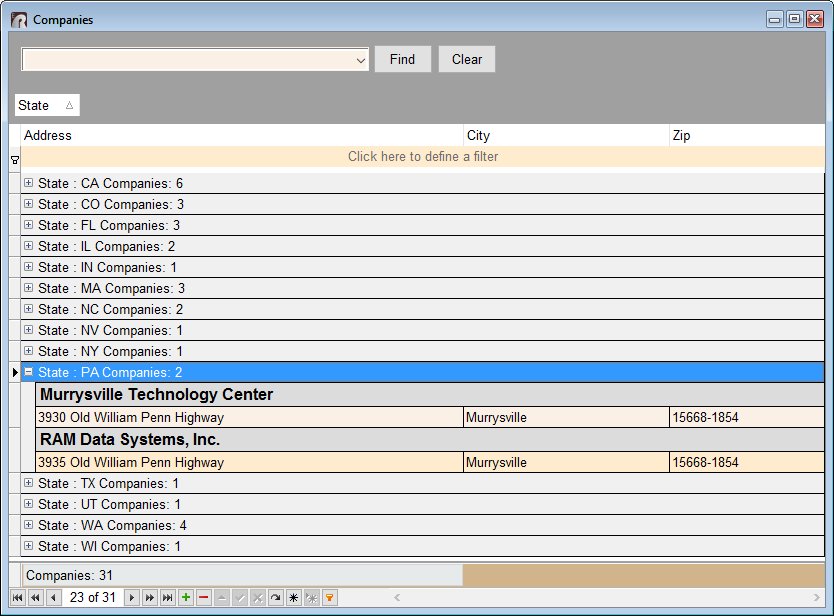
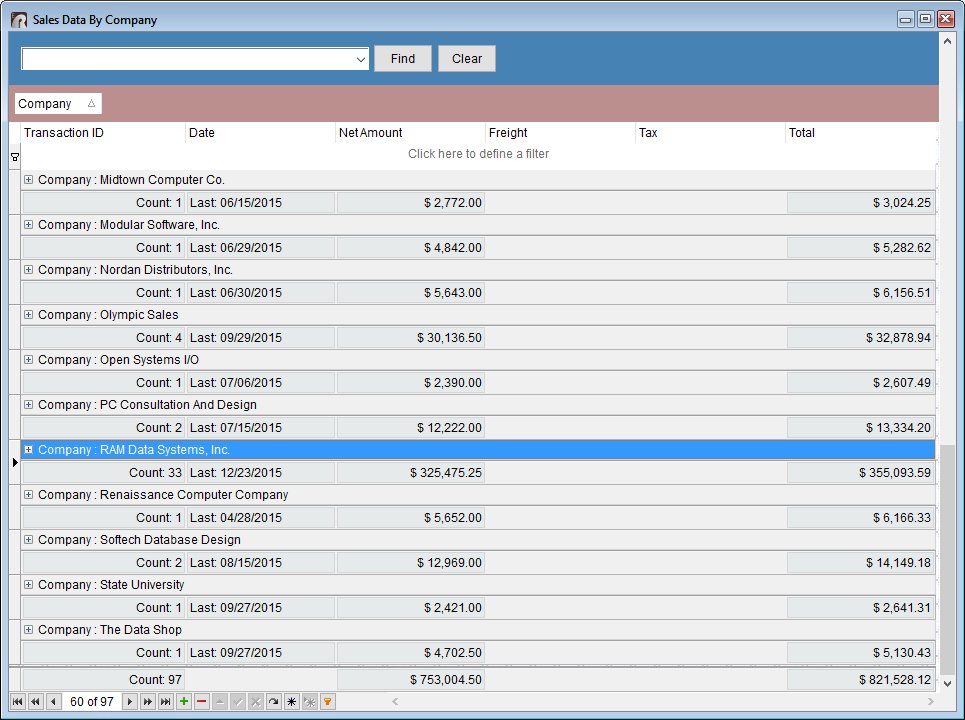
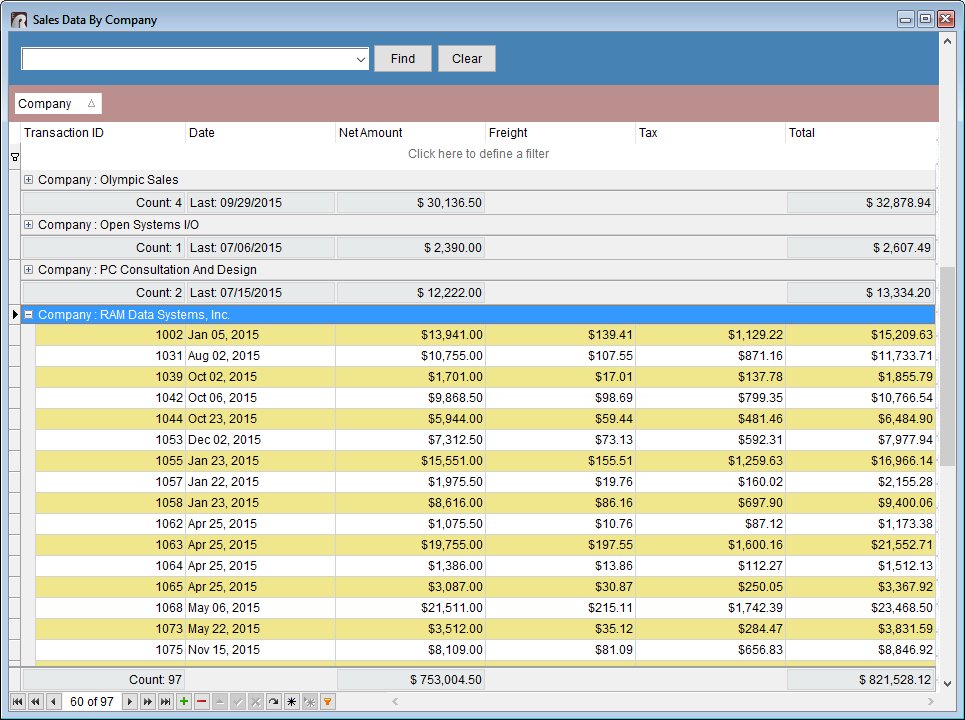
Use the new "DB Tree Grid" control to achieve such cool results!

Here's how ...

01. Start R:BASE X Enterprise (Build: 10.0.1.21008) or higher ...

02. Form Designer > Database Controls > DB Tree Grid ...

03. Associate the DB Tree Grid control with appropriate table/view

04. Follow the DB Tree Grid Properties ...

Once all set and configured, you should see the results as follows:

http://www.razzak.com/tips/DBTreeGrid_01.jpg
http://www.razzak.com/tips/DBTreeGrid_02.jpg
http://www.razzak.com/tips/DBTreeGrid_03.jpg
http://www.razzak.com/tips/DBTreeGrid_04.jpg

Imagine the possibilities!

Very Best R:egards,

Razzak


At 02:05 PM 5/31/2016, Jim Belisle wrote:

>I want to show rows from the quote header and detail along one line.
>I know I can make a view to do this. What I want is this.
>An object I can put in my form that will show a single row when there
>are multiple rows of the quote detail with the ability to click and it
>will expand to show the multiple rows.
>So if the row actually had many rows in the detail section, it would
>default to a single row but show a plus sign signifying more rows.
>Click on the plus sign and the rows appear.
>Any such object I can use?


--
You received this message because you are subscribed to the Google Groups
"RBASE-L" group.
To unsubscribe from this group and stop receiving emails from it, send an email
to [email protected].
For more options, visit https://groups.google.com/d/optout.

--
You received this message because you are subscribed to the Google Groups
"RBASE-L" group.
To unsubscribe from this group and stop receiving emails from it, send an email
to [email protected].
For more options, visit https://groups.google.com/d/optout.