Friday, September 9, 2016

Tip of the Day: Using New Scratch Pad in R:BASE X
Product.......: R:BASE/Runtime/R:Compiler - X/X Enterprise (Version 10)
Build.........: 10.0.1.10909 or higher
Section.......: Productivity Tools
Keywords......: Scratch Pad
Did you know that you can keep track of all your development notes, and
favorite command templates, etc., while developing applications?

These notes can be general (Global) or specific to the connected database.

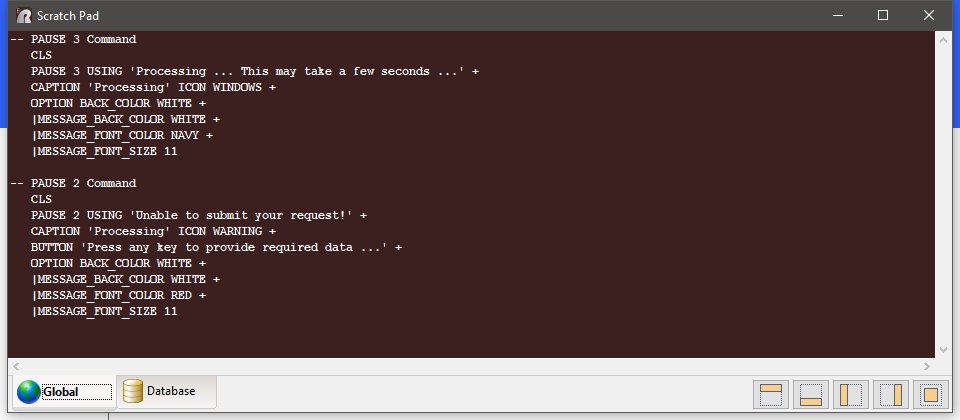
A new "Scratch Pad" utility has been implemented to increase productivity
during active development.

The scratch pad can hold any text or command template that is frequently
used during development. The Scratch Pad utility window can be positioned
several different ways to not obstruct R:BASE use. Global and Database
tabs are available for database-specific or global development.

The Scratch Pad is available from the Utilities menu bar option, and can
be displayed using the [Ctrl+F11] key combination, on demand.

http://www.razzak.com/tips/RBGX_Scratch_Pad.jpg

Have fun!

Very Best R:egards,

Razzak.

www.rbase.com
www.facebook.com/rbase
--
33 years of continuous innovation!
18 Years of R:BASE Technologies, Inc. making R:BASE what it is today!
--

--
You received this message because you are subscribed to the Google Groups
"RBASE-L" group.
To unsubscribe from this group and stop receiving emails from it, send an email
to [email protected].
For more options, visit https://groups.google.com/d/optout.