Monday, April 25, 2011

Tip of the Day - Conditionally Managing Data Browser/Editor Options
Product: R:BASE eXtreme 9.1 (32/64)
Update.: 3
Build..: 9.1.3.10414 or higher http://www.rupdates.com
Section: Data Browser/Editor
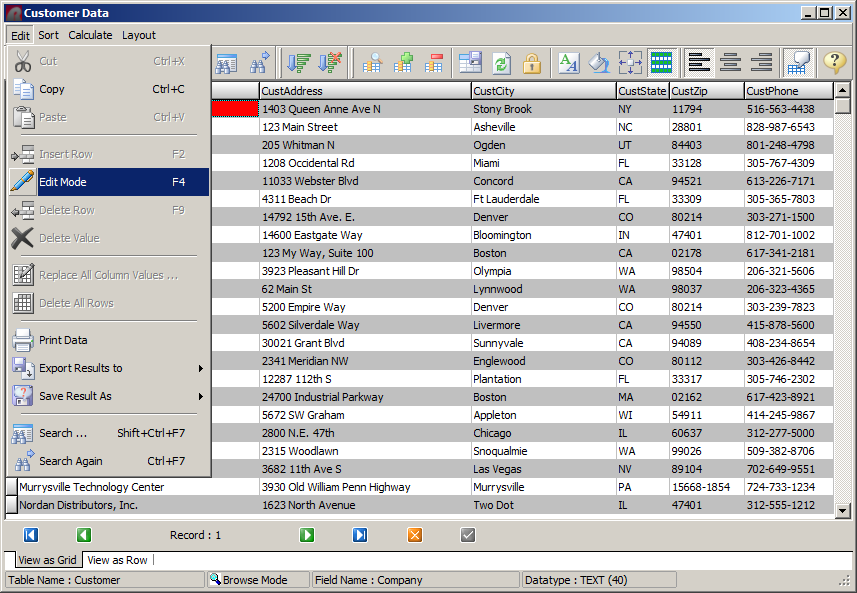
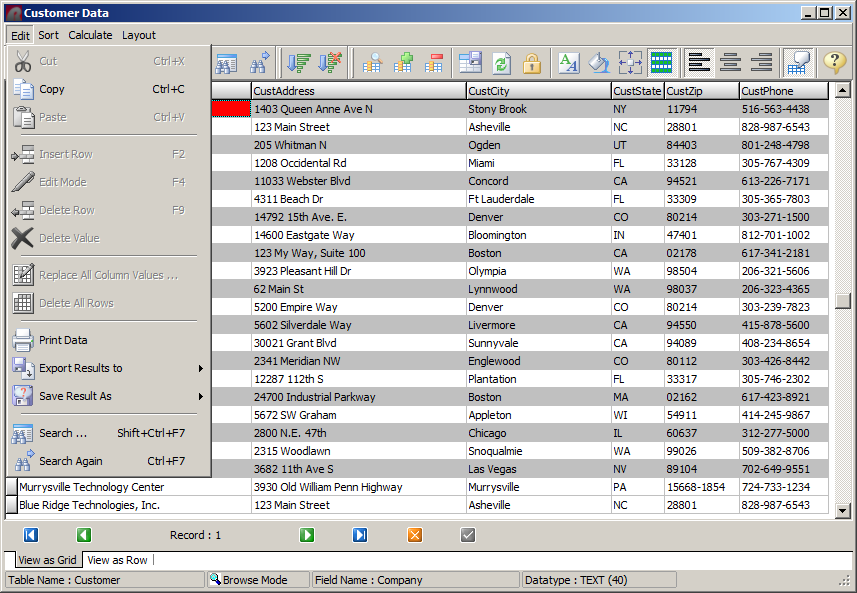
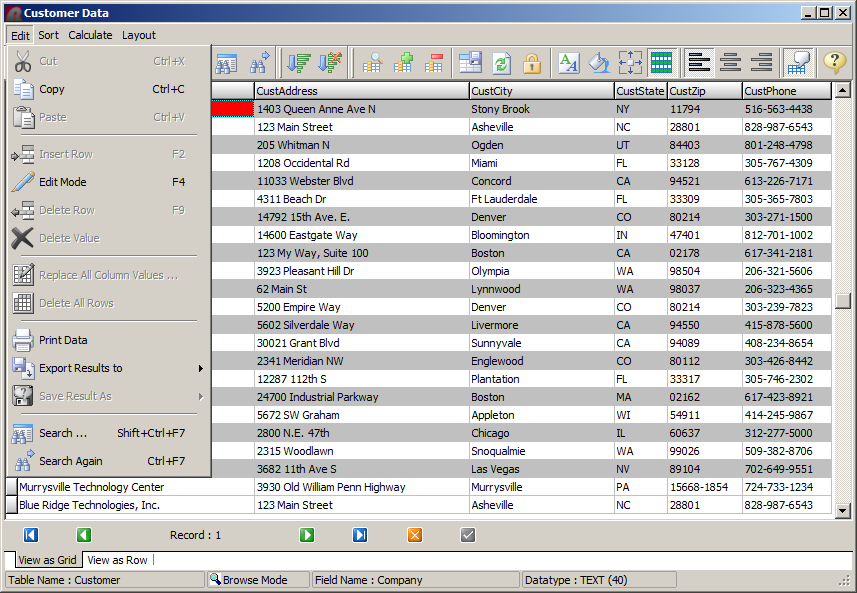
Traditionally, among many options, Data Browser/Editor "Edit" list
includes:

. Edit Mode [F4] (Switch Between Browse/Edit Mode)
. Print Data
. Export Results to
. Save Result As (Table, Temporary Table, View, Temporary View)

  Data Browser/Editor | Main Menu | Edit

There may be circumstances when you may not want to provide these
options to any or all users.

Did you know that you can conditionally manage these options which
may include enabling/disabling these choices based upon the logged
in user?

Here's how:

IF (CVAL('DATABASE')) <> 'RRBYW17' OR (CVAL('DATABASE')) IS NULL THEN
   CONNECT RRBYW17 IDENTIFIED BY NONE
ENDIF

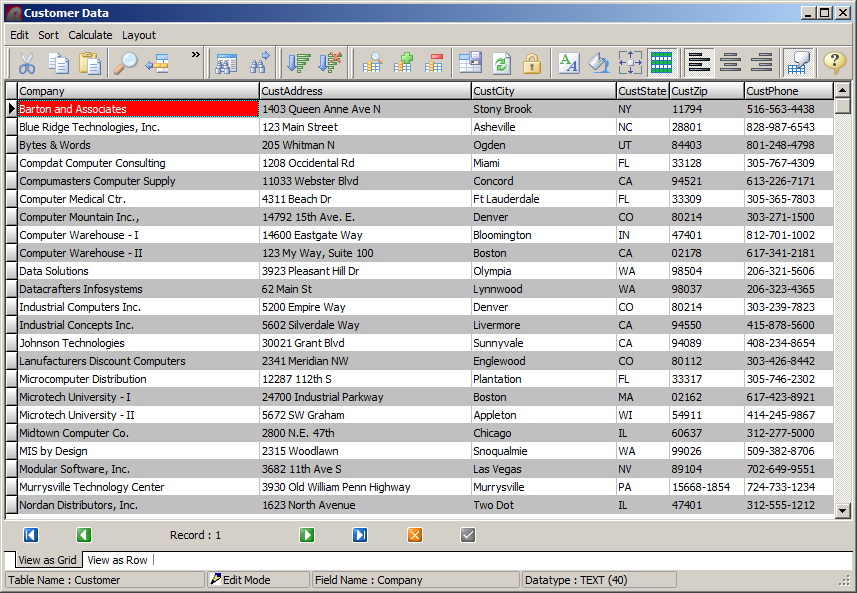
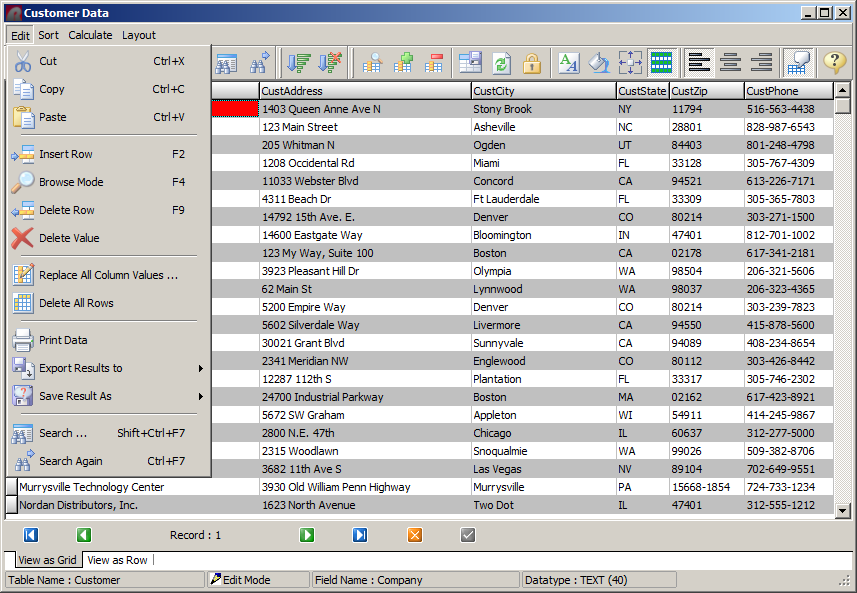
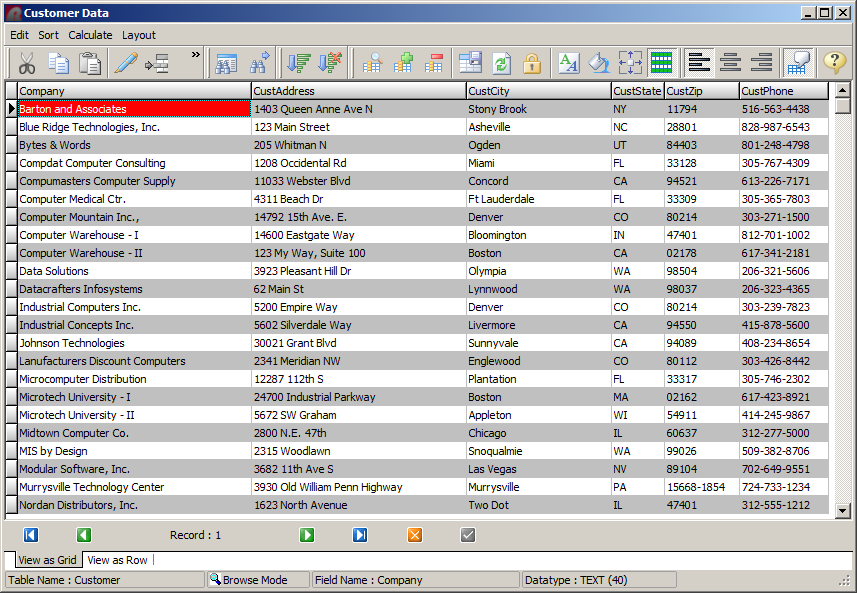
-- Example 01 (Typical Options)
   http://www.razzak.com/tips/DataBrowserEditorOptions_01.png
   http://www.razzak.com/tips/DataBrowserEditorOptions_02.png
   http://www.razzak.com/tips/DataBrowserEditorOptions_03.png
   CLS
   BROWSE Company,CustAddress,CustCity,CustState,CustZip,CustPhone +
   FROM Customer ORDER BY Company +
   OPTION CAPTION Customer Data|WINDOW_STATE NORMAL
   RETURN

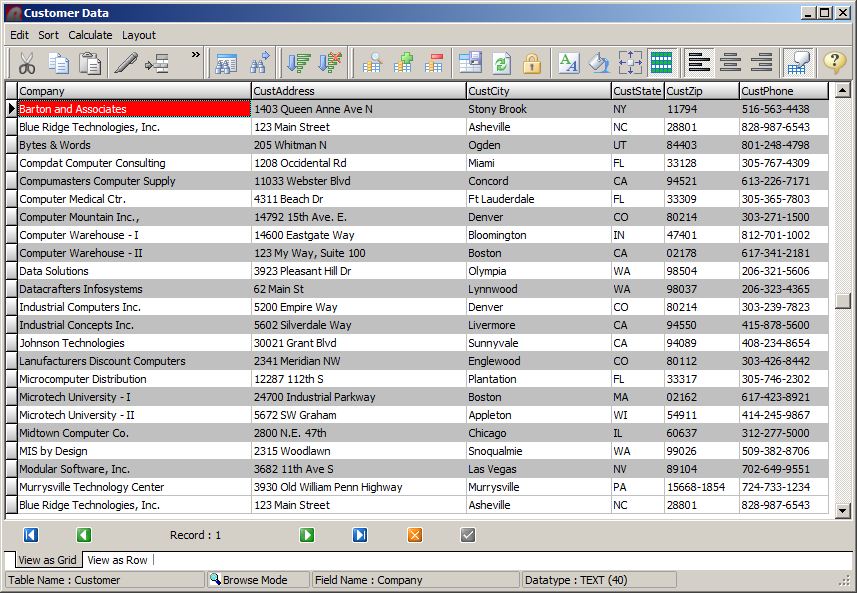
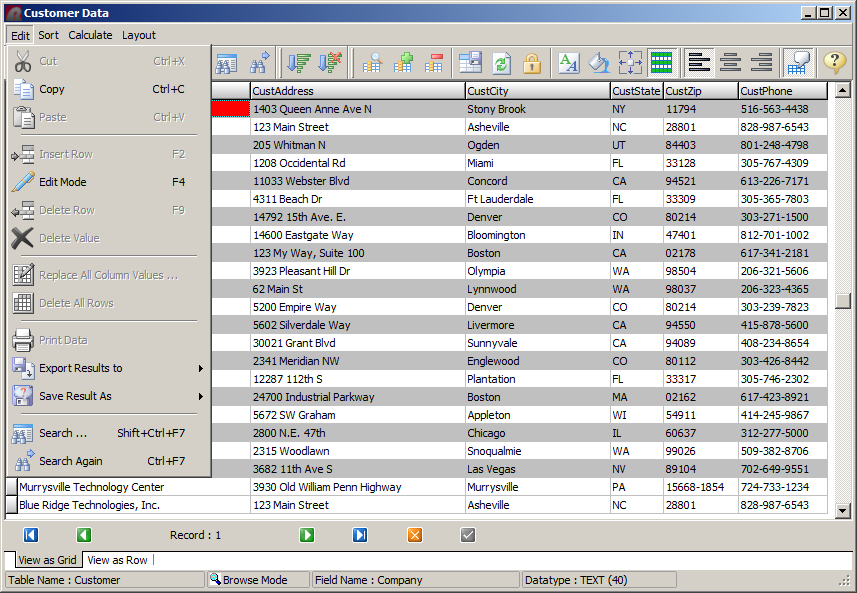
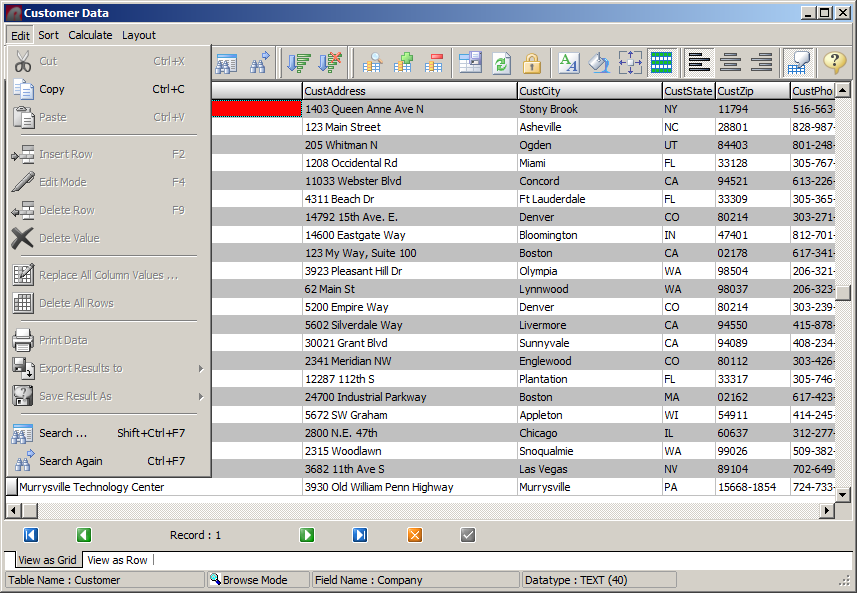
-- Example 02 (NOCHG)
-- Disable [F4] key to switch between Browse/Edit Mode
   http://www.razzak.com/tips/DataBrowserEditorOptions_04.png
   http://www.razzak.com/tips/DataBrowserEditorOptions_05.png
   CLS
   BROWSE Company,CustAddress,CustCity,CustState,CustZip,CustPhone +
   FROM Customer ORDER BY Company NOCHG +
   OPTION CAPTION Customer Data|WINDOW_STATE NORMAL
   RETURN

-- Example 03 (READONLY ON)
-- Makes the entire data set READONLY.
   http://www.razzak.com/tips/DataBrowserEditorOptions_06.png
   CLS
   BROWSE Company,CustAddress,CustCity,CustState,CustZip,CustPhone +
   FROM Customer ORDER BY Company +
   OPTION CAPTION Customer Data|WINDOW_STATE NORMAL|READONLY ON
   RETURN

-- Example 04 (PRINTDATA OFF)
-- Disable Print Data Option
   http://www.razzak.com/tips/DataBrowserEditorOptions_07.png
   CLS
   BROWSE Company,CustAddress,CustCity,CustState,CustZip,CustPhone +
   FROM Customer ORDER BY Company +
   OPTION CAPTION Customer Data|WINDOW_STATE NORMAL|PRINTDATA OFF
   RETURN

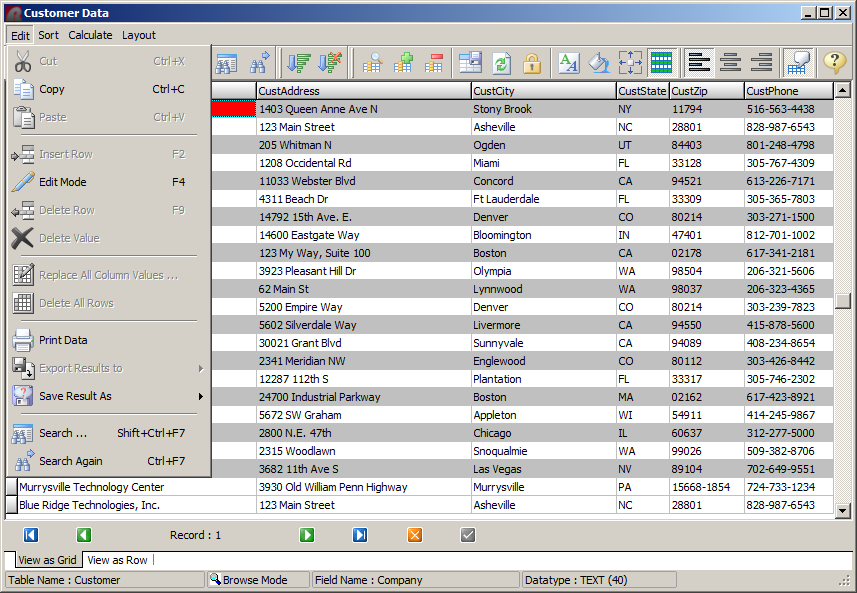
-- Example 05 (EXPORTRESULT OFF)
-- Disable Export Result To Option
   http://www.razzak.com/tips/DataBrowserEditorOptions_08.png
   CLS
   BROWSE Company,CustAddress,CustCity,CustState,CustZip,CustPhone +
   FROM Customer ORDER BY Company +
   OPTION CAPTION Customer Data|WINDOW_STATE NORMAL|EXPORTRESULT OFF
   RETURN

-- Example 06 (SAVERESULT OFF)
-- Disable Save Result As Option
   http://www.razzak.com/tips/DataBrowserEditorOptions_09.png
   CLS
   BROWSE Company,CustAddress,CustCity,CustState,CustZip,CustPhone +
   FROM Customer ORDER BY Company +
   OPTION CAPTION Customer Data|WINDOW_STATE NORMAL|SAVERESULT OFF
   RETURN

-- Example 07 (Conditionally Disable Options)
-- (NOCHG,READONLY ON,PRINTDATA OFF,EXPORTRESULT OFF,SAVERESULT OFF)
   http://www.razzak.com/tips/DataBrowserEditorOptions_10.png
   CLS
   SET VAR vOptions TEXT = NULL
   IF (CVAL('NetUser')) IN (JohnDoe,JaneDoe,MikeSmith,LLooser) THEN
      SET VAR vOptions = +
      ('CAPTION Customer Data|WINDOW_STATE NORMAL|READONLY ON' + +
       '|PRINTDATA OFF|EXPORTRESULT OFF|SAVERESULT OFF')
   ELSE
      SET VAR vOptions = ('CAPTION Customer Data|WINDOW_STATE NORMAL')
   ENDIF
   BROWSE Company,CustAddress,CustCity,CustState,CustZip,CustPhone +
   FROM Customer ORDER BY Company NOCHG +
   OPTION &vOptions
   CLEAR VARIABLES vOptions
   RETURN

Have fun implementing these options in your R:BASE applications!

Very Best R:egards,

Razzak.

--- RBASE-L
================================================
TO POST A MESSAGE TO ALL MEMBERS:
Send a plain text email to [email protected]

(Don't use any of these words as your Subject:
INTRO, SUBSCRIBE, UNSUBSCRIBE, SEARCH,
REMOVE, SUSPEND, RESUME, DIGEST, RESEND, HELP)
================================================
TO SEE MESSAGE POSTING GUIDELINES:
Send a plain text email to [email protected]
In the message SUBJECT, put just one word: INTRO
================================================
TO UNSUBSCRIBE:
Send a plain text email to [email protected]
In the message SUBJECT, put just one word: UNSUBSCRIBE
================================================
TO SEARCH ARCHIVES:
Send a plain text email to [email protected]
In the message SUBJECT, put just one word: SEARCH-n
(where n is the number of days). In the message body,
place any
text to search for.
================================================