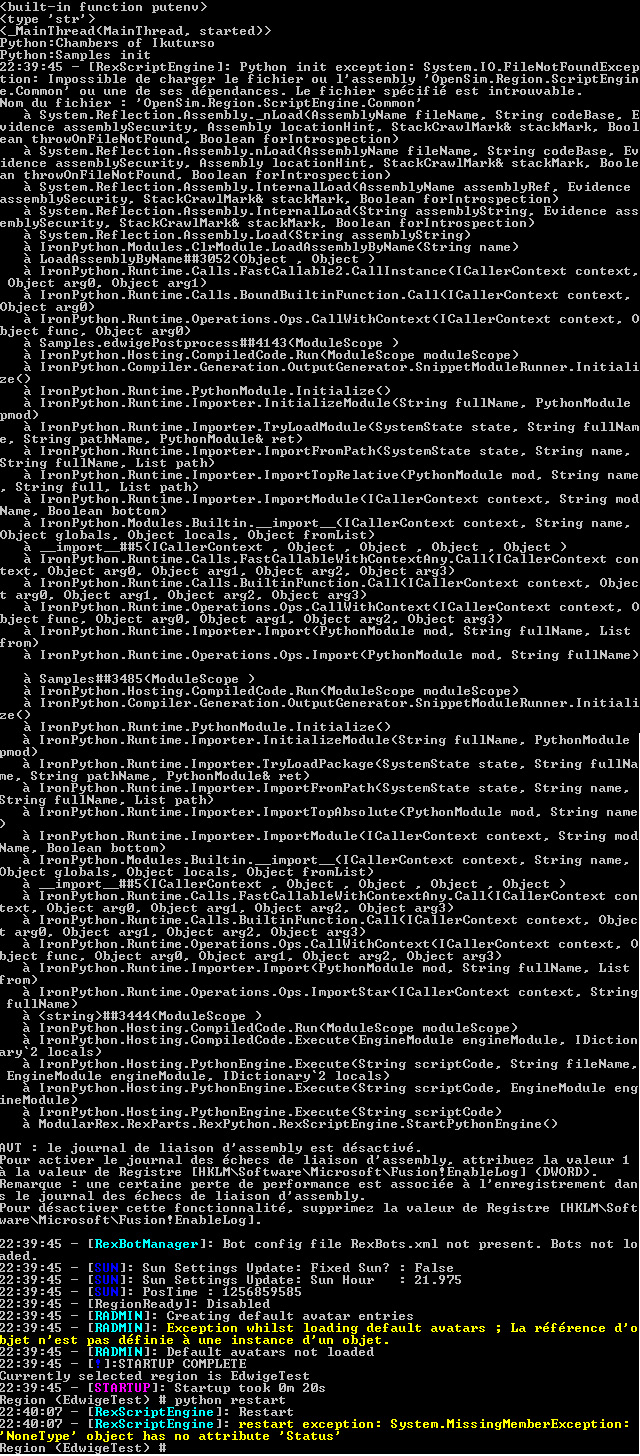
So, I tried to remove the rxactor from the script. The problem with
python not working is still here, but there is also a lot of more
issues, apparently (python ini exception, ...) :
http://www.armaghia.fr/phd/python_modrex2a.jpg
What is really weird to me is that it worked just fine on 0.4 and now
it doesn't work at all..  Am I the onlyone to experience that ?

Anyway, thanks for your help :)

On 29 oct, 20:51, Toni Alatalo <[email protected]> wrote:
> Edwige Lelievre - ENER lab wrote:
>
> > I import rxactor in my scripts, is that the issue ? It worked fine on
>
> Apparently you don't use rxactor anywhere in your code, so the import is
> there in vain.
>
> Python works so that nothing pollutes your namespace: when you say
> 'import rxactor', the *only* thing it does to your namespace is that
> there is now in object called 'rxactor' you can use (and it's a module
> that has been loaded in the memory, the code in it executed).
>
> By doing a search for 'rxactor' in this email it seemed that nothing was
> using that module for anything, there is nothing saying
> rxactor.SomeThing(), so there is no way anything in the code here would
> be using it.
>
> ~Toni
>
> > 0.4 server and these are scripts from rex wiki.
>
> > This is a script I tested (but I tested at least 5 differents scripts)
> > and there is a problem with server 0.5. I tested with 3 different
> > computers on windows xp and vista.
>
> > ---------------------------------------------------------------
> > # script that turns on post processing effect for everyone that enters
> > the world
>
> > import rxactor
> > import rxavatar
> > import rxworldinfo
> > import sys
> > import math
> > import clr
>
> > asm = clr.LoadAssemblyByName('OpenSim.Region.ScriptEngine.Common')
> > Vector3 = asm.OpenSim.Region.ScriptEngine.Common.LSL_Types.Vector3
>
> > class PostPro(rxworldinfo.WorldInfo):
> >     def GetScriptClassName():
> >         return "edwigePostprocess.PostPro"
>
> >     def EventCreated(self):
> >         super(self.__class__,self).EventCreated()
> >         self.MyWorld.MyEventManager.onAddPresence +=
> > self.handleOnAddPresence
>
> >     def EventDestroyed(self):
> >         self.MyWorld.MyEventManager.onAddPresence -=
> > self.handleOnAddPresence
> >         super(Truc,self).EventDestroyed()
>
> >     def handleOnAddPresence(self,vAvatar):
> >         vAvatar.rexSetPostProcess(3,True)
> >         #change the number here to change the post processing effect
> >         #see Postprocess.compositor in the viewer media\materials
> > \scripts\
>
> > -----------------------------------------------------
>
> > If the import rxactor is the issue, can I remove it without any change
> > in the script behavior ?
>
> > Thanks !
>
> > Edwige
>
> > On Oct 29, 1:49 pm, Mikko Pallari <[email protected]> wrote:
>
> >> From the screen shot I can see that something is going wrong in the server
> >> with the script added.
>
> >> For some reason it cant find the rxactor in some script. Did you use
> >> "import
> >> rxactor" in script which you added?
>
> >> -Mikko
>
> >> On Thu, Oct 29, 2009 at 1:40 PM, Edwige Lelievre - ENER lab <
>
> >> [email protected]> wrote:
>
> >>> Thank you both for your answers.
>
> >>> James, I already know that, and the fact that my scripts work fine
> >>> with the 0.4 server makes me think this is not the problem (or
> >>> something change in the syntax with server 0.5 ?)
>
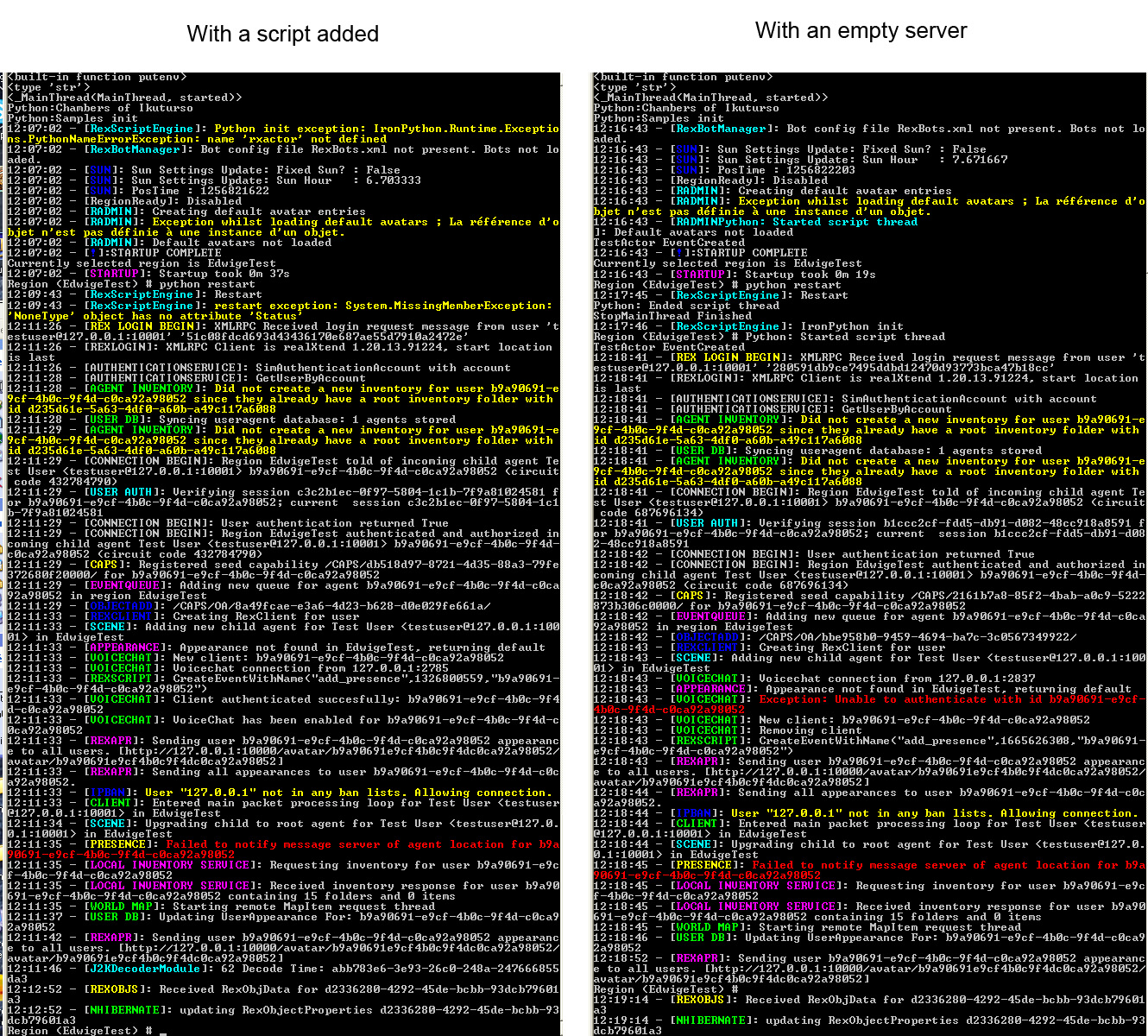
> >>> Toni, this is a screenshot comparing the opensim.exe window with an
> >>> empty server, and with a script added to the server :
> >>>http://www.armaghia.fr/phd/python_modrex.jpg
>
> >>> It looks like python initialization is a problem, but I don't know
> >>> why...
>
> >>> Edwige
>
> >>> On 27 oct, 06:51, James_Ross <[email protected]> wrote:
>
> >>>> Your problem is either one of two issues.
>
> >>>> 1) in the way that the server handles python scripts. The reason why
> >>>> your python stops functioning is because the __init__ file is loaded
> >>>> during server start-up. If you edit the __init__ file to add a new
> >>>> python script to the server, you must restart the server. If you edit
> >>>> a script and it has an error, it will tell you the error in the server
> >>>> console window when you try to run the script.
>
> >>>> 2) When you added your files, you made a mistake in the __init__ file
> >>>> or in the files you added. Be very careful of spacing, it has caused
> >>>> scripts that I thought would work fine, not function at all.
>
> >>>> Possible Solution:
>
> >>>> Without your server running, make a copy of one of the files already
> >>>> in the Samples folder. I suggest testobject.py as it will produce an
> >>>> easy to see result. Rename this file to testMe.py.
> >>>> Add the import command to your __init__.py file. These files are case-
> >>>> sensitive. Start your server. If you made a mistake you will see an
> >>>> error message in the server console window. Attempt to use your
> >>>> script.
>
> >>>> Example of what to class to point the object to if you used the
> >>>> testobject.py file.
>
> >>>>    testMe.Test
>
> >>>> Click on the object and see if it works.
>
> >>>> Hope this helps,
> >>>> James
>
> >>>> On Oct 25, 12:31 pm, Edwige Lelievre - ENER lab
>
> >>>> <[email protected]> wrote:
>
> >>>>> Hi everyone,
>
> >>>>> I'm trying Modrex right now (server 0.5 and viewer 0.42) and I have a
> >>>>> really strange scripting issue : when I add any python script in my
> >>>>> local server, python doesn't work anymore (for any script, even python
> >>>>> restart doesn't work). I add my scripts in rexserver\ScriptEngines
> >>>>> \PythonScript\Samples folder, and then add it to the __init__.py
>
> >>>>> I added scripts the same way with the 0.4 server, and it worked just
> >>>>> fine.
>
> >>>>> But when I don't add no script to the server, python works, I can even
> >>>>> modify the scripts, it's ok.
>
> >>>>> Thanks in advance.
>
> >>>>> Edwige Lelièvre of ENER research groupwww.armaghia.fr
--~--~---------~--~----~------------~-------~--~----~
http://groups.google.com/group/realxtend
http://www.realxtend.org
-~----------~----~----~----~------~----~------~--~---