AngersZhuuuu commented on a change in pull request #33362:
URL: https://github.com/apache/spark/pull/33362#discussion_r672146117
##########
File path: docs/sql-ref-syntax-qry-select-transform.md
##########
@@ -57,16 +65,38 @@ SELECT TRANSFORM ( expression [ , ... ] )
Specifies a command or a path to script to process data.
-### SerDe behavior
+### ROW FORMAT DELIMITED BEHAVIOR
+
+When spark use `ROW FORMAT DELIMITED` format, Spark will use `\u0001` as
default filed delimit,
+use `\n` as default line delimit and use `"\N"` as `NULL` value in order to
differentiate `NULL` values
+from empty strings. These delimit can be overridden by `FIELDS TERMINATED BY`,
`LINES TERMINATED BY` and
+`NULL TERMINATED AS`. Since we use `to_json` and `from_json` to handle complex
data type, so
+`COLLECTION ITEMS TERMINATED BY` and `MAP KEYS TERMINATED BY` won't work in
current code.
+Spark will cast all columns to `STRING` and combined by tabs before feeding to
the user script.
+For complex type such as `ARRAY\MAP\STRUCT`, spark use `to_json` cast it to
input json string
+and use `from_json` to convert result output to `ARRAY/MAP/STRUCT` data. The
standard output of
+the user script will be treated as tab-separated `STRING` columns, any cell
containing only `"\N"`
+will be re-interpreted as a `NULL` value, and then the resulting STRING column
will be cast to the
+data type specified in `col_type`. If the actual number of output columns is
less than the number
+of specified output columns, insufficient output columns will be supplemented
with `NULL`.
+If the actual number of output columns is more than the number of specified
output columns,
+the output columns will only select the corresponding columns and the
remaining part will be discarded.
Review comment:
How about current
##########
File path: docs/sql-ref-syntax-qry-select-transform.md
##########
@@ -57,16 +65,38 @@ SELECT TRANSFORM ( expression [ , ... ] )
Specifies a command or a path to script to process data.
-### SerDe behavior
+### ROW FORMAT DELIMITED BEHAVIOR
+
+When spark use `ROW FORMAT DELIMITED` format, Spark will use `\u0001` as
default filed delimit,
+use `\n` as default line delimit and use `"\N"` as `NULL` value in order to
differentiate `NULL` values
+from empty strings. These delimit can be overridden by `FIELDS TERMINATED BY`,
`LINES TERMINATED BY` and
+`NULL TERMINATED AS`. Since we use `to_json` and `from_json` to handle complex
data type, so
Review comment:
How about current
##########
File path: docs/sql-ref-syntax-qry-select-transform.md
##########
@@ -57,16 +65,38 @@ SELECT TRANSFORM ( expression [ , ... ] )
Specifies a command or a path to script to process data.
-### SerDe behavior
+### ROW FORMAT DELIMITED BEHAVIOR
+
+When spark use `ROW FORMAT DELIMITED` format, Spark will use `\u0001` as
default filed delimit,
+use `\n` as default line delimit and use `"\N"` as `NULL` value in order to
differentiate `NULL` values
Review comment:
How about current
##########
File path: docs/sql-ref-syntax-qry-select-transform.md
##########
@@ -24,6 +24,14 @@ license: |
The `TRANSFORM` clause is used to specify a Hive-style transform query
specification
to transform the inputs by running a user-specified command or script.
+Currently, Spark's script transform support two modes:
+
+ 1. Without Hive: Spark scripts transform can run without `-Phive` or
`SparkSession.builder.enableHiveSupport()`.
Review comment:
How about current?
##########
File path: docs/sql-ref-syntax-qry-select-transform.md
##########
@@ -57,19 +66,85 @@ SELECT TRANSFORM ( expression [ , ... ] )
Specifies a command or a path to script to process data.
-### SerDe behavior
-
-Spark uses the Hive SerDe `org.apache.hadoop.hive.serde2.lazy.LazySimpleSerDe`
by default, so columns will be casted
-to `STRING` and combined by tabs before feeding to the user script. All `NULL`
values will be converted
-to the literal string `"\N"` in order to differentiate `NULL` values from
empty strings. The standard output of the
-user script will be treated as tab-separated `STRING` columns, any cell
containing only `"\N"` will be re-interpreted
-as a `NULL` value, and then the resulting STRING column will be cast to the
data type specified in `col_type`. If the actual
-number of output columns is less than the number of specified output columns,
insufficient output columns will be
-supplemented with `NULL`. If the actual number of output columns is more than
the number of specified output columns,
-the output columns will only select the corresponding columns and the
remaining part will be discarded.
-If there is no `AS` clause after `USING my_script`, an output schema will be
`key: STRING, value: STRING`.
-The `key` column contains all the characters before the first tab and the
`value` column contains the remaining characters after the first tab.
-If there is no enough tab, Spark will return `NULL` value. These defaults can
be overridden with `ROW FORMAT SERDE` or `ROW FORMAT DELIMITED`.
+### ROW FORMAT DELIMITED BEHAVIOR
+
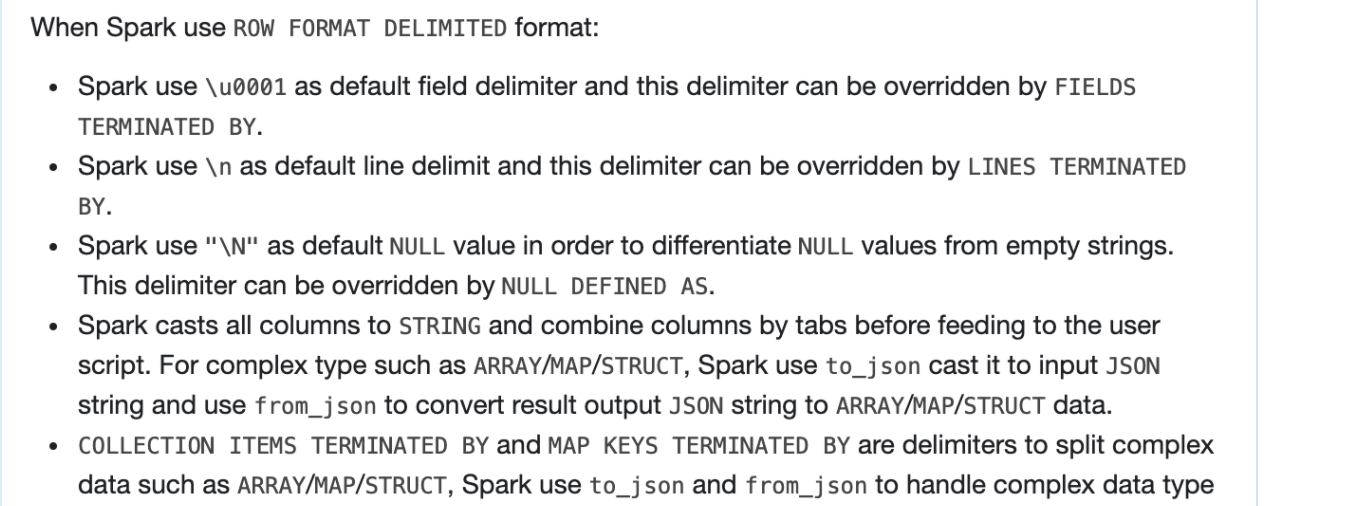
+When Spark use `ROW FORMAT DELIMITED` format:
+ - Spark use `\u0001` as default field delimiter and this delimiter can be
overridden by `FIELDS TERMINATED BY`.
+ - Spark use `\n` as default line delimit and this delimiter can be overridden
by `LINES TERMINATED BY`.
+ - Spark use `"\N"` as default `NULL` value in order to differentiate `NULL`
values
+ from empty strings. This delimiter can be overridden by `NULL DEFINED AS`.
+ - Spark casts all columns to `STRING` and combine columns by tabs before
feeding to the user script.
+ For complex type such as `ARRAY`/`MAP`/`STRUCT`, Spark use `to_json` cast it
to input `JSON` string and use
+ `from_json` to convert result output `JSON` string to `ARRAY`/`MAP`/`STRUCT`
data.
+ - `COLLECTION ITEMS TERMINATED BY` and `MAP KEYS TERMINATED BY` are
delimiters to split complex data such as
+ `ARRAY`/`MAP`/`STRUCT`, Spark use `to_json` and `from_json` to handle
complex data type with `JSON` format, so
+ `COLLECTION ITEMS TERMINATED BY` and `MAP KEYS TERMINATED BY` won't work in
default row format.
+ - The standard output of the user script is treated as tab-separated `STRING`
columns, any cell containing only `"\N"`
+ is re-interpreted as a `NULL` value, and then the resulting `STRING` column
will be cast to the data type specified in `col_type`.
+ - If the actual number of output columns is less than the number of specified
output columns,
+ insufficient output columns will be supplemented with `NULL`.
+ ```
+ output tabs: `1, 2`
+ output columns: `A: INT, B INT, C: INT`
+ result:
+ +---+---+------+
+ | a| b| c|
+ +---+---+------+
+ | 1| 2| NULL|
+ +---+---+------+
+ ```
+ - If the actual number of output columns is more than the number of specified
output columns,
+ the output columns only select the corresponding columns, and the remaining
part will be discarded.
+ For example, output have three tabs and output columns only have two columns:
+ ```
+ output tabs: `1, 2, 3`
+ output columns: `A: INT, B INT`
+ result:
+ +---+---+
+ | a| b|
+ +---+---+
+ | 1| 2|
+ +---+---+
+ ```
+ - If there is no `AS` clause after `USING my_script`, an output schema is
`key: STRING, value: STRING`.
+ The `key` column contains all the characters before the first tab and the
`value` column contains the remaining characters after the first tab.
+ If there are not enough tabs, Spark pads `NULL` value.
+ ```
+ output tabs: `1, 2, 3`
+ output columns:
+ result:
+ +-----+-------+
+ | key| value|
+ +-----+-------+
+ | 1| 2|
+ +-----+-------+
+
+ output tabs: `1, 2`
+ output columns:
+ result:
+ +-----+-------+
+ | key| value|
+ +-----+-------+
+ | 1| NULL|
+ +-----+-------+
+ ```
+
+### Hive SerDe behavior
+
+When enable Hive and use Hive Serde mode:
+ - Spark uses the Hive SerDe
`org.apache.hadoop.hive.serde2.lazy.LazySimpleSerDe` by default, so columns are
casted
+ to `STRING` and combined by tabs before feeding to the user script.
+ - All `NULL` values are converted to the literal string `"\N"` in order to
differentiate `NULL` values from empty strings.
Review comment:
Yea, you can see the screen shot
##########
File path: docs/sql-ref-syntax-qry-select-transform.md
##########
@@ -57,19 +66,85 @@ SELECT TRANSFORM ( expression [ , ... ] )
Specifies a command or a path to script to process data.
-### SerDe behavior
-
-Spark uses the Hive SerDe `org.apache.hadoop.hive.serde2.lazy.LazySimpleSerDe`
by default, so columns will be casted
-to `STRING` and combined by tabs before feeding to the user script. All `NULL`
values will be converted
-to the literal string `"\N"` in order to differentiate `NULL` values from
empty strings. The standard output of the
-user script will be treated as tab-separated `STRING` columns, any cell
containing only `"\N"` will be re-interpreted
-as a `NULL` value, and then the resulting STRING column will be cast to the
data type specified in `col_type`. If the actual
-number of output columns is less than the number of specified output columns,
insufficient output columns will be
-supplemented with `NULL`. If the actual number of output columns is more than
the number of specified output columns,
-the output columns will only select the corresponding columns and the
remaining part will be discarded.
-If there is no `AS` clause after `USING my_script`, an output schema will be
`key: STRING, value: STRING`.
-The `key` column contains all the characters before the first tab and the
`value` column contains the remaining characters after the first tab.
-If there is no enough tab, Spark will return `NULL` value. These defaults can
be overridden with `ROW FORMAT SERDE` or `ROW FORMAT DELIMITED`.
+### ROW FORMAT DELIMITED BEHAVIOR
+
+When Spark use `ROW FORMAT DELIMITED` format:
+ - Spark use `\u0001` as default field delimiter and this delimiter can be
overridden by `FIELDS TERMINATED BY`.
+ - Spark use `\n` as default line delimit and this delimiter can be overridden
by `LINES TERMINATED BY`.
+ - Spark use `"\N"` as default `NULL` value in order to differentiate `NULL`
values
+ from empty strings. This delimiter can be overridden by `NULL DEFINED AS`.
+ - Spark casts all columns to `STRING` and combine columns by tabs before
feeding to the user script.
+ For complex type such as `ARRAY`/`MAP`/`STRUCT`, Spark use `to_json` cast it
to input `JSON` string and use
+ `from_json` to convert result output `JSON` string to `ARRAY`/`MAP`/`STRUCT`
data.
+ - `COLLECTION ITEMS TERMINATED BY` and `MAP KEYS TERMINATED BY` are
delimiters to split complex data such as
+ `ARRAY`/`MAP`/`STRUCT`, Spark use `to_json` and `from_json` to handle
complex data type with `JSON` format, so
+ `COLLECTION ITEMS TERMINATED BY` and `MAP KEYS TERMINATED BY` won't work in
default row format.
+ - The standard output of the user script is treated as tab-separated `STRING`
columns, any cell containing only `"\N"`
+ is re-interpreted as a `NULL` value, and then the resulting `STRING` column
will be cast to the data type specified in `col_type`.
+ - If the actual number of output columns is less than the number of specified
output columns,
+ insufficient output columns will be supplemented with `NULL`.
+ ```
+ output tabs: `1, 2`
+ output columns: `A: INT, B INT, C: INT`
+ result:
+ +---+---+------+
+ | a| b| c|
+ +---+---+------+
+ | 1| 2| NULL|
+ +---+---+------+
+ ```
+ - If the actual number of output columns is more than the number of specified
output columns,
+ the output columns only select the corresponding columns, and the remaining
part will be discarded.
+ For example, output have three tabs and output columns only have two columns:
+ ```
+ output tabs: `1, 2, 3`
+ output columns: `A: INT, B INT`
+ result:
+ +---+---+
+ | a| b|
+ +---+---+
+ | 1| 2|
+ +---+---+
+ ```
+ - If there is no `AS` clause after `USING my_script`, an output schema is
`key: STRING, value: STRING`.
+ The `key` column contains all the characters before the first tab and the
`value` column contains the remaining characters after the first tab.
+ If there are not enough tabs, Spark pads `NULL` value.
+ ```
+ output tabs: `1, 2, 3`
+ output columns:
+ result:
+ +-----+-------+
+ | key| value|
+ +-----+-------+
+ | 1| 2|
+ +-----+-------+
+
+ output tabs: `1, 2`
+ output columns:
+ result:
+ +-----+-------+
+ | key| value|
+ +-----+-------+
+ | 1| NULL|
+ +-----+-------+
+ ```
+
+### Hive SerDe behavior
+
+When enable Hive and use Hive Serde mode:
+ - Spark uses the Hive SerDe
`org.apache.hadoop.hive.serde2.lazy.LazySimpleSerDe` by default, so columns are
casted
+ to `STRING` and combined by tabs before feeding to the user script.
+ - All `NULL` values are converted to the literal string `"\N"` in order to
differentiate `NULL` values from empty strings.
Review comment:
##########
File path: docs/sql-ref-syntax-qry-select-transform.md
##########
@@ -57,19 +66,85 @@ SELECT TRANSFORM ( expression [ , ... ] )
Specifies a command or a path to script to process data.
-### SerDe behavior
-
-Spark uses the Hive SerDe `org.apache.hadoop.hive.serde2.lazy.LazySimpleSerDe`
by default, so columns will be casted
-to `STRING` and combined by tabs before feeding to the user script. All `NULL`
values will be converted
-to the literal string `"\N"` in order to differentiate `NULL` values from
empty strings. The standard output of the
-user script will be treated as tab-separated `STRING` columns, any cell
containing only `"\N"` will be re-interpreted
-as a `NULL` value, and then the resulting STRING column will be cast to the
data type specified in `col_type`. If the actual
-number of output columns is less than the number of specified output columns,
insufficient output columns will be
-supplemented with `NULL`. If the actual number of output columns is more than
the number of specified output columns,
-the output columns will only select the corresponding columns and the
remaining part will be discarded.
-If there is no `AS` clause after `USING my_script`, an output schema will be
`key: STRING, value: STRING`.
-The `key` column contains all the characters before the first tab and the
`value` column contains the remaining characters after the first tab.
-If there is no enough tab, Spark will return `NULL` value. These defaults can
be overridden with `ROW FORMAT SERDE` or `ROW FORMAT DELIMITED`.
+### ROW FORMAT DELIMITED BEHAVIOR
+
+When Spark use `ROW FORMAT DELIMITED` format:
+ - Spark use `\u0001` as default field delimiter and this delimiter can be
overridden by `FIELDS TERMINATED BY`.
+ - Spark use `\n` as default line delimit and this delimiter can be overridden
by `LINES TERMINATED BY`.
+ - Spark use `"\N"` as default `NULL` value in order to differentiate `NULL`
values
+ from empty strings. This delimiter can be overridden by `NULL DEFINED AS`.
+ - Spark casts all columns to `STRING` and combine columns by tabs before
feeding to the user script.
+ For complex type such as `ARRAY`/`MAP`/`STRUCT`, Spark use `to_json` cast it
to input `JSON` string and use
+ `from_json` to convert result output `JSON` string to `ARRAY`/`MAP`/`STRUCT`
data.
+ - `COLLECTION ITEMS TERMINATED BY` and `MAP KEYS TERMINATED BY` are
delimiters to split complex data such as
+ `ARRAY`/`MAP`/`STRUCT`, Spark use `to_json` and `from_json` to handle
complex data type with `JSON` format, so
+ `COLLECTION ITEMS TERMINATED BY` and `MAP KEYS TERMINATED BY` won't work in
default row format.
+ - The standard output of the user script is treated as tab-separated `STRING`
columns, any cell containing only `"\N"`
+ is re-interpreted as a `NULL` value, and then the resulting `STRING` column
will be cast to the data type specified in `col_type`.
+ - If the actual number of output columns is less than the number of specified
output columns,
+ insufficient output columns will be supplemented with `NULL`.
+ ```
+ output tabs: `1, 2`
+ output columns: `A: INT, B INT, C: INT`
+ result:
+ +---+---+------+
+ | a| b| c|
+ +---+---+------+
+ | 1| 2| NULL|
+ +---+---+------+
+ ```
+ - If the actual number of output columns is more than the number of specified
output columns,
+ the output columns only select the corresponding columns, and the remaining
part will be discarded.
+ For example, output have three tabs and output columns only have two columns:
+ ```
+ output tabs: `1, 2, 3`
+ output columns: `A: INT, B INT`
+ result:
+ +---+---+
+ | a| b|
+ +---+---+
+ | 1| 2|
+ +---+---+
+ ```
+ - If there is no `AS` clause after `USING my_script`, an output schema is
`key: STRING, value: STRING`.
+ The `key` column contains all the characters before the first tab and the
`value` column contains the remaining characters after the first tab.
+ If there are not enough tabs, Spark pads `NULL` value.
+ ```
+ output tabs: `1, 2, 3`
+ output columns:
+ result:
+ +-----+-------+
+ | key| value|
+ +-----+-------+
+ | 1| 2|
+ +-----+-------+
+
+ output tabs: `1, 2`
+ output columns:
+ result:
+ +-----+-------+
+ | key| value|
+ +-----+-------+
+ | 1| NULL|
+ +-----+-------+
+ ```
+
+### Hive SerDe behavior
+
+When enable Hive and use Hive Serde mode:
+ - Spark uses the Hive SerDe
`org.apache.hadoop.hive.serde2.lazy.LazySimpleSerDe` by default, so columns are
casted
+ to `STRING` and combined by tabs before feeding to the user script.
+ - All `NULL` values are converted to the literal string `"\N"` in order to
differentiate `NULL` values from empty strings.
Review comment:
> I'm asking whether it's correct - that seems surprising
Below should be more clear?
All `NULL` values are converted to the literal string `'\N'` in order to
differentiate `NULL` values from `'NULL'`.
##########
File path: docs/sql-ref-syntax-qry-select-transform.md
##########
@@ -57,19 +66,85 @@ SELECT TRANSFORM ( expression [ , ... ] )
Specifies a command or a path to script to process data.
-### SerDe behavior
-
-Spark uses the Hive SerDe `org.apache.hadoop.hive.serde2.lazy.LazySimpleSerDe`
by default, so columns will be casted
-to `STRING` and combined by tabs before feeding to the user script. All `NULL`
values will be converted
-to the literal string `"\N"` in order to differentiate `NULL` values from
empty strings. The standard output of the
-user script will be treated as tab-separated `STRING` columns, any cell
containing only `"\N"` will be re-interpreted
-as a `NULL` value, and then the resulting STRING column will be cast to the
data type specified in `col_type`. If the actual
-number of output columns is less than the number of specified output columns,
insufficient output columns will be
-supplemented with `NULL`. If the actual number of output columns is more than
the number of specified output columns,
-the output columns will only select the corresponding columns and the
remaining part will be discarded.
-If there is no `AS` clause after `USING my_script`, an output schema will be
`key: STRING, value: STRING`.
-The `key` column contains all the characters before the first tab and the
`value` column contains the remaining characters after the first tab.
-If there is no enough tab, Spark will return `NULL` value. These defaults can
be overridden with `ROW FORMAT SERDE` or `ROW FORMAT DELIMITED`.
+### ROW FORMAT DELIMITED BEHAVIOR
+
+When Spark use `ROW FORMAT DELIMITED` format:
+ - Spark use `\u0001` as default field delimiter and this delimiter can be
overridden by `FIELDS TERMINATED BY`.
+ - Spark use `\n` as default line delimit and this delimiter can be overridden
by `LINES TERMINATED BY`.
+ - Spark use `"\N"` as default `NULL` value in order to differentiate `NULL`
values
+ from empty strings. This delimiter can be overridden by `NULL DEFINED AS`.
+ - Spark casts all columns to `STRING` and combine columns by tabs before
feeding to the user script.
+ For complex type such as `ARRAY`/`MAP`/`STRUCT`, Spark use `to_json` cast it
to input `JSON` string and use
+ `from_json` to convert result output `JSON` string to `ARRAY`/`MAP`/`STRUCT`
data.
+ - `COLLECTION ITEMS TERMINATED BY` and `MAP KEYS TERMINATED BY` are
delimiters to split complex data such as
+ `ARRAY`/`MAP`/`STRUCT`, Spark use `to_json` and `from_json` to handle
complex data type with `JSON` format, so
+ `COLLECTION ITEMS TERMINATED BY` and `MAP KEYS TERMINATED BY` won't work in
default row format.
+ - The standard output of the user script is treated as tab-separated `STRING`
columns, any cell containing only `"\N"`
+ is re-interpreted as a `NULL` value, and then the resulting `STRING` column
will be cast to the data type specified in `col_type`.
+ - If the actual number of output columns is less than the number of specified
output columns,
+ insufficient output columns will be supplemented with `NULL`.
+ ```
+ output tabs: `1, 2`
+ output columns: `A: INT, B INT, C: INT`
+ result:
+ +---+---+------+
+ | a| b| c|
+ +---+---+------+
+ | 1| 2| NULL|
+ +---+---+------+
+ ```
+ - If the actual number of output columns is more than the number of specified
output columns,
+ the output columns only select the corresponding columns, and the remaining
part will be discarded.
+ For example, output have three tabs and output columns only have two columns:
+ ```
+ output tabs: `1, 2, 3`
+ output columns: `A: INT, B INT`
+ result:
+ +---+---+
+ | a| b|
+ +---+---+
+ | 1| 2|
+ +---+---+
+ ```
+ - If there is no `AS` clause after `USING my_script`, an output schema is
`key: STRING, value: STRING`.
+ The `key` column contains all the characters before the first tab and the
`value` column contains the remaining characters after the first tab.
+ If there are not enough tabs, Spark pads `NULL` value.
+ ```
+ output tabs: `1, 2, 3`
+ output columns:
+ result:
+ +-----+-------+
+ | key| value|
+ +-----+-------+
+ | 1| 2|
+ +-----+-------+
+
+ output tabs: `1, 2`
+ output columns:
+ result:
+ +-----+-------+
+ | key| value|
+ +-----+-------+
+ | 1| NULL|
+ +-----+-------+
+ ```
+
+### Hive SerDe behavior
+
+When enable Hive and use Hive Serde mode:
+ - Spark uses the Hive SerDe
`org.apache.hadoop.hive.serde2.lazy.LazySimpleSerDe` by default, so columns are
casted
+ to `STRING` and combined by tabs before feeding to the user script.
+ - All `NULL` values are converted to the literal string `"\N"` in order to
differentiate `NULL` values from empty strings.
Review comment:
> OK if it's definitely that 4 character string, that's fine.
> BTW is it single or double quotes? your comment differs from the doc.
I change it to single quotes since in SQL doc for string value we always use
single quote?
##########
File path: docs/sql-ref-syntax-qry-select-transform.md
##########
@@ -57,19 +66,85 @@ SELECT TRANSFORM ( expression [ , ... ] )
Specifies a command or a path to script to process data.
-### SerDe behavior
-
-Spark uses the Hive SerDe `org.apache.hadoop.hive.serde2.lazy.LazySimpleSerDe`
by default, so columns will be casted
-to `STRING` and combined by tabs before feeding to the user script. All `NULL`
values will be converted
-to the literal string `"\N"` in order to differentiate `NULL` values from
empty strings. The standard output of the
-user script will be treated as tab-separated `STRING` columns, any cell
containing only `"\N"` will be re-interpreted
-as a `NULL` value, and then the resulting STRING column will be cast to the
data type specified in `col_type`. If the actual
-number of output columns is less than the number of specified output columns,
insufficient output columns will be
-supplemented with `NULL`. If the actual number of output columns is more than
the number of specified output columns,
-the output columns will only select the corresponding columns and the
remaining part will be discarded.
-If there is no `AS` clause after `USING my_script`, an output schema will be
`key: STRING, value: STRING`.
-The `key` column contains all the characters before the first tab and the
`value` column contains the remaining characters after the first tab.
-If there is no enough tab, Spark will return `NULL` value. These defaults can
be overridden with `ROW FORMAT SERDE` or `ROW FORMAT DELIMITED`.
+### ROW FORMAT DELIMITED BEHAVIOR
+
+When Spark use `ROW FORMAT DELIMITED` format:
+ - Spark use `\u0001` as default field delimiter and this delimiter can be
overridden by `FIELDS TERMINATED BY`.
+ - Spark use `\n` as default line delimit and this delimiter can be overridden
by `LINES TERMINATED BY`.
+ - Spark use `"\N"` as default `NULL` value in order to differentiate `NULL`
values
+ from empty strings. This delimiter can be overridden by `NULL DEFINED AS`.
+ - Spark casts all columns to `STRING` and combine columns by tabs before
feeding to the user script.
+ For complex type such as `ARRAY`/`MAP`/`STRUCT`, Spark use `to_json` cast it
to input `JSON` string and use
+ `from_json` to convert result output `JSON` string to `ARRAY`/`MAP`/`STRUCT`
data.
+ - `COLLECTION ITEMS TERMINATED BY` and `MAP KEYS TERMINATED BY` are
delimiters to split complex data such as
+ `ARRAY`/`MAP`/`STRUCT`, Spark use `to_json` and `from_json` to handle
complex data type with `JSON` format, so
+ `COLLECTION ITEMS TERMINATED BY` and `MAP KEYS TERMINATED BY` won't work in
default row format.
+ - The standard output of the user script is treated as tab-separated `STRING`
columns, any cell containing only `"\N"`
+ is re-interpreted as a `NULL` value, and then the resulting `STRING` column
will be cast to the data type specified in `col_type`.
+ - If the actual number of output columns is less than the number of specified
output columns,
+ insufficient output columns will be supplemented with `NULL`.
+ ```
+ output tabs: `1, 2`
+ output columns: `A: INT, B INT, C: INT`
+ result:
+ +---+---+------+
+ | a| b| c|
+ +---+---+------+
+ | 1| 2| NULL|
+ +---+---+------+
+ ```
+ - If the actual number of output columns is more than the number of specified
output columns,
+ the output columns only select the corresponding columns, and the remaining
part will be discarded.
+ For example, output have three tabs and output columns only have two columns:
+ ```
+ output tabs: `1, 2, 3`
+ output columns: `A: INT, B INT`
+ result:
+ +---+---+
+ | a| b|
+ +---+---+
+ | 1| 2|
+ +---+---+
+ ```
+ - If there is no `AS` clause after `USING my_script`, an output schema is
`key: STRING, value: STRING`.
+ The `key` column contains all the characters before the first tab and the
`value` column contains the remaining characters after the first tab.
+ If there are not enough tabs, Spark pads `NULL` value.
+ ```
+ output tabs: `1, 2, 3`
+ output columns:
+ result:
+ +-----+-------+
+ | key| value|
+ +-----+-------+
+ | 1| 2|
+ +-----+-------+
+
+ output tabs: `1, 2`
+ output columns:
+ result:
+ +-----+-------+
+ | key| value|
+ +-----+-------+
+ | 1| NULL|
+ +-----+-------+
+ ```
+
+### Hive SerDe behavior
+
+When enable Hive and use Hive Serde mode:
+ - Spark uses the Hive SerDe
`org.apache.hadoop.hive.serde2.lazy.LazySimpleSerDe` by default, so columns are
casted
+ to `STRING` and combined by tabs before feeding to the user script.
+ - All `NULL` values are converted to the literal string `"\N"` in order to
differentiate `NULL` values from empty strings.
Review comment:
> OK if it's definitely that 4 character string, that's fine.
> BTW is it single or double quotes? your comment differs from the doc.
have not update the screan shot yet
##########
File path: docs/sql-ref-syntax-qry-select-transform.md
##########
@@ -57,19 +66,85 @@ SELECT TRANSFORM ( expression [ , ... ] )
Specifies a command or a path to script to process data.
-### SerDe behavior
-
-Spark uses the Hive SerDe `org.apache.hadoop.hive.serde2.lazy.LazySimpleSerDe`
by default, so columns will be casted
-to `STRING` and combined by tabs before feeding to the user script. All `NULL`
values will be converted
-to the literal string `"\N"` in order to differentiate `NULL` values from
empty strings. The standard output of the
-user script will be treated as tab-separated `STRING` columns, any cell
containing only `"\N"` will be re-interpreted
-as a `NULL` value, and then the resulting STRING column will be cast to the
data type specified in `col_type`. If the actual
-number of output columns is less than the number of specified output columns,
insufficient output columns will be
-supplemented with `NULL`. If the actual number of output columns is more than
the number of specified output columns,
-the output columns will only select the corresponding columns and the
remaining part will be discarded.
-If there is no `AS` clause after `USING my_script`, an output schema will be
`key: STRING, value: STRING`.
-The `key` column contains all the characters before the first tab and the
`value` column contains the remaining characters after the first tab.
-If there is no enough tab, Spark will return `NULL` value. These defaults can
be overridden with `ROW FORMAT SERDE` or `ROW FORMAT DELIMITED`.
+### ROW FORMAT DELIMITED BEHAVIOR
+
+When Spark use `ROW FORMAT DELIMITED` format:
+ - Spark use `\u0001` as default field delimiter and this delimiter can be
overridden by `FIELDS TERMINATED BY`.
+ - Spark use `\n` as default line delimit and this delimiter can be overridden
by `LINES TERMINATED BY`.
+ - Spark use `"\N"` as default `NULL` value in order to differentiate `NULL`
values
+ from empty strings. This delimiter can be overridden by `NULL DEFINED AS`.
+ - Spark casts all columns to `STRING` and combine columns by tabs before
feeding to the user script.
+ For complex type such as `ARRAY`/`MAP`/`STRUCT`, Spark use `to_json` cast it
to input `JSON` string and use
+ `from_json` to convert result output `JSON` string to `ARRAY`/`MAP`/`STRUCT`
data.
+ - `COLLECTION ITEMS TERMINATED BY` and `MAP KEYS TERMINATED BY` are
delimiters to split complex data such as
+ `ARRAY`/`MAP`/`STRUCT`, Spark use `to_json` and `from_json` to handle
complex data type with `JSON` format, so
+ `COLLECTION ITEMS TERMINATED BY` and `MAP KEYS TERMINATED BY` won't work in
default row format.
+ - The standard output of the user script is treated as tab-separated `STRING`
columns, any cell containing only `"\N"`
+ is re-interpreted as a `NULL` value, and then the resulting `STRING` column
will be cast to the data type specified in `col_type`.
+ - If the actual number of output columns is less than the number of specified
output columns,
+ insufficient output columns will be supplemented with `NULL`.
+ ```
+ output tabs: `1, 2`
+ output columns: `A: INT, B INT, C: INT`
+ result:
+ +---+---+------+
+ | a| b| c|
+ +---+---+------+
+ | 1| 2| NULL|
+ +---+---+------+
+ ```
+ - If the actual number of output columns is more than the number of specified
output columns,
+ the output columns only select the corresponding columns, and the remaining
part will be discarded.
+ For example, output have three tabs and output columns only have two columns:
+ ```
+ output tabs: `1, 2, 3`
+ output columns: `A: INT, B INT`
+ result:
+ +---+---+
+ | a| b|
+ +---+---+
+ | 1| 2|
+ +---+---+
+ ```
+ - If there is no `AS` clause after `USING my_script`, an output schema is
`key: STRING, value: STRING`.
+ The `key` column contains all the characters before the first tab and the
`value` column contains the remaining characters after the first tab.
+ If there are not enough tabs, Spark pads `NULL` value.
+ ```
+ output tabs: `1, 2, 3`
+ output columns:
+ result:
+ +-----+-------+
+ | key| value|
+ +-----+-------+
+ | 1| 2|
+ +-----+-------+
+
+ output tabs: `1, 2`
+ output columns:
+ result:
+ +-----+-------+
+ | key| value|
+ +-----+-------+
+ | 1| NULL|
+ +-----+-------+
+ ```
+
+### Hive SerDe behavior
+
+When enable Hive and use Hive Serde mode:
+ - Spark uses the Hive SerDe
`org.apache.hadoop.hive.serde2.lazy.LazySimpleSerDe` by default, so columns are
casted
+ to `STRING` and combined by tabs before feeding to the user script.
+ - All `NULL` values are converted to the literal string `"\N"` in order to
differentiate `NULL` values from empty strings.
Review comment:
> That's not my question. You are suggesting here that the value has
four characters: a quote, a backlash, N, a quote. I'm not sure that's what you
mean, as you are saying the quote is just a doc convention. If you are
code-quoting the string, you are implying the whole thing is a literal.
>
> Here's a simple question - how many characters does the actual value have?
Got the point. like this
- All literal `NULL` values are converted to the literal string `\N` in
order to differentiate literal `NULL` values from literal string `NULL`.
--
This is an automated message from the Apache Git Service.
To respond to the message, please log on to GitHub and use the
URL above to go to the specific comment.
To unsubscribe, e-mail: [email protected]
For queries about this service, please contact Infrastructure at:
[email protected]
---------------------------------------------------------------------
To unsubscribe, e-mail: [email protected]
For additional commands, e-mail: [email protected]

