Hi Colin
There is no feature like that at moment. As I've seen it in other IDEs,
it's used to open a given file from your current project. Unfortunately
our support for projects is quite limited but we hope to improve it in
the future.
However, if you are using an IPython console in Spyder, you can type in it:

%edit /tmp/foo.txt

and foo.txt will be opened in our Editor.

Cheers,
Carlos

El 14/11/13 05:18, Colin Guyon escribió:
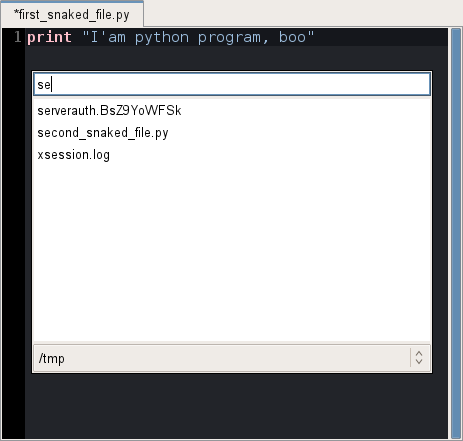
Hello, I didn't find existing related issues/discussions about this
subject: is a "quick open" feature planned ? In code editors there is
a often a shortcut permitting to directly enter a file name to open
it, instead of using the file browser (or classic ctrl+o).
For example in snaked:
http://pythonhosted.org/snaked/_images/quick-open.png
I saw the open_in_spyder function, that could be helpfull maybe...
Thank you :)
--
You received this message because you are subscribed to the Google
Groups "spyder" group.
To unsubscribe from this group and stop receiving emails from it, send
an email to [email protected].
To post to this group, send email to [email protected].
Visit this group at http://groups.google.com/group/spyderlib.
For more options, visit https://groups.google.com/groups/opt_out.
--
You received this message because you are subscribed to the Google Groups
"spyder" group.
To unsubscribe from this group and stop receiving emails from it, send an email
to [email protected].
To post to this group, send email to [email protected].
Visit this group at http://groups.google.com/group/spyderlib.
For more options, visit https://groups.google.com/groups/opt_out.