Did you add the servers ip address as well?  If you are using a
provider you need to enter their servers netblock.
On 11/30/06, Mark Kane <[EMAIL PROTECTED]> wrote:
On Thu, Nov 30, 2006, at 01:06:15 -0500, Scott Ullrich wrote:
> The best way to do this is to create an alias in Firewall -> Aliases
> called VoIP and then add all of the ip adresses or netblocks that
> belong.  Then during the wizard process tell it to use the VoiP alias
> and this will guarantee that the traffic should hit the right queues.
>
> Scott

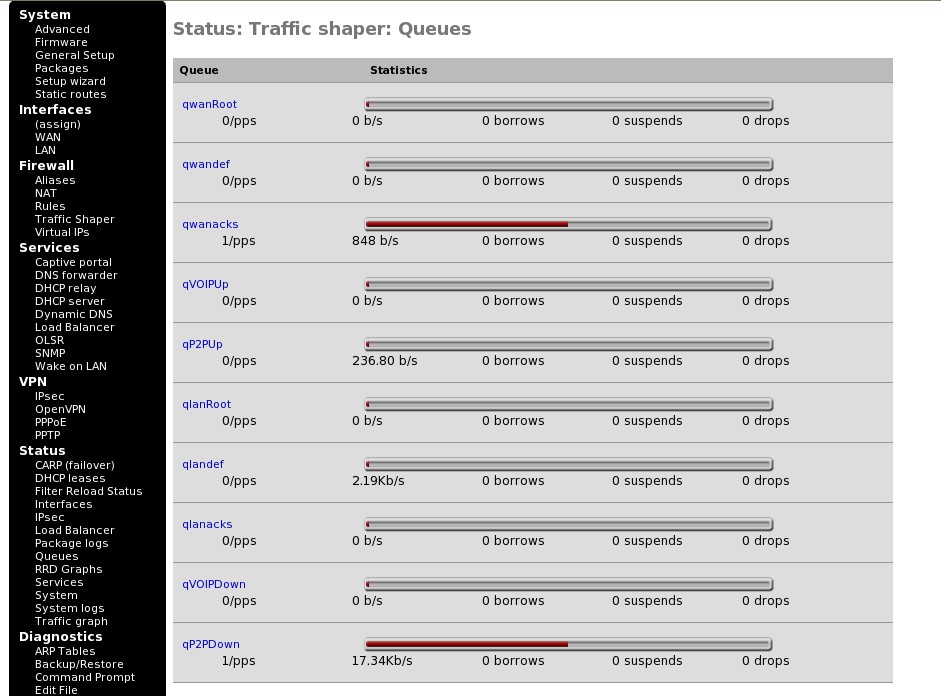
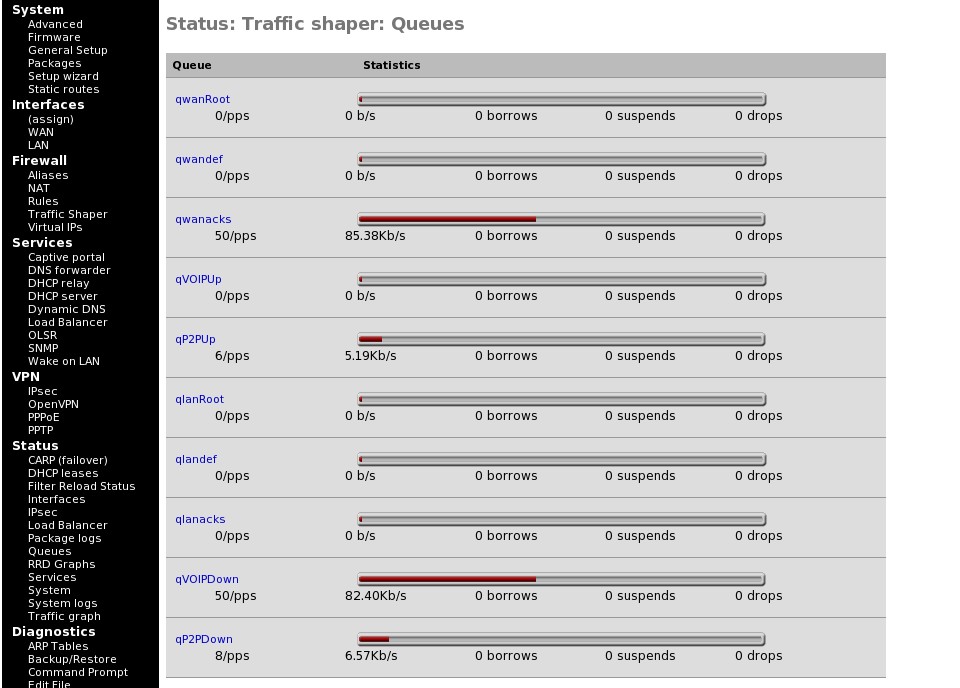
Thanks. I just tried this and it still puts the upload of the VoIP
traffic to qwanacks.

Before call:
http://tntpowerhost.com/mixx941/pfSense-before-call.jpg

During call:
http://tntpowerhost.com/mixx941/pfSense-during-call.jpg

192.168.1.50 is an Asterisk server, so that's the only IP that does
VoIP traffic to/from the Internet. The only shaping rules are still
just the in/out for the Alias which contains the Asterisk IP, and the
catch-all for everything else (both generated by the wizard and no
manual settings by me yet).

I also updated to yesterday's snapshot just to see, but same
effect...even with a fresh shaping wizard run and state reset.

Thanks again.

-Mark

--
Internet Radio:
Party107 (Trance/Electronic) - http://www.party107.com
Rock 101.9 The Edge (Rock) - http://www.rock1019.net

IRC:
MIXXnet IRC Network - irc.mixxnet.net (Nick: MIXX941)

---------------------------------------------------------------------
To unsubscribe, e-mail: [EMAIL PROTECTED]
For additional commands, e-mail: [EMAIL PROTECTED]
---------------------------------------------------------------------
To unsubscribe, e-mail: [EMAIL PROTECTED]
For additional commands, e-mail: [EMAIL PROTECTED]