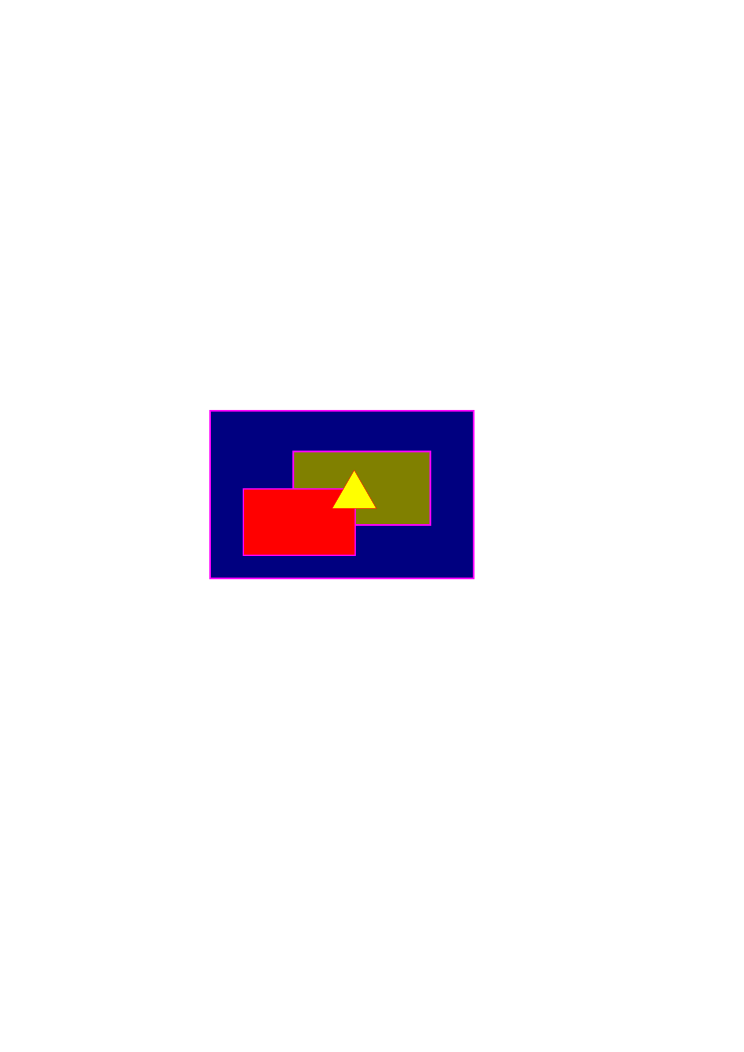
Ooops! I forgot to paste in the code:

<mask id="Ma">
<rect x="0" y="0" height="300%" width="100%" fill="white"/>
    <path transform="translate(-450, 0) scale(2.2,1)"
       id="triangle"
       d="m 354.28571,470.30504 -22.1705,38.4 h 44.341 z"

       fill="black" />
</mask>
 <image
xlink:href='http://srufaculty.sru.edu/david.dailey/svg/thesoul2.jpg'
y="215" x="200"
width="35%" height="160" />

<g  transform="translate(0,-200)" mask="url(#Ma)"
       id="g3676">
      <rect
         y="410.91531"
         x="210.11172"
         height="167.68532"
         width="263.64981"
         id="rect3672"

style="fill:#000080;stroke:#ff00ff;stroke-width:1.66799998;stroke-miterlimit:4;stroke-opacity:1;stroke-dasharray:none"
 />
      <rect
         y="451.63022"
         x="293.27554"
         height="73.517334"
         width="137.14285"
         id="rect3668"

style="fill:#808000;stroke:#ff00ff;stroke-width:1.76425362;stroke-miterlimit:4;stroke-opacity:1;stroke-dasharray:none"
 />
      <rect
         y="489.08624"
         x="243.38364"
         height="66.454803"
         width="111.87081"
         id="rect3670"

style="fill:#ff0000;stroke:#ff00ff;stroke-width:1.31827772;stroke-miterlimit:4;stroke-opacity:1;stroke-dasharray:none"
 />


   </g>

  ----- Original Message -----
  From: ddailey
  To: [email protected]
  Sent: Saturday, January 08, 2011 12:01 PM
  Subject: Re: [svg-developers] Divide objects below the specified path


  Perhaps something like this is what you have in mind accomplishing:

  I've made your triangle black and put it in a mask with a big white rectangle
underneath.... I had to mess with coordinates a bit to get it all to line up.
The mask is then applied to your group. In this way masks can be tricked into
acting like inverse clip-paths.

  cheers
  David

  ----- Original Message -----
  From: honyk
  To: [email protected]
  Sent: Saturday, January 08, 2011 11:00 AM
  Subject: RE: [svg-developers] Divide objects below the specified path

  Hi David,

  > I'm not sure if I quite understand your scenario

  Please see my simplified use case http://skibob.dobruska.cz/other/clip.svg -
  I'd like to have that triangle transparent. It is impossible to do it with a
  single path (with multiple contours) as I need different fill styles of
  individual objects.

  > While there has been some discussion of clipping paths with inversed
  functionality (I don't know if the SVG WG has taken up the issue or not --
  though it would make sense) -- in the meantime, we do have <mask> that
  enables that and more.

  Masking makes graphics semitransparent, I am not sure if this would help in
  my case.
  Any idea?

  Regards,
  Jan

  [Non-text portions of this message have been removed]

  [Non-text portions of this message have been removed]


[Non-text portions of this message have been removed]


------------------------------------

-----
To unsubscribe send a message to: [email protected]
-or-
visit http://groups.yahoo.com/group/svg-developers and click "edit my
membership"
----Yahoo! Groups Links

<*> To visit your group on the web, go to:
    http://groups.yahoo.com/group/svg-developers/

<*> Your email settings:
    Individual Email | Traditional

<*> To change settings online go to:
    http://groups.yahoo.com/group/svg-developers/join
    (Yahoo! ID required)

<*> To change settings via email:
    [email protected]
    [email protected]

<*> To unsubscribe from this group, send an email to:
    [email protected]

<*> Your use of Yahoo! Groups is subject to:
    http://docs.yahoo.com/info/terms/