To capture the solution in mail-archive/tinyos-help/cannot program TelosB
after setting
RST/NMI<http://www.mail-archive.com/[email protected]/msg42454.html>
as well as the mailing list.
Good find on how to fix this.   I also suspect that talking to the device
via a JTAG port will also work but that requires wiring a jtag connector
onto the telosb.    This uses the BSL port and looks simpler.


On Thu, Nov 8, 2012 at 8:26 PM, Xiaohui Liu <[email protected]> wrote:

> Hi everyone,
>
> I finally recovered my TelosB motes. The whole procedure is listed
> here<http://xiaohuiliucuriosity.blogspot.com/2012/11/how-to-recover-telosb-motes-after.html>
>  in
> case anyone encounters the same issue.
>
> -Xiaohui Liu
>
>
I have many TelosB motes running on TinyOS 2.1.2. Recently I accidentally
configured RST/NMI pin from reset to NMI mode by changing
$TOSROOT/tos/platforms/telosa/PlatformP.nc
WDTCTL = WDTPW + WDTHOLD* + WDTNMI*;

Consequently, the BSL is not started by the BSL RESET vector if RST/NMI pin
is configured for NMI functionality (NMI bit is set) [1]. After RST/NMI pin
is configured in NMI mode, TelosB motes cannot programmed. Detailed
information is shown below:
*/opt/tinyos-2.1.2/apps/Blink$ make telosb reinstall bsl,/dev/ttyUSB0*
*cp build/telosb/main.ihex build/telosb/main.ihex.out*
*    installing telosb binary using bsl*
*tos-bsl --telosb -c /dev/ttyUSB0 -r -e -I -p build/telosb/main.ihex.out*
*MSP430 Bootstrap Loader Version: 1.39-goodfet-8*
*Mass Erase...*
*MSP430 Bootstrap Loader Version: 1.39-goodfet-8*
*Mass Erase...*
*Traceback (most recent call last):*
*  File "/usr/bin/tos-bsl", line 1918, in <module>*
*    main(0);*
*  File "/usr/bin/tos-bsl", line 1833, in main*
*    for f in toinit: f()*
*  File "/usr/bin/tos-bsl", line 1098, in actionMassErase*
*    0xa506)             #Required setting for mass erase!*
*  File "/usr/bin/tos-bsl", line 758, in bslTxRx*
*    rxFrame = self.comTxRx(cmd, dataOut, len(dataOut))  #Send frame*
*  File "/usr/bin/tos-bsl", line 440, in comTxRx*
*    rxHeader, rxNum = self.comRxHeader()        #receive header*
*  File "/usr/bin/tos-bsl", line 346, in comRxHeader*
*    if not hdr: raise BSLException("Timeout")*
*__main__.BSLException: Timeout*
*make: *** [program] Error 1*

Literally, TelosB motes are all dead: wheven it is powered on, RST/NMI is
in NMI mode, preventing bsl from taking over.

Following are the step-by-step guide to recover the motes. Prior to rolling
up your sleeves, let's look at some logistics.
*Hardware*
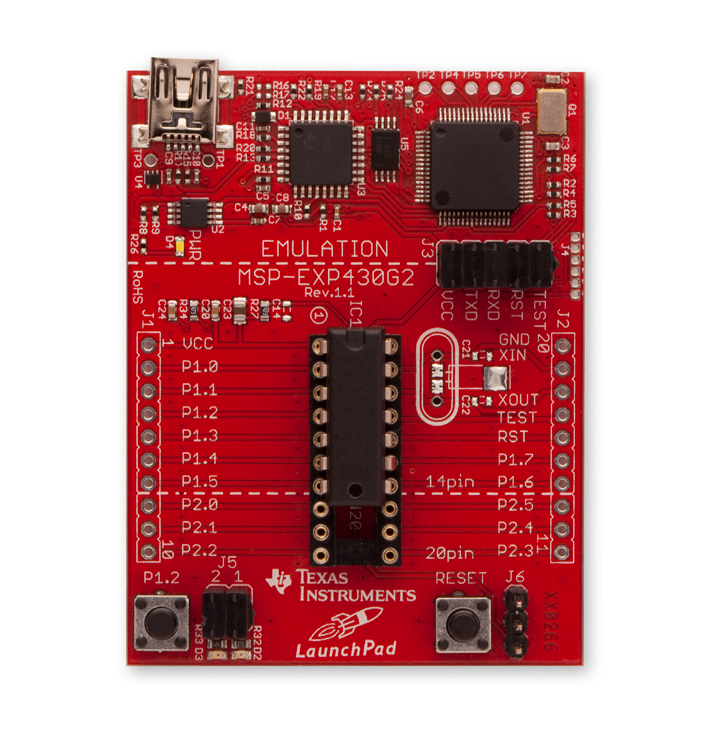
MSP430
LaunchPad<http://processors.wiki.ti.com/index.php/MSP430_LaunchPad_(MSP-EXP430G2)>
: only from $4.30 and free shipping from TI eStore
<http://2.bp.blogspot.com/-psPGdAW1SSw/UJxx1m3s8-I/AAAAAAAAESo/hU6lot4Decg/s1600/MSP-EXP30G2.jpg>

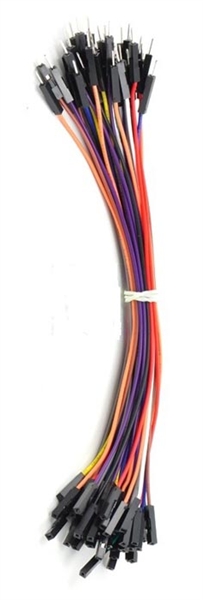
Jumper wires: with female/male headers
<http://4.bp.blogspot.com/-lfHn5oVkunc/UJxyRBo074I/AAAAAAAAESw/-IkbMY5Cd7g/s1600/jumpwire.jpg>


*Software*
IAR Embedded Workbench Kickstart - Free 4KB
IDE<http://www.ti.com/tool/iar-kickstart>:
Windows only
Launchpad(LPD) BSL interface code:
launchpad.zip<http://www.cs.wayne.edu/xliu/codes/launchpad.zip>
BSLdemo2: in slass535a.zip <http://www.cs.wayne.edu/xliu/codes/slaa535a.zip>
Binary TI TXT file: also in slass535a.zip

Now we are ready for the implementation.
*Procedure*
(1) Compile the LPD BSL interface code with IAR KickStart and download it
into the LPD. Be sure to change the target platform to MSP430G2553 when
compiling.
(2) Power off. Connect TelosB [2] to LPD.
          *LPD*                      *TelosB*
          VCC                      U2.1
          GND                      U2.9
          P1.6                       FT232BM pin 24 (RXD)
          P1.7                       FT232BM pin 25 (TXD)
          P1.4                       U28.6
          P1.0                       U8.7
Note: do not connect VCC now. You will do it in step (3).
<http://1.bp.blogspot.com/-XiHz436_UP4/UJx7EyGsRUI/AAAAAAAAETA/OaSQDEDzmQ8/s1600/Photo+Nov+08,+10+38+39+PM.jpg>

(3) Power up LPD, make sure that both Green and Red LEDs are off. If not,
press Reset (S1) on the LPD.
(4) Power up TelosB by connecting VCC. (If it is already on, turn it off
and wait for 10 seconds, then turn it on.)
(5) Press and release S2 on the LPD. Both Green and Red LEDs should turn on.
(6) Start BSLdemo2 on the PC. Go to
$LPAD_BSL_INTERFACE/TestScripts/MSP430F1612 and launch test.bat. Be sure to
change the COM port number in test.bat.
(7) Download Blink app in $TOSROOT/apps/Blink into the mote through bsl.

By now, you should see the mote blinks happily! Hope this helps. Drop me a
comment if you have any issue. Enjoy.

Special thanks to Ye-sheng Kuo from University of Michigan and Lichen Wang,
without whose assistance my motes may not survive.

References
[1] MSP430 Programming Via the Bootstrap Loader User's
Guide<http://www.ti.com/lit/ug/slau319c/slau319c.pdf>
[2] TelosB
schematic<http://webs.cs.berkeley.edu/tos/hardware/telos/telos-revb-2004-09-27.pdf>
[3] TI Application Report
SLAA535A<http://www.ti.com/lit/an/slaa535a/slaa535a.pdf>
_______________________________________________
Tinyos-help mailing list
[email protected]
https://www.millennium.berkeley.edu/cgi-bin/mailman/listinfo/tinyos-help