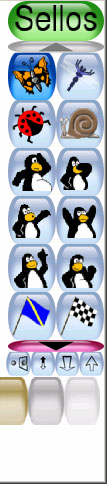
- I think the tools take too much space in the interface, so perhaps a smaller type buttons could be included for such things.
I've done a mokup of how I see it like, you can grab it from here:
http://www.internet.com.uy/ggabriel/new_transform_buttons.jpg
if you want to play more with this mokup, I have a layered version of the same image at http://www.internet.com.uy/ggabriel/new_transform_buttons.psd
- on the same topic, I'd still like to have keyboard shortcuts for these same transformations (arrow keys for flip and mirror, and numeric keypad +/- for grow/shrink) as I've seen for myself (on the kids I let play with the new features) that by using the on screen buttons, they just don't have an interactive visual clue of what they are actually doing when pressing those buttons, so they just tend to keep clicking endlessly on them :) as a result, for example, they only used none but the smallest or the biggest stamp sizes :))
- on a somewhat related topic, perhaps the same small buttons could be used to set different font sizes instead of showing them all on screen, and may be also to set the selected font as italic and/or bold types ...just thinking.
- also I've seen that when typing text, accented characters are not supported (at least under Windows). -- ������� --
Last but not least, Tux Paint keeps being the greatest/funniest free child's software!! I love it. :)
Gabriel
ADSL    -    Para estar las 24 horas en internet
http://www.internet.com.uy       Tel. 707.42.52
_______________________________________________
Tuxpaint-dev mailing list
[EMAIL PROTECTED]
http://tux4kids.net/mailman/listinfo/tuxpaint-dev