You've evidently started from one of the Xubuntu full images, which has
a full desktop.  I've been using the ext4 Base/Server image, so
everything has been command line only.  But of course, since this whole
Jivelite install procedure is all command lines, that makes little
difference.
I started again (from Ubuntu again - I think TinyCore might be running
before I can walk, due to its extra need to backup any configuration
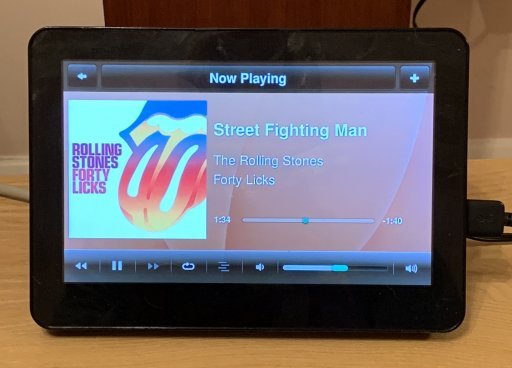
changes).  I simply entered all the commands from Ronnie's earlier post,
and it worked a treat, to give me the more up-to-date display.  No need
to import the PCP_ wallpapers this time.

[image:
http://www.cjh.me.uk/MyPhotobucket/cache/DIYHifi/JiveliteonJoggler2_512.jpg]

The touch screen calibration is still wildly out, so I'll have to
investigate what the options are for calibrating it.  If anyone knows
the correct approach, please speak up.


------------------------------------------------------------------------
chill's Profile: http://forums.slimdevices.com/member.php?userid=10839
View this thread: http://forums.slimdevices.com/showthread.php?t=110040

_______________________________________________
unix mailing list
[email protected]
http://lists.slimdevices.com/mailman/listinfo/unix