chill wrote:
>
> But I understand that a bash script can only return a single value to
> the applet, not a list.  So what's the best way to get this list back
> into the applet code, and then make a menu item for each line?
I found this function to capture shell output:

Code:
--------------------
    -- Allows output of shell scripts to be captured.
  function os.capture(cmd)
  local f = io.popen(cmd, 'r')
  local s = f:read('*a')
  f:close()
  return s
  end

--------------------


So now I can get a list of USB audio devices into the applet.  I've also
found out how to add items to a menu, so when I find out how to split my
list of devices into separate items I should be able to generate a group
of radio buttons to select one of the USB audio devices.

[image:
http://www.cjh.me.uk/MyPhotobucket/cache/DIYHifi/Jivelite/jivelite0008_512.jpg]
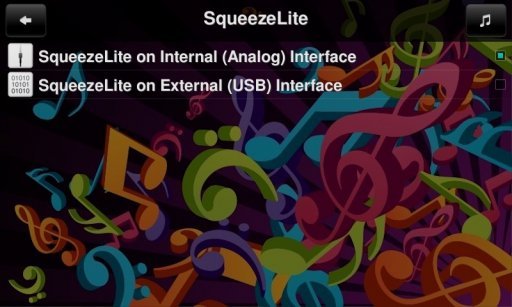
And the simpler interface I showed above is now working.  It detects
whether there's a player on either interface and sets the check box
accordingly, and then it allows the player to be created or killed.

Nearly there I think.  I must get back to tackling the screensaver at
some point.  I started all this to have a Joggler as a controller
-without- a player.


------------------------------------------------------------------------
chill's Profile: http://forums.slimdevices.com/member.php?userid=10839
View this thread: http://forums.slimdevices.com/showthread.php?t=110040

_______________________________________________
unix mailing list
[email protected]
http://lists.slimdevices.com/mailman/listinfo/unix