Hi all,

We are having some strange issues when connecting to machines running Ubuntu 16
and CentOS 7 via VNC, where the keyboard mappings will not work properly.
The problem exists both for physical keyboard input and when using the
on-screen keyboard. Our physical keyboards have Norwegian layouts, and the
on-screen keyboard has the en-US layout. I have not been able to test using an
English layout physical keyboard.

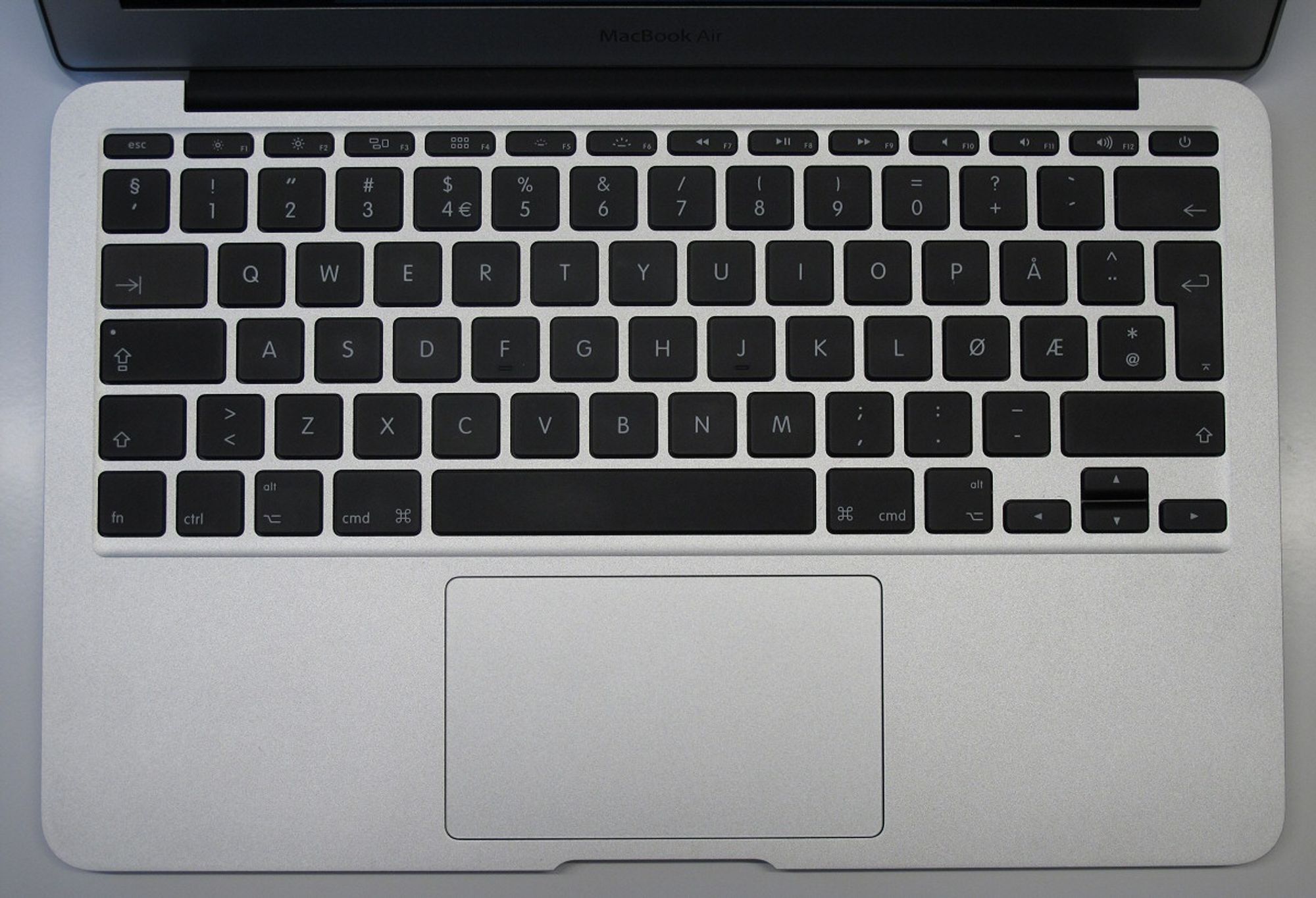
Examples from a Mac (Norwegian keyboard
<http://img.gfx.no/958/958819/MacBook_Air_tastatur.jpg>):
- ‘ (top left, above the tab key) becomes ‘æ'.
- ‘<' (bottom left, besides Shift) becomes ‘,’
- ‘-‘ (bottom right, below return key) becomes ‘+'
- ‘+’ (top right, below F10 and F11) becomes ‘\’

Examples from the on-screen keyboard (en-US):
- ‘=‘ (below F10) becomes ‘\’
- ‘\’ (below Backspace) becomes ‘
- ‘[‘ becomes ‘å’
- ‘]’ does not work (nothing happens)
- ‘;’ becomes ‘ø'
 - ‘`’ (above Tab) becomes ‘|' (pipe)

I can produce examples from a Windows computer tomorrow, if needed.

For other operating systems (e.g. Windows, Debian, CentOS 6 and older, and
older Ubuntu's) everything works as intended.

Can anyone else reproduce this, or could it be some misconfiguration of the
machines we are connecting to? (All machines we connect to are VM's, so there
is a possibility that the cause could be with the VM template we are using, if
some misconfiguration on the target could cause such an issue).

Kind regards
Hogne Vevle