I try to clean all things.
gradlew cleanAll loadDefault

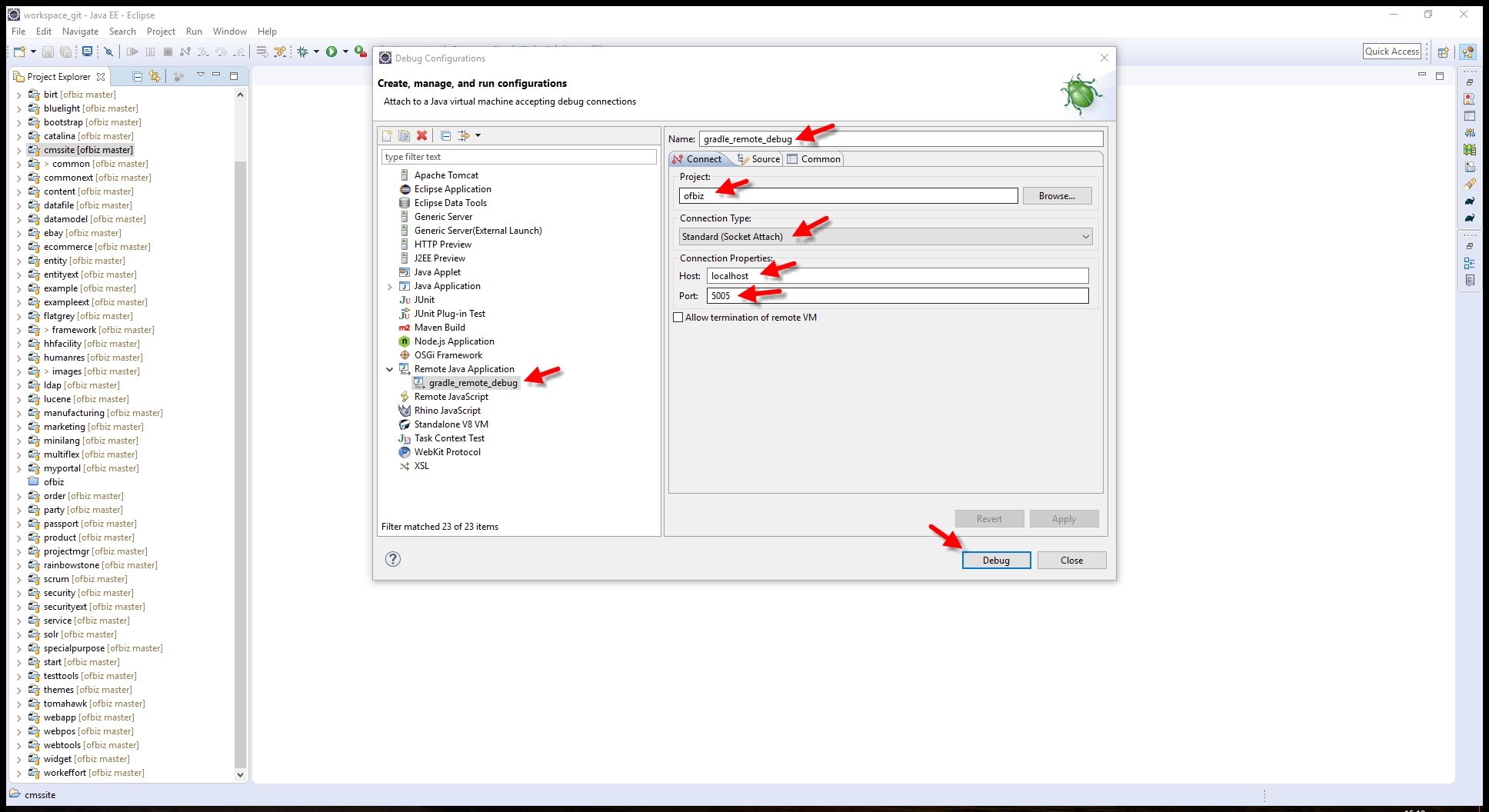
Indeed, At the previous session, I didn't set anything in tab Source. This
session, I set it (like screenshot https://user-images.
githubusercontent.com/1328316/27529984-cf1c13e2-5a80-11e7-
8277-9cfc20fed94d.jpg )

Tab Connect still like previous session (https://user-images.
githubusercontent.com/1328316/27529985-cf1d158a-5a80-11e7-
865f-581a353b94d2.jpg )
In CMD, Then I release command:
gradlew ofbizDebug

CMD console log has nothing. Console screen inside Eclipse IDE also has
nothing.

Error still looks like previous session (https://user-images.
githubusercontent.com/1328316/27529986-cfbca74e-5a80-11e7-
8c4f-10ba778c94e0.jpg)

This is my Eclipse log https://gist.github.com/donhuvy/
fbf6037ffd941a95729614b056764758 (File .log inside .metadata folder)

Help me debug OFBiz!


________________________________
From: Jacques Le Roux <[email protected]>
Sent: Monday, June 26, 2017 2:50:01 PM
To: [email protected]
Subject: Re: Can't access webapp in debug model

Vy,

I don't see what could be missing, seems to be an issue with your debug
config.

Did you set correctly the Debug Source tab (near Connect tab)?

Do you see something in the OFBiz console or console.log?

Did you check the Eclipse log?

Jacques

Le 26/06/2017 à 09:19, Donhu Vy a écrit :
Thank Jacques Le Roux,

I don't understand your reply. I want re-present my work step-by-step.

I am reading https://cwiki.apache.org/confluence/display/OFBIZ/
Running+and+Debugging+OFBiz+in+Eclipse . I am using Windows 10 Pro x64,
Eclipse Neon 3.
    At OFBiz's folder (F:\ofbiz), I release command

gradlew ofbizDebug

(screenshot: https://user-images.githubusercontent.com/1328316/
27528187-72519bca-5a79-11e7-8bd2-e4d3751642f7.jpg )
At Debug configuration windows, I set configuration like screenshot
https://user-images.githubusercontent.com/1328316/
27528188-7276fc1c-5a79-11e7-846c-85d75b037f5d.jpg
When I press button "Debug", I see error:
Problem Occurred
'Launching gradle_remote_debug' has encountered a problem. Launch
configuration gradle_remote_debug references closed project ofbiz.
Details: Launch configuration gradle_remote_debug references closed
project ofbiz
(Screenshot: https://user-images.githubusercontent.com/1328316/
27528317-19ce76c0-5a7a-11e7-9635-e0e38adb07ca.jpg )
How to debug OFBiz inside Eclipse IDE?


Vy

________________________________
From: Jacques Le Roux <[email protected]>
Sent: Monday, June 26, 2017 1:32:39 PM
To: [email protected]
Subject: Re: Can't access webapp in debug model

Hi,

You need to start a debugger for OFBiz to continue and be ready.

When you use the ofbizDebug Gradle task, OFBiz waits for a debugger to
continue. You can see that in the console or console.log
Jacques


Le 26/06/2017 à 04:14, Donhu Vy a écrit :
In previous sessions, when I release command
gradlew cleanAll loadDefault ofbiz --info
I can access https://localhost:8443/ap/control/main and start to play
with OFBiz.
Today , I release command
gradlew cleanAll loadDefault ofbizDebug --info
I can't access https://localhost:8443/ap/control/main .

Please help me explain why. I want dive inside to source code and start
make something small (for example: a widget, or tweak few lines of code).