Hello Reiner,

pleae find my answer below.
On Fri, Jun 07, 2019 at 13:13:10 CEST, cand.med.mag.r.danner wrote:
> i tryed today to us scupt-tc.img result
> on a lenovo g400 "black" screan

From a quick internet search, the G400 seems to use an AMD CPU which
is not well tested/supported in Genode. For your initial steps the
x201 is a much better candidate.

> on a lenovo x201 only the left upper ( net, devices)
> no other tool.

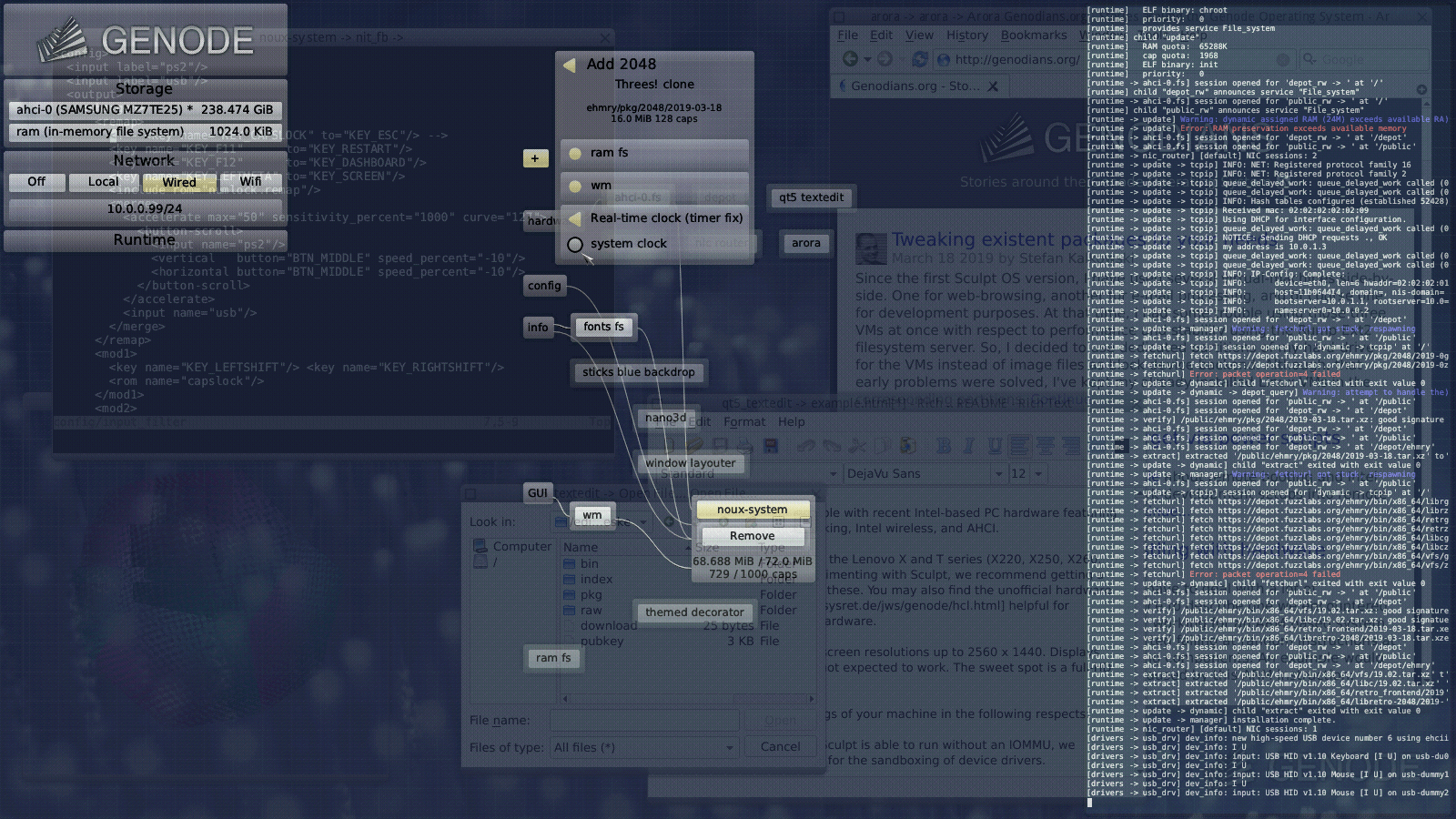
It seems Sculpt booted successfully on the notebook and I expect you
see screen comparable to

  https://genode.org/about/2019-03-19-sculpt-ce.png

which misses the graphical tree in the center. I suggest you read the
following documentation page for the next steps and to learn more
about Sculpt.

  https://genode.org/documentation/articles/sculpt-ce

The documentation is also available as PDF file.

  https://genode.org/documentation/sculpt-ce.pdf

Greets
--
Christian Helmuth
Genode Labs

https://www.genode-labs.com/ · https://genode.org/
https://twitter.com/GenodeLabs · /ˈdʒiː.nəʊd/

Genode Labs GmbH · Amtsgericht Dresden · HRB 28424 · Sitz Dresden
Geschäftsführer: Dr.-Ing. Norman Feske, Christian Helmuth

_______________________________________________
Genode users mailing list
[email protected]
https://lists.genode.org/listinfo/users