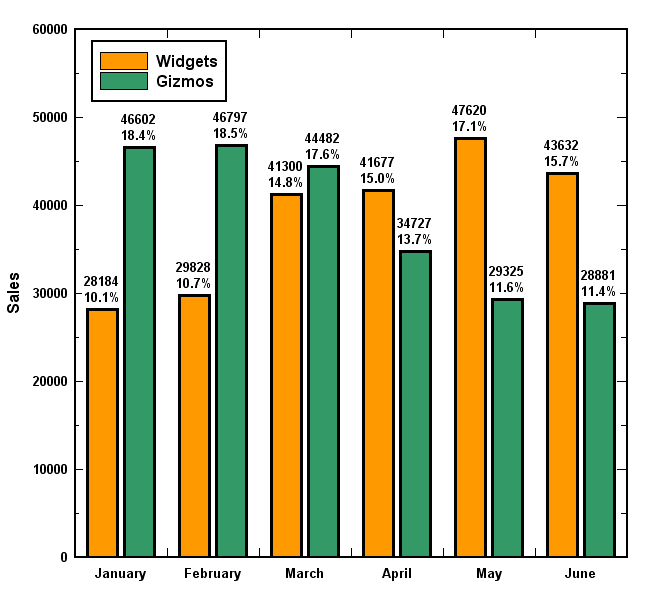
Hi Benjamin:

Thanks, that works! The only problem is that the labels don't
automatically update when the dataset it's based on changes, but it's
not a big deal.
Joseph

On Mon, Sep 23, 2013 at 8:47 PM, Benjamin K. Stuhl <[email protected]> wrote:
> On 9/23/2013 5:38 PM, Joseph Xu wrote:
>>
>> I'm trying to make a bar chart with numeric labels at the top, kind of
>> like this:
>>
>> http://www.dplot.com/barchart/barchart3_h600.png
>>
>> I tried to do this by adding an additional x-y plot with hidden
>> markers and the bar chart length for both the y position and the
>> labels. However, it seems like you can't use numeric data sets for
>> labels. I tried some other things, like creating a dataset using
>> "str(y)" for the expression, but that fails also. Is there any way to
>> hack around this?
>
>
> Hi Joseph,
>   Your idea about creating a dataset using str(y) is a good one, it just
> takes a bit more typing at the veusz console command line. If your
> numeric dataset is named 'y', you could create a text label dataset by
>
> SetDataText('y_labels', [ str(v) for v in GetData('y')[0] ])
>
> for example. I hope this helps with your goal!
>
> Regards,
> -- BKS
>

_______________________________________________
Veusz-discuss mailing list
[email protected]
https://mail.gna.org/listinfo/veusz-discuss