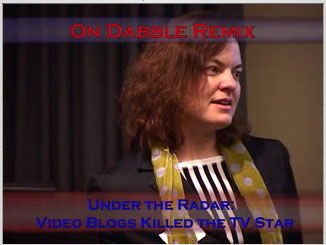
I've placed the image in the first "<a href" surrounded by
<noscript></noscript>.  My assumption was that feedburner and other
aggregators would use the first "<a href" found to pull out the media
(video or audio), so with that thinking the "<img" entry is copied
there.  The sample would change to:
=====================
<script type="text/javascript" language="javascript"
src="http://www.cirne.com/vlog/script/vlog.js";></script>
<noscript>
<a href="http://enric.blip.tv/file/get/Enric-OnDabbleRemix054489.mov";
rel="enclosure" style="font-size: 11px;"><img
src="http://static.flickr.com/38/101349283_ed69103f54_o.jpg"; alt="On
Dabble Remix" border="0" /></a>
</noscript>
<div id="divOnDabbleRemix" align="center">
<span onclick="playVlog('divOnDabbleRemix',
'http://enric.blip.tv/file/get/Enric-OnDabbleRemix054489.mov');"><img
style="cursor: pointer;"
src="http://static.flickr.com/38/101349283_ed69103f54_o.jpg"; alt="On
Dabble Remix" border="0" /></span><br />
<script type="text/javascript">document.writeln("<a href='javascript:
playVlog("divOnDabbleRemix",
"http://enric.blip.tv/file/get/Enric-OnDabbleRemix054489.mov");'
rel='enclosure' style='font-size: 12px;'>Watch Movie</a>");</script>
</div>
=====================
Does that work well?
-- Enric
--- In [email protected], "Joshua Kinberg" <[EMAIL PROTECTED]>
wrote:
>
> See, you're using this convention:
> <span><img></span>
>
> Why not <a><img></a> ?
>
> -Josh
>
>
> On 3/2/06, Enric <[EMAIL PROTECTED]> wrote:
> > I don't think I explained that too well, so I'm going to give an
> > example. The <OBJECT type="application/vPIP+XML"...>...</OBJECT>
> > section is parsed and turned into embed code. Here's an example from
> > the most recent vlog I put up on http://techalley.cirne.com:
> >
> > =====================
> > <script type="text/javascript" language="javascript"
> > src="http://www.cirne.com/vlog/script/vlog.js";></script><noscript>
> >
> > <a href="http://enric.blip.tv/file/get/Enric-OnDabbleRemix054489.mov";
> > rel="enclosure" style="font-size: 11px;">Watch Movie</a>
> >
> > </noscript>
> >
> > <div id="divOnDabbleRemix" align="center">
> >
> > <span onclick="playVlog('divOnDabbleRemix',
> > 'http://enric.blip.tv/file/get/Enric-OnDabbleRemix054489.mov');"><img
> > style="cursor: pointer;"
> > src="http://static.flickr.com/38/101349283_ed69103f54_o.jpg"; alt="On
> > Dabble Remix" border="0" /></span><br />
> >
> > <script type="text/javascript">document.writeln("<a href='javascript:
> > playVlog("divOnDabbleRemix",
> >
"http://enric.blip.tv/file/get/Enric-OnDabbleRemix054489.mov");'
> > rel='enclosure' style='font-size: 12px;'>Watch Movie</a>");</script>
> >
> > </div>
> > =====================
> >
> > Above is the Wordperfect presentation code that a vPIP object tag like
> > the following would have created:
> >
> > =====================
> > <OBJECT type="application/vPIP+xml" id="OnDabbleRemix" title="On
> > Dabble Remix">
> > <PARAM NAME="src"
> > VALUE="http://enric.blip.tv/file/get/Enric-OnDabbleRemix054489.mov"; />
> > <PARAM NAME="img"
> > VALUE="http://static.flickr.com/38/101349283_ed69103f54_o.jpg"; />
> > </OBJECT>
> > =====================
> >
> > A bit techie, but hopefully not totally confusing. I'll look at
> > documenting this on my site with more explanation.
> >
> > -- Enric
> >
> >
> > --- In [email protected], "Enric" <enric@> wrote:
> > >
> > > I just use the <OBJECT ...>...</OBJECT> tag in the philosophy of
> > > microformats. I originaly had a completely custom tag called <vPIP
> > > ... />. The tag (<OBJECT ...>...</OBJECT>) is only used by the
plugin
> > > to discover the parameters for constructing an embed object (with <a
> > > href ...>). It is entirely compatible with feedburner, fireant,
> > > iTunes and other aggregators (meefeedia, etc.) I have been doing a
> > > manual version of this since September of 2005 on my vlogs which
which
> > > don't have any problems I'm aware of in aggregators.
> > >
> > > Let me know if this isn't clear and maybe we can chat in IM.
> > >
> > > ;),
> > >
> > > Enric
> > > -===-
> > > http://www.cirne.com
> > >
> > > --- In [email protected], "Joshua Kinberg" <jkinberg@>
> > > wrote:
> > > >
> > > > Enric,
> > > >
> > > > Would the same code work with an <a> tag, rather than within
<span>,
> > > > where the href attribute points to the enclosure URL? You
could still
> > > > use the javascript onclick handler and that way it would be
compatible
> > > > with FeedBurner for creating RSS enclosures, and also the image
> > > > thumbnail would be visible in the FireAnt directory as that is one
> > > > method we use to discover thumbnail images.
> > > >
> > > > -Josh
> > > >
> > > >
> > > > On 3/2/06, Enric <enric@> wrote:
> > > > > Last September I was looking at Steve Garfields site and he
had a
> > > > > feature for his vlogs that when you clicked on the image for
it, the
> > > > > movie would be replaced and play in the same location. I
> > thought that
> > > > > was really cool, keeping the video in the location with the text
> > > > > describing it and available on demand. So I thought I'd
> > implement my
> > > > > own version which I documented at:
> > > > >
> > > > > http://tinyurl.com/hh3wr
> > > > >
> > >
> >
http://lucidmedia.cirne.com/index.php/2005/09/04/videos-playing-in-place/
> > > > >
> > > > > Now, the procedures for implementing and using the code on
that post
> > > > > is complex. So I've intended to create a Wordpress plugin
of it. I
> > > > > now have an alpha 2 version under GPL (GNU Public License.)
This is
> > > > > an early version with some developer (me) testing. I use a
custom
> > > > > version of the <OBJECT...>...</OBJECT> tag to generate the embed
> > code
> > > > > on demand. If your an intrepid soul using Wordprss that would
> > like to
> > > > > try it and give me feedback on usage, bugs and features, it's
> > > > > available from:
> > > > >
> > > > > http://tinyurl.com/rye5y
> > > > > http://lucidmedia.cirne.com/index.php/vpip-plugin/
> > > > >
> > > > > ;),
> > > > >
> > > > > Enric
> > > > > -===-
> > > > > http://www.cirne.com
> > > > >
> > > > >
> > > > >
> > > > >
> > > > >
> > > > >
> > > > >
> > > > >
> > > > > Yahoo! Groups Links
> > > > >
> > > > >
> > > > >
> > > > >
> > > > >
> > > > >
> > > > >
> > > >
> > >
> >
> >
> >
> >
> >
> >
> >
> >
> > Yahoo! Groups Links
> >
> >
> >
> >
> >
> >
> >
> >
>
Yahoo! Groups Links
<*> To visit your group on the web, go to:
http://groups.yahoo.com/group/videoblogging/
<*> To unsubscribe from this group, send an email to:
[EMAIL PROTECTED]
<*> Your use of Yahoo! Groups is subject to:
http://docs.yahoo.com/info/terms/