On Mar 19, 2020, at 2:00 PM, Alexander Heintz wrote:

> OsX is as much a UNIX flavor as we are basically primates.
>
> BSD split in 75 from UNIX and NEXTSTEP in 86 from BSD.
>
> don't know why, but AFAIK the MacOS is not suited for multiple concurrent
> user sessions.
Good that you prefaced your statement with “AFAIK”, because you don’t know.

macOS has supported multiple simultaneous users on the same machine with each
having their own U macOS Lion 10.7. So it’s been around for a long time. Very
easy to use from one Mac to another using built in Screen Sharing application.

You can also do it from a Windows machine but you need to get the right VNC app
that supports the new protocol and user login. VNC Viewer works.

https://www.realvnc.com/en/connect/download/viewer/

Apple put a limit of 5 simultaneously connected users with macOS 10.13 High
Sierra. Before that you could do many more if you had a powerful Mac — same as
if you were doing this on Windows with Terminal Server.

Here’s a link with a lot of details, for those that want to know more:

https://superuser.com/questions/125636/can-a-mac-be-used-by-multiple-users-at-same-time

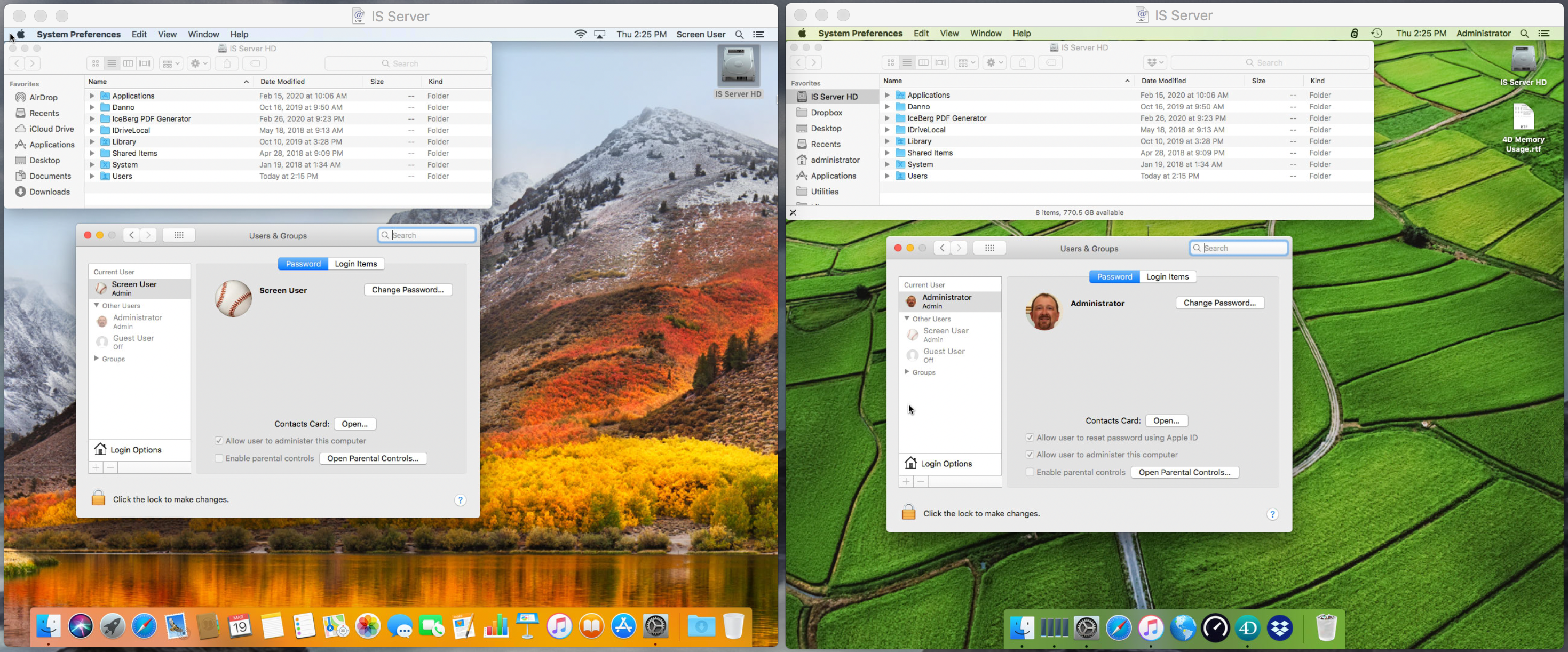
Also, here are a couple of screenshots I took from my Mac Mini server running
10.13 with 2 Screen Sharing sessions active at the same time. Two users:
“Administrator" and “Screen User” are configured. Just to show an example of
how it works.

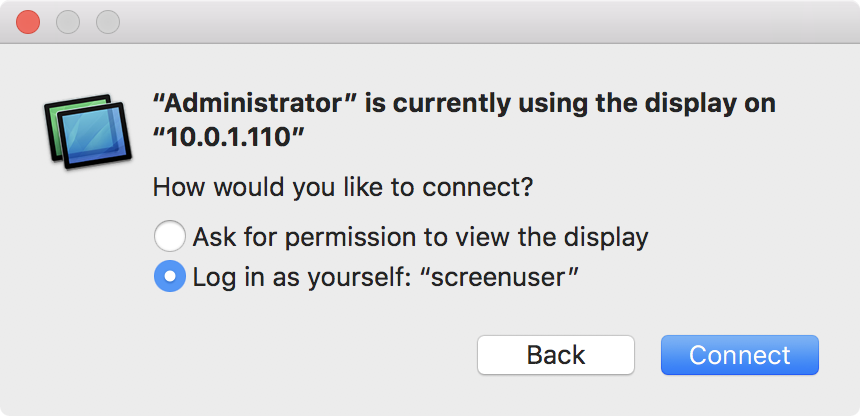
When you connect to a Mac with Screen Sharing you have to specify a user name
and password. You can get the dialog box below if you are trying to connect
with an account that it already knows. Just select another account to log in
again with a new Screen Sharing connection:

https://dl.dropboxusercontent.com/s/0x3gvnasf57otz3/ScreenShare%20Connect%20Confirm.PNG

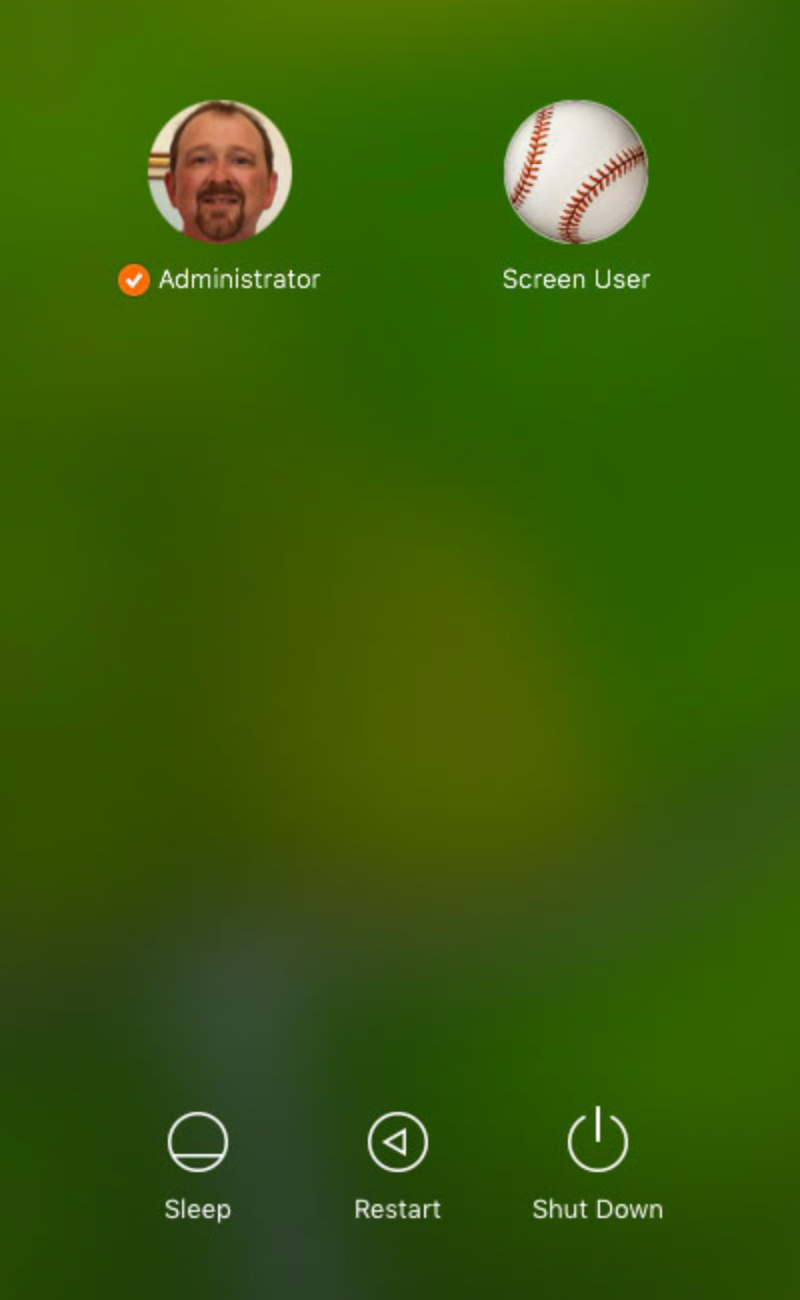
Then you get the macOS login screen. Select the user account and enter the
password. (You can save all this to the Keychain so you don’t have to double
login every time.)

https://dl.dropboxusercontent.com/s/tpsjwvzb7t96ql2/LoginScreen.PNG

Here are the 2 sessions running side-by-side on my iMac Pro. Notice it is the
same Mac Mini computer, but with two users. Each has it’s own Desktop, Dock and
all that stuff.

https://dl.dropboxusercontent.com/s/9x3xm5zpt1lgu2x/TwoUserScreenShare.PNG

It is super easy to set this up and use. A lot easier than doing the same thing
on Windows with Terminal Server and using RDC. But then you would expect that
since it is a Macintosh… right? 😀

Tim

*****************************************
Tim Nevels
Innovative Solutions
785-749-3444
[email protected]
*****************************************

**********************************************************************
4D Internet Users Group (4D iNUG)
Archive:  http://lists.4d.com/archives.html
Options: https://lists.4d.com/mailman/options/4d_tech
Unsub:  mailto:[email protected]
**********************************************************************