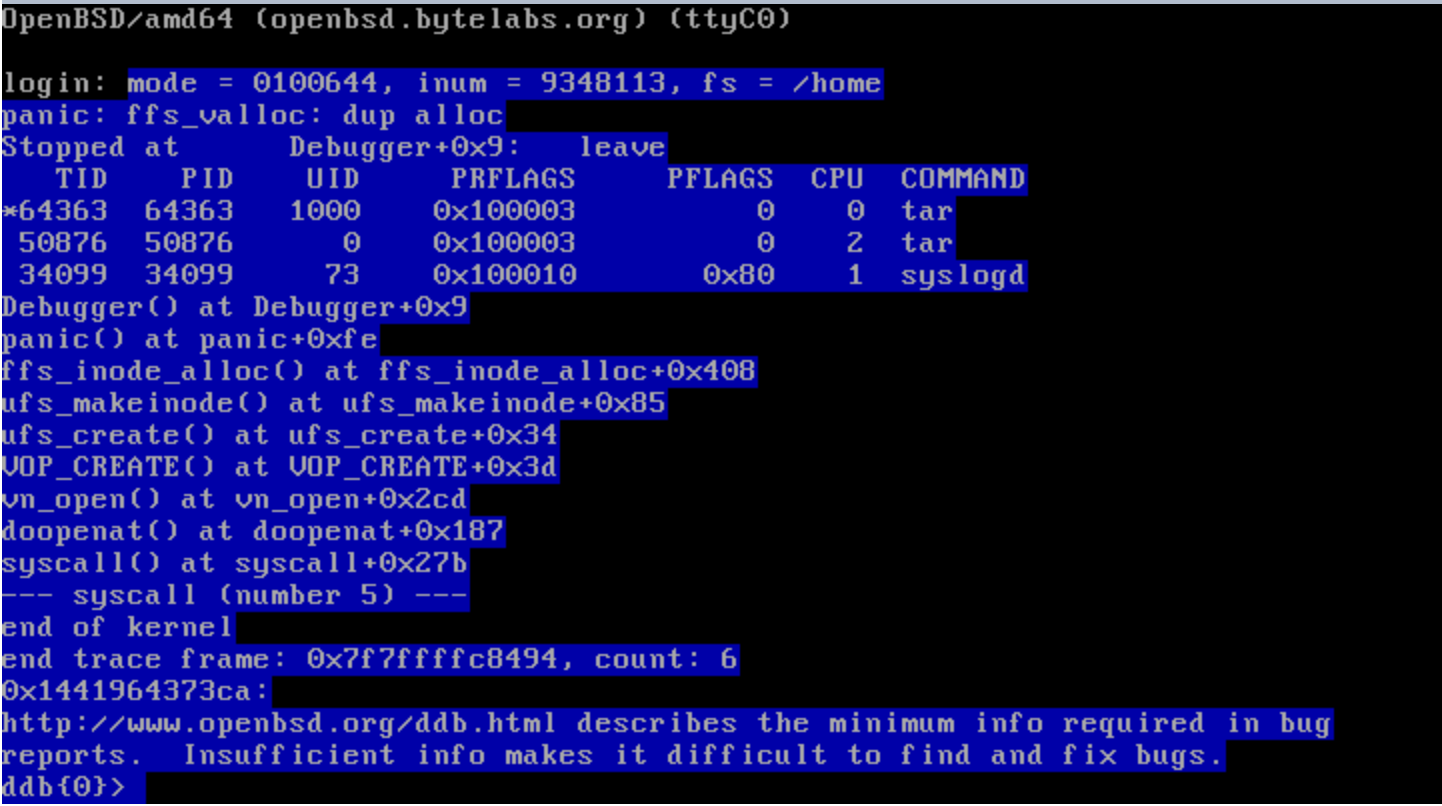
> On 7 Sep 2016, at 21:12, Theo de Raadt <[email protected]> wrote:
>
>> Igor Boehm wrote:
>>> Here some additional information on the issue:
>>>
>>> Stack-trace core0 converted from
>>> [http://bytelabs.org/openbsd-6.0-bug-report/0-panic.png] using OCR:
>>>> OpenBSD/amd64 (openbsd.bytelabs.org) (ttyC0)
>>>> login: mode = 0100644, inum = 9348113, fs = /home
>>>> panic: ffs_valloc: dup alloc
>>
>> dup alloc panics are most often the result of disk corruption.
>
> to continue what Ted said:
>
> "result of *previous* disk corruption"
>
> the kernel ffs code operates transactionally when handling certain
> tricky operations.  most fsck repairs are based on understanding what
> transition the filesystem was in the midst of when it failed.
>
> but there is the possibility of stray operations causing damage
> beyond that
>
> as a result, fsck is not able to repair all types of damage.  it
> cannot even see them.  as a result you could crash later.  this
> problem is not unique to openbsd.
Thanks for following up and the explanation.

I can confirm that some disk corruption is happening when running
OpenBSD 6.0 in the Hetzner vServer based on KVM.

To ease testing I did a clean install of OpenBSD 6.0 amd64 via Qemu
from a Linux based rescue system and made sure the file-system was
proper by using fsck -f right after the installation.

Next I created a snapshot (capability provided by the web management
interface of the vServer provider) so I can start from the same point quickly.

I booted the system running natively on the vServer in single user mode
and double checked the filesystem was Ok using fsck -f.

After a reboot to multi-user I login via SSH and copy files around.

That causes input/output errors and running fsck afterwards it complains
about issues such as:

>  # cp -r /usr/lib/* .
>  cp: /usr/lib/gcc-lib/amd64-unknown-openbsd6.0/4.2.1/cc1: Input/output error
>  …
>  # fsck -fy
>  ** /dev/sd0a (dc58fb00a3a3539d.a) (NO WRITE)
>
>  CANNOT READ: BLK 128
>  CONTINUE? yes
>
>  THE FOLLOWING DISK SECTORS COULD NOT BE READ: 128, 129, 130, 131, 132, 133,
> 134, 135, 136, 137, 138, 139, 140, 141, 142, 143,
>
>  LOOK FOR ALTERNATE SUPERBLOCKS? no
> …

Just to make sure there is nothing wrong with the vServer instance
I have installed Linux and FreeBSD and both worked just fine for the
same test.

Unfortunately my expertise in debugging such issues is limited.
Given the latest information what would be the best way to proceed
finding the underlying issue?

I can provide access to the vServer instance if needed.