JVC DVD did the trick. :)

I looked up JVC DVDs for my particular remote and OFA came back with 3
suggested codes which can be used on either the DVD or VCR device
keys.
The first was 0623, and with that I can access virtually all of the SB3
keys! The only functions that *don't* appear to be triggered by any keys
on my remote are:
- Browse
- Size
- Favourites
- Search

and I can easily manually program these using the Learning mode.
The other codes didn't work as well.

Meanwhile OFA support just mailed me saying that I can either manually
program my OFA remote with the SB remote and then send it off to them,
or just send them the SB remote. They will then enter it into their
database and make a proper code for it (and return my remote, natch!).
Which is nice.
I'll try to do this soon.

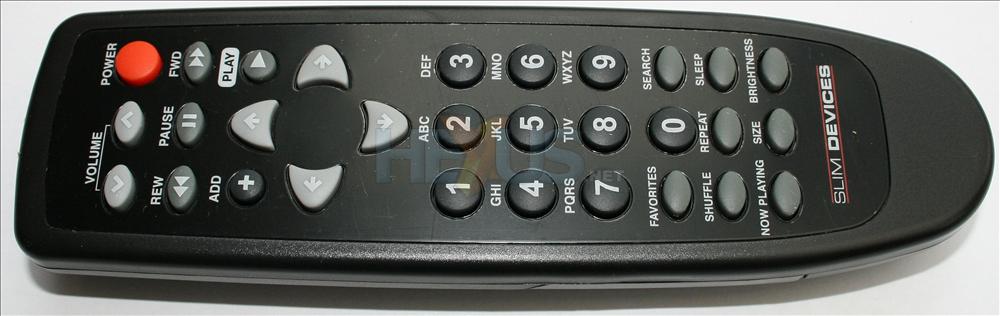
They also ask for an image of the SB3 Remote - is there one online?
I can only find one of the tapered version which is missing the Browse
key
http://img.hexus.net/v2/audio/SD/Squeezebox/RemoteB.jpg

Mine is the gloss black rectangular one.


--
mr-b
------------------------------------------------------------------------
mr-b's Profile: http://forums.slimdevices.com/member.php?userid=10044
View this thread: http://forums.slimdevices.com/showthread.php?t=76559

_______________________________________________
discuss mailing list
[email protected]
http://lists.slimdevices.com/mailman/listinfo/discuss