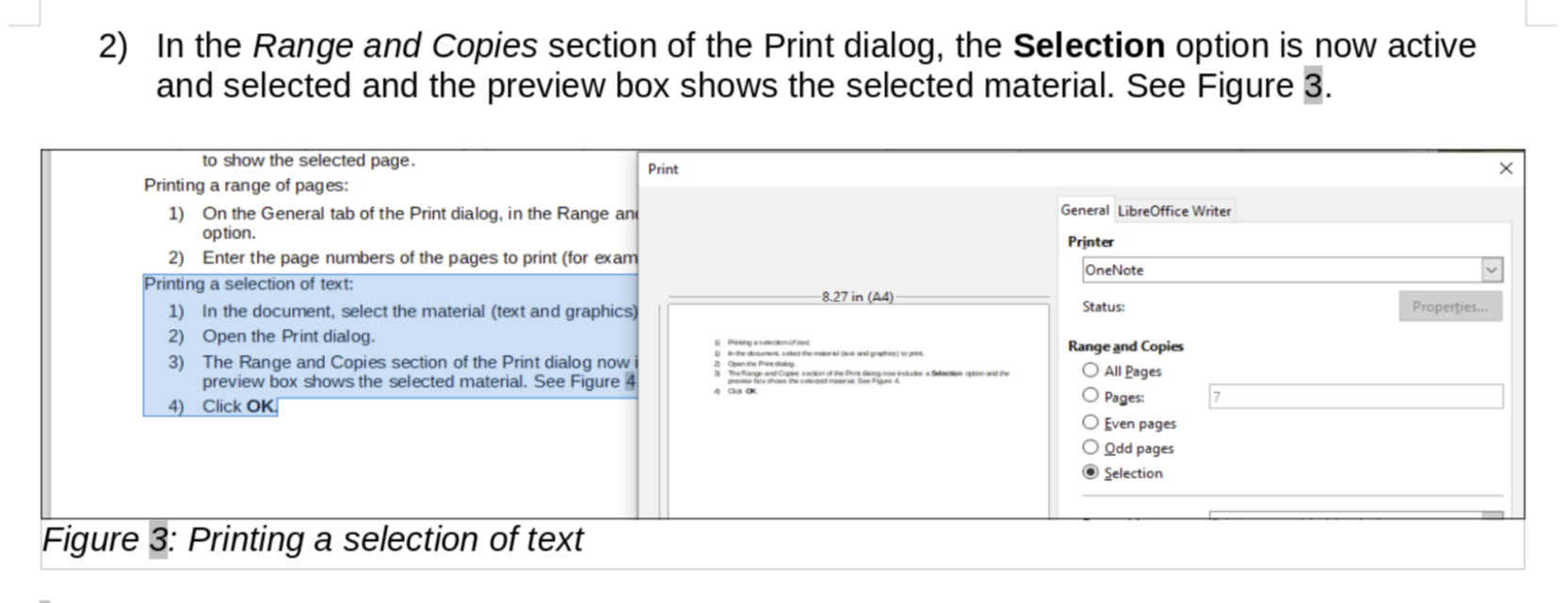
When I updated the chapter, I cropped those two figures within Writer
instead of doing the cropping properly in another program (I use
Preview in macOS) and importing the result into the Writer file.
That's probably what's caused the problem and is a good lesson to me
to not do that the wrong way. (I often do it in early drafts, when I'm
in a hurry, and then fix the images later, but obviously I failed this
time.)
Sorry! And thanks for catching those.
Jean
On Sat, Jan 16, 2021 at 5:38 AM W T <[email protected]> wrote:
>
> Thank you All for the replies and suggestions.
>
> The problem exists whether or not I use Skia for all rendering.
> When I adjusted the Crop->Bottom value from the original value of 1.72" to
> 0.60" and the Scale>Height value from
> the original value of 497% to 113% keeping the Image Size the same (W 6.57"
> H 1.64"), I was able to get a similar image to the one shown on LO Online.
> It is interesting that Ilmari did not see the distorted image on Windows,
> given that the height was stretched to almost 500% while the width was only
> scaled to 129%.
>
> I also see the same issue on Figure 7.
>
> I am going to upload a test document to the WIP folder to see if my "fix"
> looks okay when the document is opened online.
>
> Regards,
> Winston Tjong
>
>
> On Fri, Jan 15, 2021 at 4:52 AM Peter Schofield <[email protected]> wrote:
>
> > Hello
> > Never had this problem. I always take a new screenshot if I am updating a
> > user guide. Reason being, it takes into account any updates to the
> > screenshot I do not know about. Time taken is minimal instead a longer time
> > taken sorting out the distortion of a screenshot.
> > Regards
> > Peter Schofield
> > Sent from my iPad Mini
> >
> > > On 15 Jan 2021, at 13:12, Rafael Lima <[email protected]>
> > wrote:
> > >
> > > Hi. I've had this issue when I update the image by pasting a new image
> > over
> > > the old one. For some reason the image frame does not resize to fit the
> > new
> > > image.
> > >
> > > What I do to fix this is right-click the image, then go to Properties. In
> > > the Crop tab I click the Original Size button.
> > >
> > > Hope this helps.
> > > Rafael
> > >
> > >> On Fri, Jan 15, 2021 at 3:27 AM Ilmari Lauhakangas <
> > >> [email protected]> wrote:
> > >>
> > >>> On 15.1.2021 1.24, W T wrote:
> > >>> Hello Team,
> > >>>
> > >>> I am currently reviewing GS7010-PrintExportEmailSign and have a
> > question.
> > >>>
> > >>> At the top of page 8, there is a screenshot for Figure 3. Printing a
> > >>> selection of text.
> > >>> When I use the LibreOffice online, the screenshot looks fine as shown
> > >> here:
> > >>> https://snipboard.io/rhmEOo.jpg
> > >>>
> > >>> But when I use the Windows desktop version of LibreOffice Writer
> > (version
> > >>> 7.0.4.2 (x64)) the image looks stretched and cropped as shown here:
> > >>> https://snipboard.io/hxWyAY.jpg
> > >>>
> > >>> Has anyone had the same experience?  Is this a bug on the Windows
> > version
> > >>> of LO Writer?
> > >>
> > >> It looks fine for me on Windows. Maybe experiment with this setting to
> > >> see, if its states have any effect: Tools - Options - LibreOffice - View
> > >> - Use Skia for all rendering
> > >>
> > >> Ilmari
> > >>

--
To unsubscribe e-mail to: [email protected]
Problems? https://www.libreoffice.org/get-help/mailing-lists/how-to-unsubscribe/
Posting guidelines + more: https://wiki.documentfoundation.org/Netiquette
List archive: https://listarchives.libreoffice.org/global/documentation/
Privacy Policy: https://www.documentfoundation.org/privacy