No worries. Thanks for the explanation. It makes sense now.  I’ll try to
fix them.
Regards,
Winston

On Fri, Jan 15, 2021 at 5:10 PM Jean Weber <[email protected]> wrote:

> When I updated the chapter, I cropped those two figures within Writer
> instead of doing the cropping properly in another program (I use
> Preview in macOS) and importing the result into the Writer file.
> That's probably what's caused the problem and is a good lesson to me
> to not do that the wrong way. (I often do it in early drafts, when I'm
> in a hurry, and then fix the images later, but obviously I failed this
> time.)
> Sorry! And thanks for catching those.
> Jean
>
> On Sat, Jan 16, 2021 at 5:38 AM W T <[email protected]> wrote:
> >
> > Thank you All for the replies and suggestions.
> >
> > The problem exists whether or not I use Skia for all rendering.
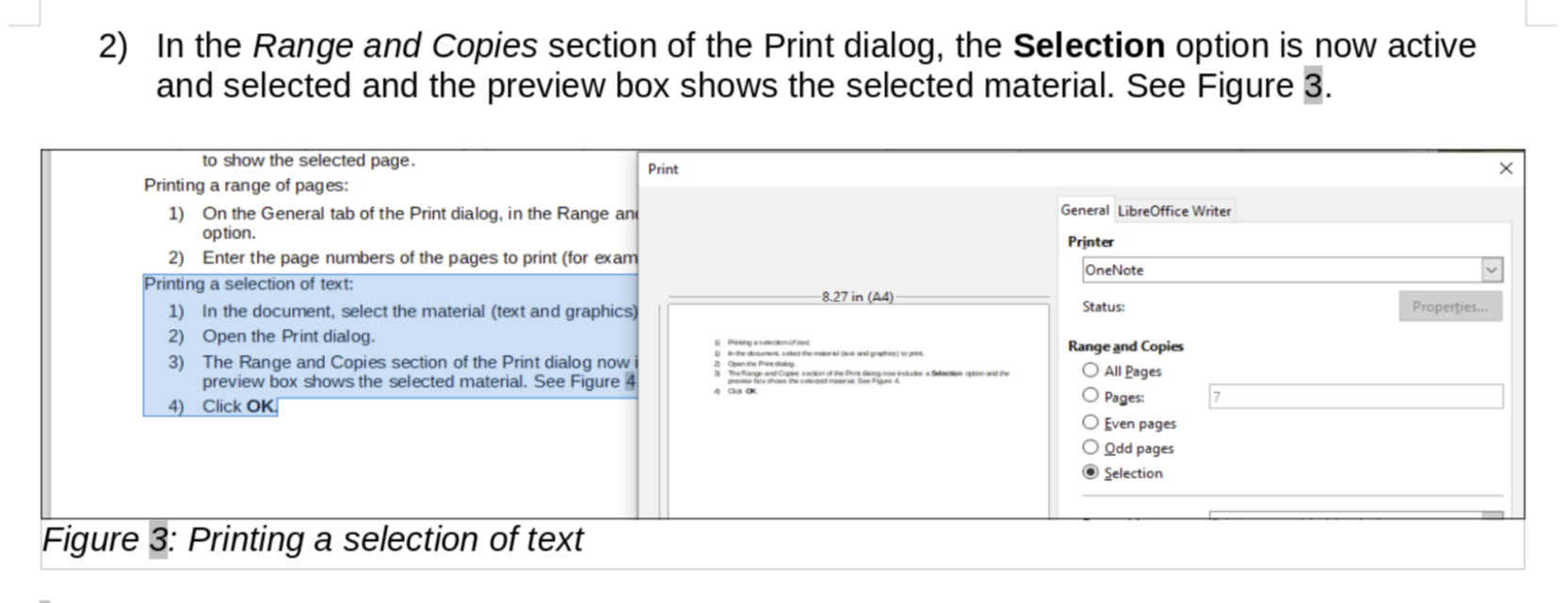
> > When I adjusted the Crop->Bottom value from the original value of 1.72"
> to
> > 0.60" and the Scale>Height value from
> > the original value of 497% to 113% keeping the Image Size the same (W
> 6.57"
> > H 1.64"), I was able to get a similar image to the one shown on LO
> Online.
> > It is interesting that Ilmari did not see the distorted image on Windows,
> > given that the height was stretched to almost 500% while the width was
> only
> > scaled to 129%.
> >
> > I also see the same issue on Figure 7.
> >
> > I am going to upload a test document to the WIP folder to see if my "fix"
> > looks okay when the document is opened online.
> >
> > Regards,
> > Winston Tjong
> >
> >
> > On Fri, Jan 15, 2021 at 4:52 AM Peter Schofield <[email protected]>
> wrote:
> >
> > > Hello
> > > Never had this problem. I always take a new screenshot if I am
> updating a
> > > user guide. Reason being, it takes into account any updates to the
> > > screenshot I do not know about. Time taken is minimal instead a longer
> time
> > > taken sorting out the distortion of a screenshot.
> > > Regards
> > > Peter Schofield
> > > Sent from my iPad Mini
> > >
> > > > On 15 Jan 2021, at 13:12, Rafael Lima <[email protected]>
> > > wrote:
> > > >
> > > > Hi. I've had this issue when I update the image by pasting a new
> image
> > > over
> > > > the old one. For some reason the image frame does not resize to fit
> the
> > > new
> > > > image.
> > > >
> > > > What I do to fix this is right-click the image, then go to
> Properties. In
> > > > the Crop tab I click the Original Size button.
> > > >
> > > > Hope this helps.
> > > > Rafael
> > > >
> > > >> On Fri, Jan 15, 2021 at 3:27 AM Ilmari Lauhakangas <
> > > >> [email protected]> wrote:
> > > >>
> > > >>> On 15.1.2021 1.24, W T wrote:
> > > >>> Hello Team,
> > > >>>
> > > >>> I am currently reviewing GS7010-PrintExportEmailSign and have a
> > > question.
> > > >>>
> > > >>> At the top of page 8, there is a screenshot for Figure 3. Printing
> a
> > > >>> selection of text.
> > > >>> When I use the LibreOffice online, the screenshot looks fine as
> shown
> > > >> here:
> > > >>> https://snipboard.io/rhmEOo.jpg
> > > >>>
> > > >>> But when I use the Windows desktop version of LibreOffice Writer
> > > (version
> > > >>> 7.0.4.2 (x64)) the image looks stretched and cropped as shown here:
> > > >>> https://snipboard.io/hxWyAY.jpg
> > > >>>
> > > >>> Has anyone had the same experience?  Is this a bug on the Windows
> > > version
> > > >>> of LO Writer?
> > > >>
> > > >> It looks fine for me on Windows. Maybe experiment with this setting
> to
> > > >> see, if its states have any effect: Tools - Options - LibreOffice -
> View
> > > >> - Use Skia for all rendering
> > > >>
> > > >> Ilmari
> > > >>
>

--
To unsubscribe e-mail to: [email protected]
Problems? https://www.libreoffice.org/get-help/mailing-lists/how-to-unsubscribe/
Posting guidelines + more: https://wiki.documentfoundation.org/Netiquette
List archive: https://listarchives.libreoffice.org/global/documentation/
Privacy Policy: https://www.documentfoundation.org/privacy