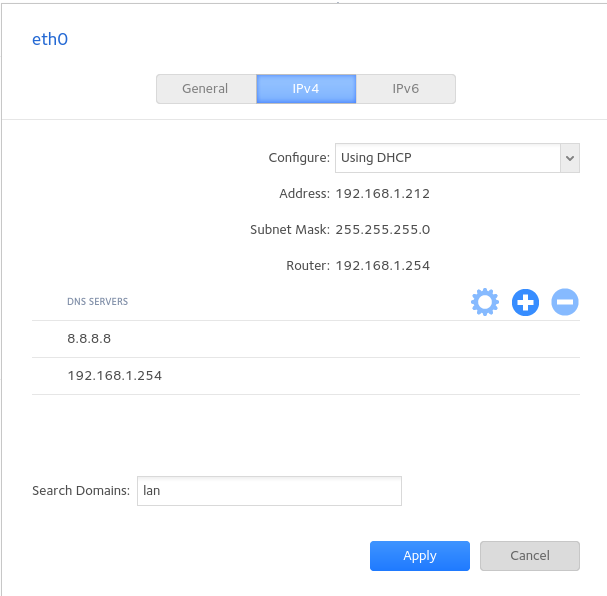
The only thing I can think of is that the router is expecting a certain
version of DNS request which maybe your NAS being old can not provide.
If you have not done so already I would remove 8.8.8.8 from DNS and make
192.168.1.254 the primary DNS, I assume it is the Router which is
providing DHCP, I guess there are not any logs either on the Nas or the
router which might provide a pointer?
Regards
Tim H

On 31/01/2026 17:31, Terry Coles wrote:
On 31/01/2026 17:18, Tim wrote:
I don't know how many devices you have on your network, but could you
try using the a laptop or PC IP address as the NAS DNS\Gateway IP
address. The issue certainly seems that the Routers is the issue if
you make the gateway something else (that can access the internet) on
you network for the Nas (Do you have a windows device you could use)?
I don't really have a Windows Box which is permanently connected to
the Internet.
However, I don't see why the network settings that I have on the
ReadyNAS don't work. See:
https://www.hadrian-way.co.uk/Misc/ReadyNAS_Network_Settings.png
--
 Next meeting: Online, Jitsi, Tuesday, 2026-02-03 20:00
 Check to whom you are replying
 Meetings, mailing list, IRC, ...  https://dorset.lug.org.uk
 New thread, don't hijack:  mailto:[email protected]