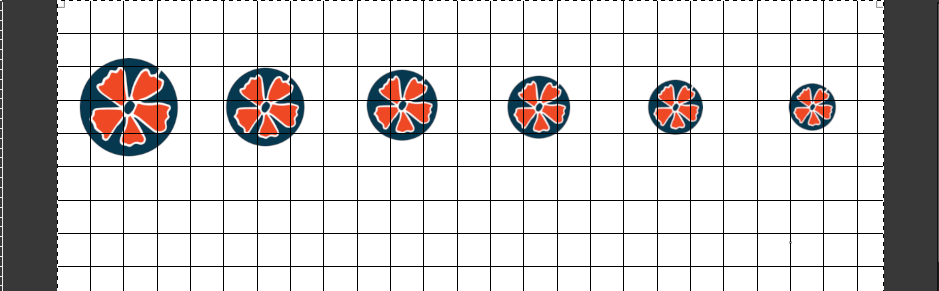
Thanks I created the circles - and now I have other question -I want to
distribute them evenly-with the same space between then.I chose the align tool
and shift+click on all the circles. I clicked on distribute evenly in the
horizontal-but it distribute the circles with even space - As you can see on the
picture attached. What can be done to distribute with even space?
>Yes, but real world units only come into play when printed at the
>resolution specified. Are you  going to print something? Set up the
>canvas first.
>
>Remember Gimp works in pixels (gets calculator out)
>
>You can have 20 mm @ 300 ppi  (a print resolution) which gives 236
>pixels
>
>or 20 mm @ 72 ppi (typical screen resolution) = 57 pixels.
>
>A common beginners mistake is not checking the resolution when making
>a new canvas.
Attachments:
* http://www.gimpusers.com/system/attachments/904/original/gimp1.png

--
alin33 (via www.gimpusers.com/forums)
_______________________________________________
gimp-user-list mailing list
List address:    [email protected]
List membership: https://mail.gnome.org/mailman/listinfo/gimp-user-list
List archives:   https://mail.gnome.org/archives/gimp-user-list