X-axis labels are determined by the domain column (the first column in the
DataTable typically).  Use a "string" type column, with the custom labels
for all your data rows where you want axis labels.  All of the rows where
you don't want labels should have an empty string in this column.  Making
some bars a different color is possible under certain circumstances, but
more difficult to implement (you must have some way to distinguish which
bars you want to change color in the DataTable; this becomes easier if you
want all of the labelled bars to be a different color).  Here's an example:
http://jsfiddle.net/asgallant/hcALL/
On Thursday, January 3, 2013 3:43:18 AM UTC-5, [email protected] wrote:
>
> hi,
>
> I'm new in google api, and not expert in programming :)
> I find some examples and I've created a working "corechart".
>
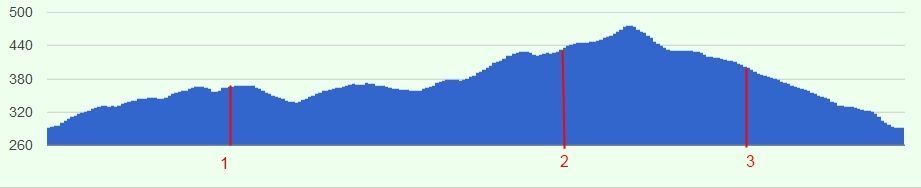
> How can I change some bar's color, and how can I add custom labels to the
> H-axis for this bars?
> Here is a picture what I want to create:
>
> thank's for any help
>
>
> <https://lh5.googleusercontent.com/-01NNGev9KEc/UOVEUAtTCdI/AAAAAAAABFY/b76b8AavCZA/s1600/corechart_example.jpg>
>

--
You received this message because you are subscribed to the Google Groups
"Google Visualization API" group.
To view this discussion on the web visit
https://groups.google.com/d/msg/google-visualization-api/-/6R7tuVpt7RsJ.
To post to this group, send email to [email protected].
To unsubscribe from this group, send email to
[email protected].
For more options, visit this group at
http://groups.google.com/group/google-visualization-api?hl=en.