Hi,
try:

r3.out.vtk input=volumemap output=/tmp/volumemap.vtk null=0.0
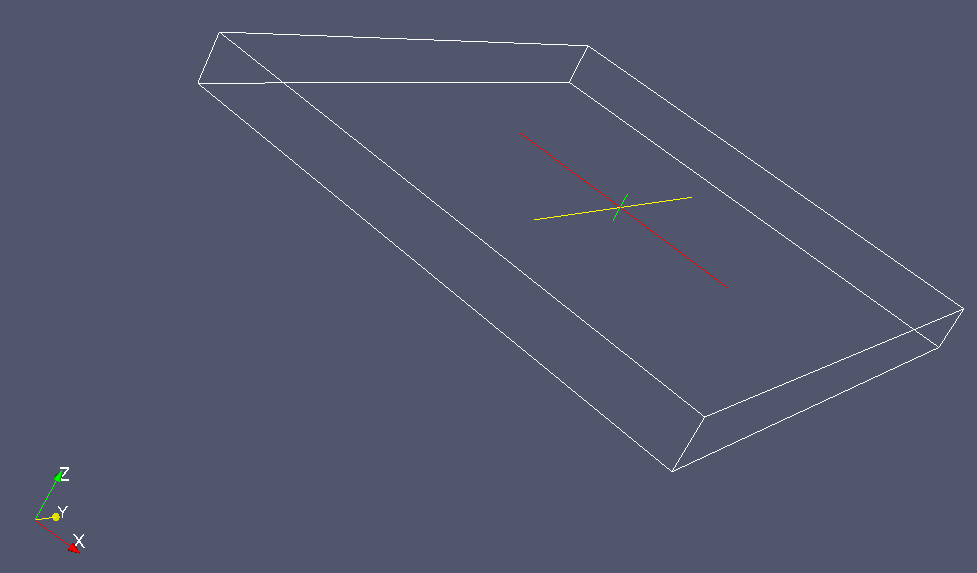
Open it in paraview and press the Apply button (thats important).

Then choose style -> representation -> surface in the Display tab and
then color by -> volumemap in the color tab. I suggest you use a
recent paraview version?

To compute the number of cells between the surface and the bottom use
r3.mapcalc:

r3.mapcalc "valid_cells = if(volumemap == 1, 1, null())"

r3.univar valid_cells

To avoid large vtk files while testing, you can reduce the region
resolution with g.region.

Best regards
Soeren


2011/2/21  <[email protected]>:
> Thanks for the help, but still no luck.
>
> I ran as you suggested:
>
> GRASS 6.4> g.region res=1 res3=1 t=75 b=0 tbres=1
> GRASS 6.4> r.mapcalc "one = 1"
> GRASS 6.4> r.mapcalc "two = 2"
> GRASS 6.4> r.to.rast3elev -l input=one,two elevation=contours,bottom_2
> output=volumemap
> Creating 3D raster map
>  100%
>  100%
> GRASS 6.4> r3.out.vtk input=volumemap output=/tmp/volumemap.vtk
>  100%
> GRASS 6.4>
>
> Note, I used just the 1-foot grid (it is a US State Plane coordinate
> system) which perhaps is too fine, but I have a relatively small area
> (800 x 900 ft) and only need to evaluate 75 feet in thickness and it
> still works (just slow).  It gave me a 3D raster:
>
> GRASS 6.4> r3.univar input=volumemap
> total null and non-null cells: 54000000
> total null cells: 40596983
>
> Of the non-null cells:
> ----------------------
> n: 13403017
> minimum: 1
> maximum: 2
> range: 1
> mean: 1.51073
> mean of absolute values: 1.51073
> standard deviation: 0.499885
> variance: 0.249885
> variation coefficient: 33.089 %
> sum: 20248304
>  100%
> ----------------------
>
> The overall volume (which would be the number of non-null cells, in
> cubic feet) looks a bit high, but may be correct.
>
> However, nothing shows up in paraview or nviz.
>
> Screenshot: http://public.sundquist.imapmail.org/paraview-1.png
>
> It's a pretty by vtk file (~1 GB), but that shouldn't matter.
>
> In paraview, the "Filter" menu is greyed out.  I went to tools>create
> custom filter but there were no "objects" or "properties" to select.  I
> am not too familiar with paraview.
>
> Thanks again for the help.
>
> J.S.
>
>
> On Mon, 21 Feb 2011 15:57:59 +0100, "Soeren Gebbert"
> <[email protected]> said:
>> Hi,
>> make sure your 3d region is set correctly, like:
>>
>> g.region res=200 res3=200 t=2000 b=0 tbres=20
>>
>> This will set a region with a 2d/3d resolution of 200m, the top at
>> 2000m, the bottom at 0m and a top-bottom-resolution of 20m.
>>
>> In this case you will have 100 layer.
>>
>> Now fill the voxel cells below your surface and bottom with different
>> values, first we
>> create two helper maps which represent the values below the elevation
>> maps.
>>
>> r.mapcalc "one = 1"
>> r.mapcalc "two = 2"
>>
>> Now start the module and set the elevation maps from top to bottom,
>> the flag -l will fill the cells below the elevation maps with the
>> assigned values.
>>
>> r.to.rast3elev -l input=one,two elevation=surface,bottom output=volumemap
>>
>> Your region of interest in the output volume map should have value 1.
>>
>> You can use paraview to visualize the voxel map. Use r3.out.vtk to
>> export the voxel map.
>> Use the threshold filter in paraview to extract all cells with value 1.
>>
>> Example:
>> r3.out.vtk input=volumemap output=/tmp/volumemap.vtk
>> paraview --data=/tmp/volumemap.vtk
>>
>> Here are two (a bit old) presentations about 3d data handling with
>> grass and paraview:
>> http://www-pool.math.tu-berlin.de/~soeren/grass/files/LausanneConferencePresent_soeren_handouts.pdf
>> http://www-pool.math.tu-berlin.de/~soeren/grass/files/3DWorkshop_soeren_handouts.pdf
>>
>> Best regards
>> Soeren
>>
>> 2011/2/21  <[email protected]>:
>> > I admit I am not a pro (but I have devoured both the 2nd and 3rd
>> > editions of "the book", and have been using GRASS on and of for about 5
>> > years now), but I am lost on this command.
>> >
>> > Here is part of what I am trying to do:  Let's try showing just a 3D
>> > raster of the space between the ground surface and the bottom (I have a
>> > few otehr more intersting applications, too, but this is the simplest).
>> >
>> > I put GTiff exports of these files here:
>> > http://public.sundquist.imapmail.org/bottom_2.tif and
>> > http://public.sundquist.imapmail.org/ground_surface.tif
>> >
>> > I want to generate a 3D raster showing the space between these two
>> > surfaces.
>> >
>> > I tried running this command:
>> >
>> >  r.to.rast3elev input=ground_surface,AREA_DSM
>> >  elevation=ground_surface,AREA_DSM output=3d1
>> >
>> > and got no errors but got essentially nothing:
>> >
>> > r3.univar input=3d1@PERMANENT
>> > total null and non-null cells: 546
>> > total null cells: 469
>> > Of the non-null cells:
>> > ----------------------
>> > n: 77
>> > minimum: 1
>> > maximum: 1
>> > range: 0
>> > mean: 1
>> > mean of absolute values: 1
>> > standard deviation: 0
>> > variance: 0
>> > variation coefficient: 0 %
>> > sum: 77
>> >
>> > I added to input files because when I tried just one, it said the number
>> > of input and elevation files must match.  Note, I do not care about the
>> > actual values in the 3D raster, just whether they are null or not.
>> >
>> > Sorry if this is a basic question, but if I can get this generated, it
>> > would be very helpful for explaining something to a client.
>> >
>> > Thanks.
>> >
>> > J.S.
>> >
>> > On Mon, 21 Feb 2011 06:06:37 +0100, "Soeren Gebbert"
>> > <[email protected]> said:
>> >> Hi,
>> >> You can try r.to.rast3elev which will do exactly what you need.
>> >>
>> >> Best
>> >> Soeren
>> >>
>> >> Am 21.02.2011 02:38 schrieb <[email protected]>:
>> >> > Hamish:
>> >> >
>> >> > I looked at that before and the only thing I could think of was to use
>> >> > r.to.rast3 by first generating a whole series of horizontal surfaces
>> >> > with r.mapcalc, one for each foot of elevation, with each cell getting a
>> >> > value of "1" if the "elevation" for that particular new surface lied
>> >> > between the corresponding cell values of the top and bottom surfaces.
>> >> > Then taking those whole bunch of surfaces and feeding them to
>> >> > r.to.rast3. But that seemed pretty inelegant. But it may be only way
>> >> > to do it. I would only be about 25 rasters to generate and then merge.
>> >> >
>> >> > J.S.
>> >> >
>> >> > On Sun, 20 Feb 2011 17:14:39 -0800 (PST), "Hamish" <[email protected]>
>> >> > said:
>> >> >> J.S. wrote:
>> >> >> > I want to generate a 3D raster (and display in nviz) that is
>> >> >> > the volume between two 2D elevation rasters.  The application
>> >> >> > is to visualize the subsuraface area that will be subject to
>> >> >> > environmental remediation.
>> >> >>
>> >> >> maybe this summary helps,
>> >> >> http://grass.osgeo.org/wiki/Help_with_3D
>> >> >>
>> >> >>
>> >> >> Hamish
>> >> >>
>> >> >>
>> >> >>
>> >> >>
>> >> > _______________________________________________
>> >> > grass-user mailing list
>> >> > [email protected]
>> >> > http://lists.osgeo.org/mailman/listinfo/grass-user
>> > _______________________________________________
>> > grass-user mailing list
>> > [email protected]
>> > http://lists.osgeo.org/mailman/listinfo/grass-user
>> >
>> _______________________________________________
>> grass-user mailing list
>> [email protected]
>> http://lists.osgeo.org/mailman/listinfo/grass-user
> _______________________________________________
> grass-user mailing list
> [email protected]
> http://lists.osgeo.org/mailman/listinfo/grass-user
>
_______________________________________________
grass-user mailing list
[email protected]
http://lists.osgeo.org/mailman/listinfo/grass-user