|
Here is example code on how to blend two textures
together using an alphamask. We use this technique for
terrain.
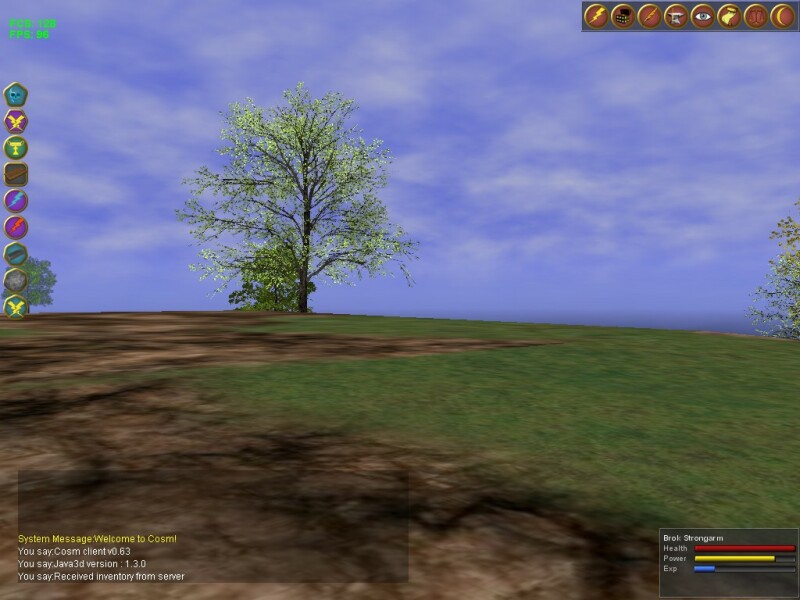
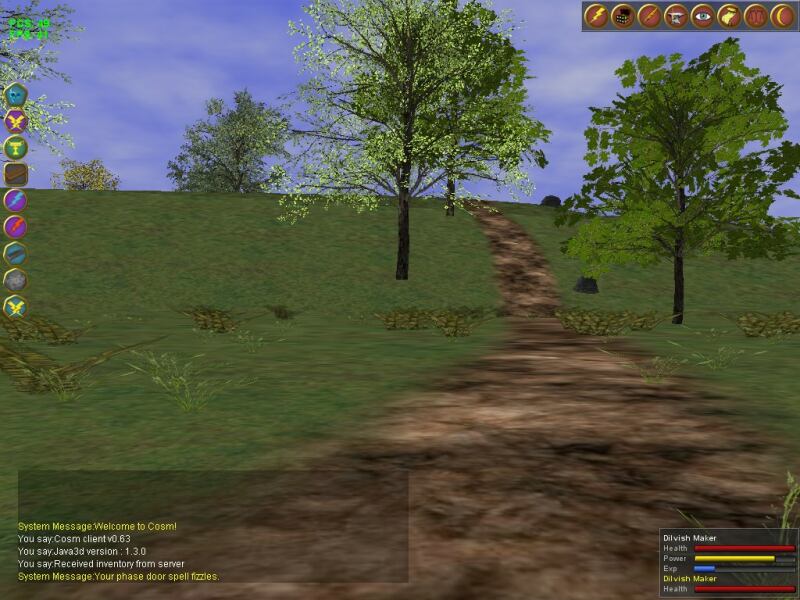
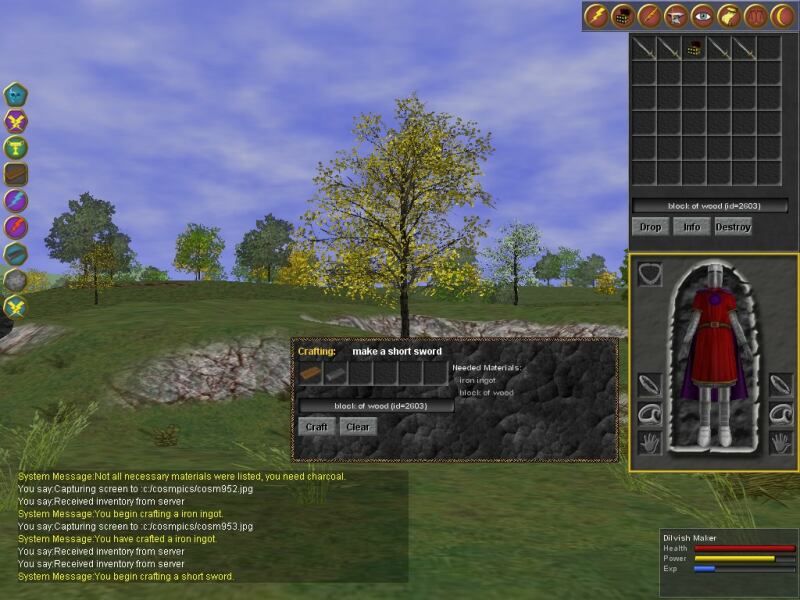
Here is a pic on how it looks at
runtime:
Dave Yazel
|
package com.xith.demos.splat;

import com.xith.client.landscape.SplatShape;
import com.xith.java3d.appearance.texture.*;

import com.xith.worldbuilder.*;

// Standard imports
import java.awt.*;
import java.awt.event.*;
import java.awt.image.BufferedImage;

import javax.media.j3d.*;

import javax.swing.*;

import javax.vecmath.*;


// Application Specific imports
// None

/**
 * Demonstration of the scribble overlay. Presents a box on screen and allows
 * the user to draw over it with a mouse.
 *
 * @author Justin Couch
 * @version $Revision: 1.1 $
 */
public class AlphaDemo extends DemoFrame implements ActionListener {
    private static final double BACK_CLIP_DISTANCE = 100.0;

    /** Full transparent colour for the background of the texture. */

    //    private static final Color CLEAR_COLOR = new Color(0, 0, 0, 1f);
    //    private static final Color CLEAR_COLOR = new Color(0, 0, 0, 1f);
    private static final Color CLEAR_COLOR = Color.black;

    /** Colour of the text. */

    //    private static final Color TEXT_COLOR = new Color(1f, 1f, 1f, 1f);
    //    private static final Color TEXT_COLOR = new Color(0, 0, 0, 0);
    private static final Color TEXT_COLOR = Color.white;

    /** Button to demo RGB textures */
    private JButton rgbButton;

    /** Button to demo Alpha textures */
    private JButton alphaButton;

    /** Button to return object to no texture */
    private JButton noButton;

    /** The appearance we used to change the texture with */
    private Appearance appearance;

    /**
     * Construct a new demo with no geometry currently showing, but the
     * default type is set to quads.
     */
    public AlphaDemo() {
        super("Alpha texture test window");

        TextureFactory.tf = new TextureFactory(this);
        TextureFactory.tf.registerPath("c:/cosm/binaries/textures/");

        //      add(canvas, BorderLayout.CENTER);
        ModelPanel mp = new ModelPanel();

        //         mp.setModelHeight(2);
        this.getContentPane().add(mp, BorderLayout.CENTER);
        mp.init();
        mp.addModel(buildScene());

        //        buildScene();
        rgbButton = new JButton("RGB");
        rgbButton.addActionListener(this);

        alphaButton = new JButton("Alpha");
        alphaButton.addActionListener(this);

        noButton = new JButton("None");
        noButton.addActionListener(this);

        JPanel p1 = new JPanel(new FlowLayout());
        p1.add(rgbButton);
        p1.add(alphaButton);
        p1.add(noButton);

        //     add(p1, BorderLayout.SOUTH);
    }

    /**
     * Process the change of state request from the colour selector panel.
     *
     * @param evt The event that caused this method to be called
     */
    public void actionPerformed(ActionEvent evt) {
        Object src = evt.getSource();

        if (src == noButton) {
            appearance.setTexture(null);
        } else if (src == rgbButton) {
            buildRGBTexture();
        } else {
            buildAlphaTexture();
        }
    }

    /**
     * Build the scenegraph for the canvas
     */
    private BranchGroup buildScene() {
        Color3f ambientBlue = new Color3f(0.0f, 0.02f, 0.5f);
        Color3f white = new Color3f(1, 1, 1);
        Color3f black = new Color3f(0.0f, 0.0f, 0.0f);
        Color3f blue = new Color3f(0.00f, 0.20f, 0.80f);
        Color3f specular = new Color3f(0.7f, 0.7f, 0.7f);

        BranchGroup world_object_group = new BranchGroup();

        int format = TriangleStripArray.COORDINATES |
            TriangleStripArray.TEXTURE_COORDINATE_2 |
            TriangleStripArray.NORMALS;

        float[] vertices = {
            -0.6f, -0.5f, 0, 0.4f, -0.5f, 0, -0.6f, 0.5f, 0, 0.4f, 0.5f, 0,
        };

        float g = 2f;
        float[] vertices2 = {
            -g, -g, -0.1f, g, -g, -0.1f, -g, g, -0.1f, g, g, -0.1f,
        };

        float[] tex_coords = { 0, 0, 2, 0, 0, 2, 2, 2, };

        float[] tex_coords2 = { 0, 0, 1, 0, 0, 1, 1, 1, };

        float[] normals = { 0, 0, 1, 0, 0, 1, 0, 0, 1, 0, 0, 1, };

        int[] strips = { 4 };
        int[] tus = { 0, 1 };

        TriangleStripArray geom = new TriangleStripArray(4, format, 2, tus,
                strips);
        geom.setCoordinates(0, vertices);
        geom.setTextureCoordinates(0, 0, tex_coords);
        geom.setTextureCoordinates(1, 0, tex_coords2);
        geom.setNormals(0, normals);

        DecalGroup dg = new DecalGroup();
        SplatShape baseShape = new SplatShape();
        baseShape.setGeometry(geom);

        Texture baseTex = TextureFactory.tf.getTextureWrap("sand_256.jpg");

        if (baseTex == null) {
            throw new Error("Cannot load texture");
        }

        baseShape.setTextures(baseTex, SplatShape.getSolidAlphaMask());
        dg.addChild(baseShape);

        SplatShape secondShape = new SplatShape();
        secondShape.setGeometry(geom);
        secondShape.setTextures(TextureFactory.tf.getTextureWrap(
                "dirty_stone_cliff_512.jpg"), SplatShape.getTestAlphaMask());
        dg.addChild(secondShape);

        // second splat shape
        TriangleStripArray geom2 = new TriangleStripArray(4, format, 2, tus,
                strips);
        geom2.setCoordinates(0, vertices2);
        geom2.setTextureCoordinates(0, 0, tex_coords);
        geom2.setTextureCoordinates(1, 0, tex_coords2);
        geom2.setNormals(0, normals);

        DecalGroup dg2 = new DecalGroup();
        SplatShape baseShape2 = new SplatShape();
        baseShape2.setGeometry(geom2);
        baseShape2.setTextures(baseTex, SplatShape.getSolidAlphaMask());
        dg2.addChild(baseShape2);

        SplatShape secondShape2 = new SplatShape();
        secondShape2.setGeometry(geom2);
        secondShape2.setTextures(TextureFactory.tf.getTextureWrap(
                "spider_stone_512.jpg"), SplatShape.getTestAlphaMask());
        dg2.addChild(secondShape2);

        world_object_group.addChild(dg);
        world_object_group.addChild(dg2);

        return world_object_group;
    }

    /**
     * Build up the texture with pure alpha.
     */
    private void buildAlphaTexture() {
        BufferedImage bi = new BufferedImage(128, 128,
                BufferedImage.TYPE_BYTE_GRAY);

        drawOnImage(bi);

        ImageComponent2D img_comp = new ImageComponent2D(ImageComponent2D.FORMAT_CHANNEL8,
                bi, true, false);

        Texture2D texture = new Texture2D(Texture2D.BASE_LEVEL, Texture.ALPHA,
                128, 128);
        texture.setImage(0, img_comp);
        appearance.setTexture(texture);
    }

    private void buildRGBTexture() {
        BufferedImage bi = new BufferedImage(128, 128,
                BufferedImage.TYPE_BYTE_GRAY);

        drawOnImage(bi);

        ImageComponent2D img_comp = new ImageComponent2D(ImageComponent2D.FORMAT_CHANNEL8,
                bi, true, false);

        Texture2D texture = new Texture2D(Texture2D.BASE_LEVEL, Texture.RGBA,
                128, 128);
        texture.setImage(0, img_comp);
        appearance.setTexture(texture);
    }

    private void drawOnImage(BufferedImage img) {
        Graphics2D g = img.createGraphics();

        g.setColor(CLEAR_COLOR);
        g.fillRect(0, 0, 128, 128);
        g.setColor(TEXT_COLOR);

        g.fillRect(32, 32, 64, 64);

        g.setColor(CLEAR_COLOR);
        g.fillRect(48, 48, 32, 32);

        g.dispose();
    }

    public static void main(String[] argv) {
        AlphaDemo demo = new AlphaDemo();
        demo.setVisible(true);
    }
}
package com.xith.client.landscape;

import com.xith.java3d.appearance.texture.*;

import java.awt.*;
import java.awt.image.*;

import javax.media.j3d.*;

import javax.vecmath.*;


/**
 * <p>A splat shape combines an alpha mask with a texture to merge multiple
 * texture layers into the terrain at the same time.  Each splat layer uses
 * multi tetxuring to take the alpha from the mask and the rgb from the
 * the base texture.</p>
 *
 * <p>The geometry is managed by the quad node and shared across all the
 * splat layers.  This means the tile amount of the RGB splat sub-layer
 * is the same all splat layers.</p>
 * <p>
 * This should be considered a helper class used in conjunction with a quad patch
 * terrain system.  The geometry needs to be built by the patch and then used for all
 * splatts.  Construct an ordered group and put the splat laters into it.  The base
 * layer should be so specified in the splat constructor so that it does not
 * make it transparent.
 * <p> Copyright (c) 2000-2002, David J. Yazel</p>
 * <p> Teseract Software, LLP</p>
 * @author David Yazel
 *
 */
public class SplatShape extends Shape3D {
    private static final Color CLEAR_COLOR = Color.black;
    private static final Color SOLID_COLOR = Color.white;
    private static final int ALPHA_SIZE = 64;

    // the node components which don't change from one splat to another
    // are defined once
    static TextureAttributes mainTexAttr = null;
    static TextureAttributes alphaTexAttr = null;
    static RenderingAttributes ra = null;
    static PolygonAttributes pa = null;
    static ColoringAttributes ca = null;
    static Material material = null;
    static TransparencyAttributes ta = null;
    ImageComponent2D alphaImageComp = null;
    TextureUnitState mainTex = null;
    TextureUnitState alphaTex = null;
    boolean isBaseTexture = false;

    public SplatShape() {
        super();
        initialize();
    }

    public SplatShape(boolean isBaseTexture) {
        super();
        this.isBaseTexture = isBaseTexture;
        initialize();
    }

    /**
     * The main texture attributes specify a simple modulation
     */
    private static synchronized TextureAttributes getMainTexAttr() {
        if (mainTexAttr == null) {
            mainTexAttr = new TextureAttributes();
            mainTexAttr.setTextureMode(mainTexAttr.REPLACE);
            mainTexAttr.setPerspectiveCorrectionMode(mainTexAttr.NICEST);
        }

        return mainTexAttr;
    }

    /**
     * The alpha texture attributes combines the RGB from the prior texture
     * state with the alpha with second texture state
     */
    private static synchronized TextureAttributes getAlphaTexAttr() {
        if (alphaTexAttr == null) {
            alphaTexAttr = new TextureAttributes();
            alphaTexAttr.setPerspectiveCorrectionMode(alphaTexAttr.NICEST);

            alphaTexAttr.setTextureMode(TextureAttributes.COMBINE);
            alphaTexAttr.setCombineRgbMode(TextureAttributes.COMBINE_REPLACE);
            alphaTexAttr.setCombineAlphaMode(TextureAttributes.COMBINE_REPLACE);

            alphaTexAttr.setCombineRgbSource(0,
                TextureAttributes.COMBINE_PREVIOUS_TEXTURE_UNIT_STATE);
            alphaTexAttr.setCombineAlphaSource(0,
                TextureAttributes.COMBINE_TEXTURE_COLOR);

            alphaTexAttr.setCombineRgbFunction(0,
                TextureAttributes.COMBINE_SRC_COLOR);
            alphaTexAttr.setCombineAlphaFunction(0,
                TextureAttributes.COMBINE_SRC_ALPHA);
        }

        return alphaTexAttr;
    }

    /**
     * Creates an alpha texture and image component without the actual underlying
     * buffered image.  The image is set for each splat layer, as needed
     * @return
     */
    private Texture getAlphaTexture() {
        alphaImageComp = new ImageComponent2D(ImageComponent2D.FORMAT_CHANNEL8,
                ALPHA_SIZE, ALPHA_SIZE, true, false);
        alphaImageComp.set(getSolidAlphaMask());

        Texture2D texture = new Texture2D(Texture2D.BASE_LEVEL, Texture.ALPHA,
                ALPHA_SIZE, ALPHA_SIZE);
        texture.setMagFilter(Texture.BASE_LEVEL_LINEAR);
        texture.setMinFilter(Texture.BASE_LEVEL_LINEAR);
        texture.setImage(0, alphaImageComp);

        return texture;
    }

    /**
     * Define the attributes which are the same for all the terrain
     */
    private static void defineAttributes() {
        ra = new RenderingAttributes();
        ra.setDepthBufferEnable(true);
        ra.setIgnoreVertexColors(true);
        ra.setAlphaTestValue(0.05f);
        ra.setAlphaTestFunction(ra.GREATER);
        ra.setVisible(true);

        // set the polygon attributes
        pa = new PolygonAttributes();
        pa.setCullFace(pa.CULL_BACK);
        pa.setBackFaceNormalFlip(false);
        pa.setPolygonMode(pa.POLYGON_FILL);

        // set the coloring attributes
        ca = new ColoringAttributes();
        ca.setShadeModel(ca.SHADE_GOURAUD);

        // create the material
        material = new Material();
        material.setLightingEnable(false);
        material.setEmissiveColor(0.0f, 0.0f, 0.0f);
        material.setAmbientColor(0.75f, 0.75f, 0.75f);
        material.setDiffuseColor(0.75f, 0.75f, 0.75f);
        material.setSpecularColor(0.0f, 0.0f, 0.0f);

        ta = new TransparencyAttributes();
        ta.setTransparencyMode(TransparencyAttributes.BLENDED);
    }

    public void initialize() {
        // build 2 tetxure units, one for the base texture and one for the
        // alpha
        TextureUnitState[] tus = new TextureUnitState[2];
        mainTex = new TextureUnitState();
        alphaTex = new TextureUnitState();

        // now build the main texture attributes
        mainTex.setTextureAttributes(getMainTexAttr());
        alphaTex.setTextureAttributes(getAlphaTexAttr());

        // build the alpha texture
        alphaTex.setTexture(getAlphaTexture());

        tus[0] = mainTex;
        tus[1] = alphaTex;

        // create the appearance
        Appearance a = new Appearance();

        if (material == null) {
            defineAttributes();
        }

        a.setTextureUnitState(tus);

        if (!isBaseTexture) {
            a.setTransparencyAttributes(ta);
        }

        //      a.setColoringAttributes(ca);
        a.setMaterial(material);
        a.setPolygonAttributes(pa);
        a.setRenderingAttributes(ra);

        this.setAppearance(a);
    }

    /**
     * Used to assign a new main texture and an image to be used to mask it
     * @param main
     * @param alphaImage
     */
    public void setTextures(Texture main, BufferedImage alphaImage) {
        mainTex.setTexture(main);
        alphaImageComp.set(alphaImage);
    }

    /**
     * This method not only assigns the textures, but defines the density of the
     * base repeating texture.  This uses TexCoordGeneration to define a unique
     * set of texture coordinates. Warning... this has proven to be extremely slow.  When you use
     * texcoord generation it does not optimize the layers and use the same vertex information.
     * @param main          The main texture used to repeat across the splat
     * @param alphaImage    The alpha mask image which masks out the splat
     * @param pl            The lower world coordinate for the splat
     * @param pu            The upper world coordinate for the splat
     * @param density       The number of "wraps" to make
     */
    public void setTextures(Texture main, BufferedImage alphaImage, Point3f pl,
        Point3f pu, float density) {
        setTextures(main, alphaImage);

        // now calculate the tex coord generation
        float distance = pu.x - pl.x;

        // set up texture coordinate generation for the main texture.  This
        // is so we can have different densities
        TexCoordGeneration texCoord = new TexCoordGeneration(TexCoordGeneration.OBJECT_LINEAR,
                TexCoordGeneration.TEXTURE_COORDINATE_2);
        texCoord.setPlaneS(new Vector4f(density / distance, 0, 0, -pl.x));
        texCoord.setPlaneT(new Vector4f(0, 0, density / distance, -pl.z));

        mainTex.setTexCoordGeneration(texCoord);
    }

    static public BufferedImage getTestAlphaMask() {
        BufferedImage img = new BufferedImage(ALPHA_SIZE, ALPHA_SIZE,
                BufferedImage.TYPE_BYTE_GRAY);
        Graphics2D g = img.createGraphics();

        g.setRenderingHint(RenderingHints.KEY_ANTIALIASING,
            RenderingHints.VALUE_ANTIALIAS_ON);
        g.setRenderingHint(RenderingHints.KEY_TEXT_ANTIALIASING,
            RenderingHints.VALUE_TEXT_ANTIALIAS_ON);

        g.setColor(CLEAR_COLOR);
        g.fillRect(0, 0, ALPHA_SIZE, ALPHA_SIZE);

        g.setColor(new Color(0.2f, 0.2f, 0.2f));
        g.fillOval(18, 18, 25, 25);

        g.setColor(new Color(0.5f, 0.5f, 0.5f));
        g.fillOval(19, 19, 24, 24);

        g.setColor(new Color(0.8f, 0.8f, 0.8f));
        g.fillOval(20, 20, 23, 23);

        g.setColor(SOLID_COLOR);
        g.fillOval(21, 21, 22, 22);
        g.dispose();

        return img;
    }

    static public BufferedImage getTestAlphaMask2() {
        BufferedImage img = new BufferedImage(ALPHA_SIZE, ALPHA_SIZE,
                BufferedImage.TYPE_BYTE_GRAY);
        Graphics2D g = img.createGraphics();

        g.scale(0.5, 0.5);
        g.setColor(CLEAR_COLOR);
        g.fillRect(0, 0, ALPHA_SIZE, ALPHA_SIZE);
        g.setColor(new Color(0.2f, 0.2f, 0.2f));
        g.fillRect(18, 18, 25, 25);

        g.setColor(new Color(0.5f, 0.5f, 0.5f));
        g.fillRect(19, 19, 24, 24);

        g.setColor(new Color(0.8f, 0.8f, 0.8f));
        g.fillRect(20, 20, 23, 23);

        g.setColor(SOLID_COLOR);
        g.fillRect(21, 21, 22, 22);
        g.dispose();

        return img;
    }

    static public BufferedImage getSolidAlphaMask() {
        BufferedImage img = new BufferedImage(ALPHA_SIZE, ALPHA_SIZE,
                BufferedImage.TYPE_BYTE_GRAY);
        Graphics2D g = img.createGraphics();

        g.setColor(SOLID_COLOR);
        g.fillRect(0, 0, ALPHA_SIZE, ALPHA_SIZE);
        g.dispose();

        return img;
    }
}