Hello Lyx people,
It's me with a stupid question again. Comes of being an advanced idiot,
but also of wanting to learn.
I'd like to be able to do version control of my Lyx files running on Win
XP; but I find the manual etc less than clear.
I found a page on the web which said
      <quote>


      Version control

This is especially useful when the text is longer and changed several
times. LyX comes RCS-ready, it is simple to set up.

   1. create a directory named *RCS* in the same directory where you
      keep the LyX source
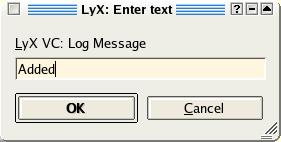
   2. edit the LyX file and go to *File -> Version Control -> Check In
      Changes* (text dialogue
      <http://www.linuxfocus.org/common/images2/article368/RCS_log.jpg>)
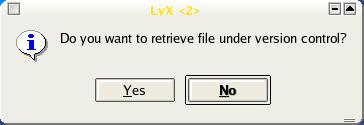
   3. next time you open the file, you get a dialog like this

<http://www.linuxfocus.org/common/images2/article368/RCS_retrieval_question.jpg>

You can use all the usual RCS commands from the commandline (man *rcs*
or *rcsintro*). I usually just use *rcs -l* to create a lock, *co -l*
when I want to lock upon checkout and *rcsclean* to remove all unchanged
files. If you are the only author, disable strict locking via *rcs -U
<file>*, which considerably simplifies the proceedings.

I did step 1, putting the RCS directoru in C:\lyx\bin which is where
lyx.exe is. But when I try step 1, I get an error message "ci is not a
recognised program" etc.
Should I have installed something else as well?

Thanks,

Richard