Can you confirm that your server can serve the output of:

url =
'//<...static-domain...>/djstatic/static/grappelli/tinymce/jscripts/tiny_mce/plugins/searchreplace/searchreplace.htm
'
host = '//<..domain..>'
static_url = mezzanine.conf.settings.STATIC_URL
static_url = '//' + static_url.split('://') if '://' in static_url else
static_url
for prefix in (host, static_url, '/'):
  if url.startswith(prefix):
    url = url.replace(prefix, '', 1)
path = django.contrib.staticfiles.finders.find(url)
print(path[0])
If not, but the correct location is somewhere in path, you might want to
consider changing the ordering of your settings.STATICFILES_FINDERS.


Le jeudi 2 avril 2015 12:45:10 UTC+2, Pushkar Paranjpe a écrit :
>
> Hi Mathias,
>
> I am accessing these URLs as an authenticated user. I have tried with
> admin superuser and two other users with a Staff status. All give same 403
> error.
>
> Pushkar
> On Thursday, 2 April 2015 15:43:54 UTC+5:30, Mathias Ettinger wrote:
>>
>> The mezzanine.core.views.static_proxy function (which is called by the
>> /asset_proxy/ url) is decorated by @staff_member_required.
>>
>> Are you, by any chance, trying to open these urls as a non authenticated
>> user ?
>>
>>
>> Le jeudi 2 avril 2015 11:04:36 UTC+2, Pushkar Paranjpe a écrit :
>>>
>>>
>>> Same error when trying to open the TinyMCE "Find/Replace" dialog box.
>>>
>>>    - The URL
>>>
>>> http://<...domain...>/asset_proxy/?u=http://<...static-domain...>/djstatic/static/grappelli/tinymce/jscripts/tiny_mce/plugins/searchreplace/searchreplace.htm
>>>
>>>    gives 403 error
>>>    - The URL
>>>
>>> http://<...static-domain...>/djstatic/static/grappelli/tinymce/jscripts/tiny_mce/plugins/searchreplace/searchreplace.htm
>>>
>>>    opens without 403 error
>>>
>>> Any clues ?
>>>
>>> Pushkar
>>>
>>> On Thursday, 2 April 2015 12:57:35 UTC+5:30, Pushkar Paranjpe wrote:
>>>>
>>>> Hi Danny,
>>>>
>>>> Yes. As I mentioned, uploadify is visible in the browser when I access
>>>> it in my development server and works as expected in the browser.
>>>>
>>>> Cheers!
>>>> Pushkar
>>>>
>>>> On Thursday, 2 April 2015 12:41:46 UTC+5:30, Danny S wrote:
>>>>>
>>>>>  Hi Pushkar,
>>>>>
>>>>> Do you have the Flash plugin installed for your browser?
>>>>> https://get.adobe.com/flashplayer/
>>>>>
>>>>> Seeya. Danny.
>>>>>
>>>>>
>>>>> On 2/04/2015 5:19 PM, Pushkar Paranjpe wrote:
>>>>>
>>>>> Production Environment: Hostgator, Shared
>>>>>
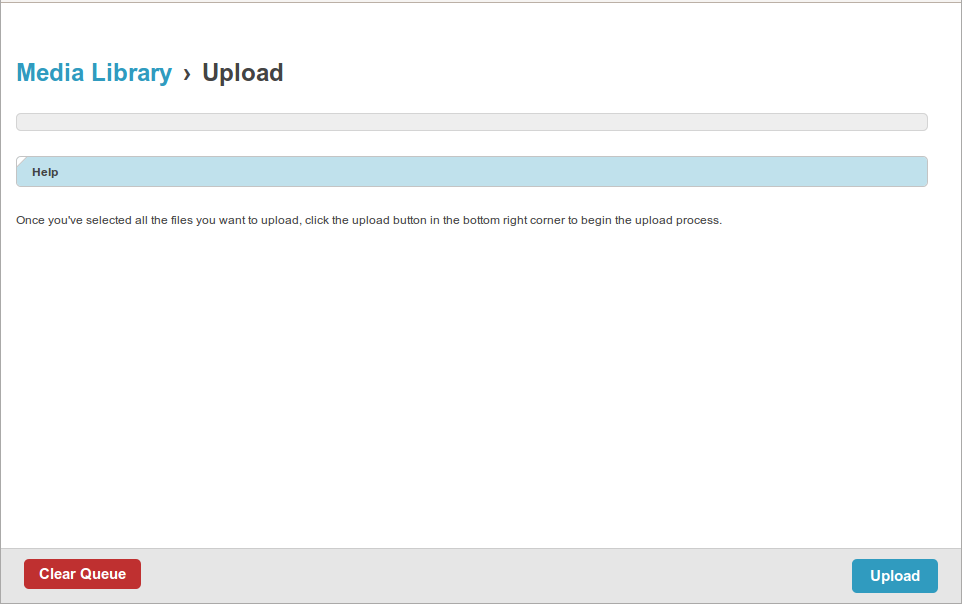
>>>>> Trying to add a Featured Image to a Blog post. The SWF uploader UI
>>>>> element itself is not visible.
>>>>>
>>>>> Getting the following error in the browser console:
>>>>> http://<...domain...>/asset_proxy/?u=http://
>>>>> <...domain...>/static/filebrowser/uploadify/uploadify.swf
>>>>>
>>>>>    - Was working fine on the development server.
>>>>>    - I have ran collectstatic and confirmed that the uploadify.swf
>>>>>    file exists at an accessible path on the server.
>>>>>    - Accessing
>>>>> http://<...domain...>/static/filebrowser/uploadify/uploadify.swf
>>>>>    itself directly loads the uploader UI fine without any 403 error.
>>>>>    - Accessing http://<...domain...>/asset_proxy/ alone does not give
>>>>>    a 403 either
>>>>>    - Other static assets like PNG images, CSS and JS are being
>>>>>    accessed without any issues
>>>>>
>>>>> Screenshot :
>>>>>
>>>>>
>>>>> <https://lh3.googleusercontent.com/-p1r-QsppUn4/VRzl_6QnitI/AAAAAAAACEU/VfEfIh_T158/s1600/Missing%2Buplloadify.swf_403_error.png>
>>>>>
>>>>> Please suggest a fix.
>>>>> Cheers!
>>>>> Pushkar
>>>>>
>>>>>  --
>>>>> You received this message because you are subscribed to the Google
>>>>> Groups "Mezzanine Users" group.
>>>>> To unsubscribe from this group and stop receiving emails from it, send
>>>>> an email to [email protected].
>>>>> For more options, visit https://groups.google.com/d/optout.
>>>>>
>>>>>
>>>>>
>>>>> --
>>>>> Email: [email protected]
>>>>>
>>>>>

--
You received this message because you are subscribed to the Google Groups
"Mezzanine Users" group.
To unsubscribe from this group and stop receiving emails from it, send an email
to [email protected].
For more options, visit https://groups.google.com/d/optout.