Hi Mathias,

I am using one domain for serving Mezzanine pages and a separate domain for
serving all related static content. In the future I will move the static
stuff to a dedicated CDN vendor. Currently they are just two different
domains (and paths) that are living on the same shared Hostgator webspace.
Perhaps this is an issue specific to Hostgator itself, dunno... Accessing
each domain path separately does not yield a 403 error. Only when things
are routed through "asset_proxy" URLs in Mezzanine that I see 403s. Strange
issue.

May dig deeper into the source to find out how asset_proxy is actually
wired up to do what it does when I find the time...

Cheers!
Pushkar

On Thursday, 2 April 2015 23:47:47 UTC+5:30, Mathias Ettinger wrote:
>
> You are right for the [-1] part. But it’s very odd. If path is really
> None, then going to
> http://<...domain...>/asset_proxy/?u=http://<...static-domain...>/djstatic/static/grappelli/tinymce/jscripts/tiny_mce/plugins/searchreplace/searchreplace.htm
>
> shoiuld give you the same output as going to
> http://<...domain...>/asset_proxy/
>
> I never experienced this before so I can only try to guess what the
> problem is. And I’m lacking ideas.
>
> It seems however, that your domain and static domain are different. Maybe
> that mezzanine.core.views.static_proxy is trying to get searchreplace.htm
> and uploadify.swf from the <...domain...> server where it doesn't exist/is
> unreachable, hence the 403…
>
>
>
> Le jeudi 2 avril 2015 16:21:25 UTC+2, Pushkar Paranjpe a écrit :
>>
>> Hi Mathias,
>>
>> I re-ordered the only two active entries in the FINDERS list :
>> STATICFILES_FINDERS = (
>>     "django.contrib.staticfiles.finders.FileSystemFinder",
>>     "django.contrib.staticfiles.finders.AppDirectoriesFinder",
>> #    'django.contrib.staticfiles.finders.DefaultStorageFinder',
>> )
>>
>>
>> 403 errors persist.
>>
>> Pushkar
>> On Thursday, 2 April 2015 19:37:54 UTC+5:30, Pushkar Paranjpe wrote:
>>>
>>> Hi Mathias,
>>>
>>> Thanks for your reply.
>>>
>>> I assumed you meant :
>>>
>>> url =
>>> '//<...static-domain...>/djstatic/static/grappelli/tinymce/jscripts/tiny_mce/plugins/searchreplace/searchreplace.htm
>>> '
>>> host = '//<..domain..>'
>>> static_url = mezzanine.conf.settings.STATIC_URL
>>> static_url = '//' + static_url.split('://')*[-1]* if '://' in
>>> static_url else static_url
>>> for prefix in (host, static_url, '/'):
>>>   if url.startswith(prefix):
>>>     url = url.replace(prefix, '', 1)
>>> path = django.contrib.staticfiles.finders.find(url)
>>> print(path[0])
>>>
>>> After running the above, path evaluates to None
>>>
>>> Will try to shuffle the ordering of  settings.STATICFILES_FINDERS now.
>>>
>>> Pushkar
>>> On Thursday, 2 April 2015 18:31:59 UTC+5:30, Mathias Ettinger wrote:
>>>>
>>>> Can you confirm that your server can serve the output of:
>>>>
>>>> url =
>>>> '//<...static-domain...>/djstatic/static/grappelli/tinymce/jscripts/tiny_mce/plugins/searchreplace/searchreplace.htm
>>>> '
>>>> host = '//<..domain..>'
>>>> static_url = mezzanine.conf.settings.STATIC_URL
>>>> static_url = '//' + static_url.split('://') if '://' in static_url else
>>>> static_url
>>>> for prefix in (host, static_url, '/'):
>>>>   if url.startswith(prefix):
>>>>     url = url.replace(prefix, '', 1)
>>>> path = django.contrib.staticfiles.finders.find(url)
>>>> print(path[0])
>>>>
>>>> If not, but the correct location is somewhere in path, you might want
>>>> to consider changing the ordering of your settings.STATICFILES_FINDERS.
>>>>
>>>>
>>>> Le jeudi 2 avril 2015 12:45:10 UTC+2, Pushkar Paranjpe a écrit :
>>>>>
>>>>> Hi Mathias,
>>>>>
>>>>> I am accessing these URLs as an authenticated user. I have tried with
>>>>> admin superuser and two other users with a Staff status. All give same
>>>>> 403
>>>>> error.
>>>>>
>>>>> Pushkar
>>>>> On Thursday, 2 April 2015 15:43:54 UTC+5:30, Mathias Ettinger wrote:
>>>>>>
>>>>>> The mezzanine.core.views.static_proxy function (which is called by
>>>>>> the /asset_proxy/ url) is decorated by @staff_member_required.
>>>>>>
>>>>>> Are you, by any chance, trying to open these urls as a non
>>>>>> authenticated user ?
>>>>>>
>>>>>>
>>>>>> Le jeudi 2 avril 2015 11:04:36 UTC+2, Pushkar Paranjpe a écrit :
>>>>>>>
>>>>>>>
>>>>>>> Same error when trying to open the TinyMCE "Find/Replace" dialog box.
>>>>>>>
>>>>>>>    - The URL
>>>>>>>
>>>>>>> http://<...domain...>/asset_proxy/?u=http://<...static-domain...>/djstatic/static/grappelli/tinymce/jscripts/tiny_mce/plugins/searchreplace/searchreplace.htm
>>>>>>>
>>>>>>>    gives 403 error
>>>>>>>    - The URL
>>>>>>>
>>>>>>> http://<...static-domain...>/djstatic/static/grappelli/tinymce/jscripts/tiny_mce/plugins/searchreplace/searchreplace.htm
>>>>>>>
>>>>>>>    opens without 403 error
>>>>>>>
>>>>>>> Any clues ?
>>>>>>>
>>>>>>> Pushkar
>>>>>>>
>>>>>>> On Thursday, 2 April 2015 12:57:35 UTC+5:30, Pushkar Paranjpe wrote:
>>>>>>>>
>>>>>>>> Hi Danny,
>>>>>>>>
>>>>>>>> Yes. As I mentioned, uploadify is visible in the browser when I
>>>>>>>> access it in my development server and works as expected in the
>>>>>>>> browser.
>>>>>>>>
>>>>>>>> Cheers!
>>>>>>>> Pushkar
>>>>>>>>
>>>>>>>> On Thursday, 2 April 2015 12:41:46 UTC+5:30, Danny S wrote:
>>>>>>>>>
>>>>>>>>>  Hi Pushkar,
>>>>>>>>>
>>>>>>>>> Do you have the Flash plugin installed for your browser?
>>>>>>>>> https://get.adobe.com/flashplayer/
>>>>>>>>>
>>>>>>>>> Seeya. Danny.
>>>>>>>>>
>>>>>>>>>
>>>>>>>>> On 2/04/2015 5:19 PM, Pushkar Paranjpe wrote:
>>>>>>>>>
>>>>>>>>> Production Environment: Hostgator, Shared
>>>>>>>>>
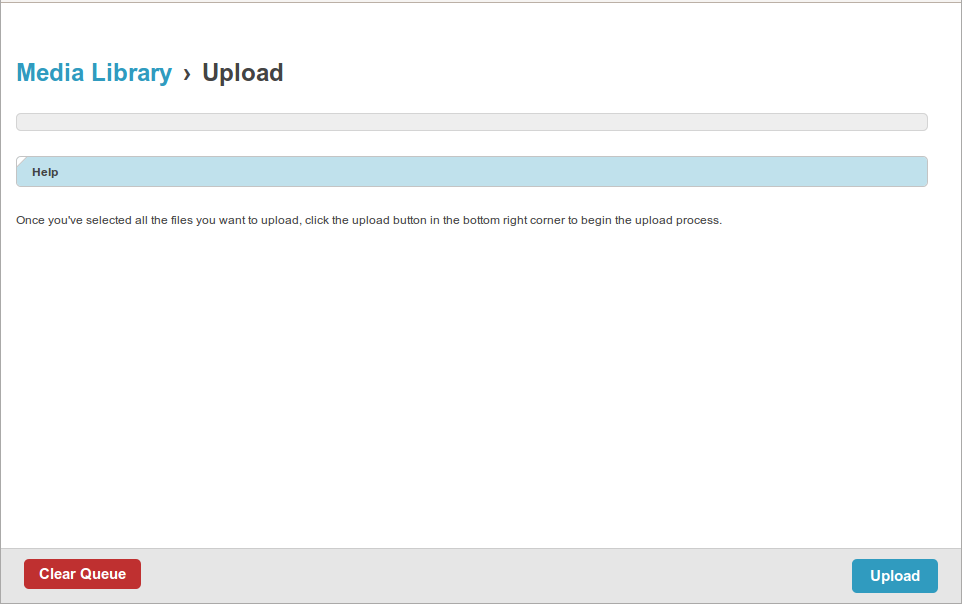
>>>>>>>>> Trying to add a Featured Image to a Blog post. The SWF uploader UI
>>>>>>>>> element itself is not visible.
>>>>>>>>>
>>>>>>>>> Getting the following error in the browser console:
>>>>>>>>> http://<...domain...>/asset_proxy/?u=http://
>>>>>>>>> <...domain...>/static/filebrowser/uploadify/uploadify.swf
>>>>>>>>>
>>>>>>>>>    - Was working fine on the development server.
>>>>>>>>>    - I have ran collectstatic and confirmed that the
>>>>>>>>>    uploadify.swf file exists at an accessible path on the server.
>>>>>>>>>    - Accessing
>>>>>>>>> http://<...domain...>/static/filebrowser/uploadify/uploadify.swf
>>>>>>>>>    itself directly loads the uploader UI fine without any 403 error.
>>>>>>>>>    - Accessing http://<...domain...>/asset_proxy/ alone does not
>>>>>>>>>    give a 403 either
>>>>>>>>>    - Other static assets like PNG images, CSS and JS are being
>>>>>>>>>    accessed without any issues
>>>>>>>>>
>>>>>>>>> Screenshot :
>>>>>>>>>
>>>>>>>>>
>>>>>>>>> <https://lh3.googleusercontent.com/-p1r-QsppUn4/VRzl_6QnitI/AAAAAAAACEU/VfEfIh_T158/s1600/Missing%2Buplloadify.swf_403_error.png>
>>>>>>>>>
>>>>>>>>> Please suggest a fix.
>>>>>>>>> Cheers!
>>>>>>>>> Pushkar
>>>>>>>>>
>>>>>>>>>  --
>>>>>>>>> You received this message because you are subscribed to the Google
>>>>>>>>> Groups "Mezzanine Users" group.
>>>>>>>>> To unsubscribe from this group and stop receiving emails from it,
>>>>>>>>> send an email to [email protected].
>>>>>>>>> For more options, visit https://groups.google.com/d/optout.
>>>>>>>>>
>>>>>>>>>
>>>>>>>>>
>>>>>>>>> --
>>>>>>>>> Email: [email protected]
>>>>>>>>>
>>>>>>>>>

--
You received this message because you are subscribed to the Google Groups
"Mezzanine Users" group.
To unsubscribe from this group and stop receiving emails from it, send an email
to [email protected].
For more options, visit https://groups.google.com/d/optout.