On Sat, 2018-12-08 at 21:59 -0600, Michael Barnes wrote:
> On Sat, Dec 8, 2018 at 12:37 PM Tomas K <[email protected]
> >
> wrote:
>
> > I was kind of curious what is Google Earth. So ....
> >
> > I tried GEarth on bunch of Ubuntu installs both 16.04 and 18.04
> > I experienced no problems with GoogleEarth after doing following:
> > 1. Download:
> >    wget -Nc https://dl.google.com/dl/earth/client/current/google-ea
> > rth-
> > pro-stable_current_amd64.deb
> > <https://dl.google.com/dl/earth/client/current/google-earth-pro-sta
> > ble_current_amd64.deb>
> >    You might need to visit https://www.google.com/earth/versions/
> > in
> > browser
> > 2. Install:
> >    sudo dpkg -i google-earth-pro-stable_current_amd64.deb
> >    (the installation added repository to
> > /etc/apt/sources.list.d/google-earth-pro.list)
> >    So, it should be updating itself normally when running apt
> > upgrade
> > 3. Start it:
> >    google-earth-pro &
> > It works as expected - according to Google's web screenshots.
> >
> > My Ubuntu installations are mostly default without any of odd bits
> > and
> > pieces of customization often discussed here.
> >
> > In terms of your issues I'd try to:
> > * remove it and reinstall by:
> >   sudo apt remove google-earth-pro-stable
> >   sudo apt update
> >   sudo install google-earth-pro-stable
> >
> > If that does not help - are you using X or Wayland? I believe that
> > I am
> >  using X on both 16.04 as well as 18.04.
> >
> > I cannot offer much help with GUI type problems as I am not a GUI
> > kind
> > of guy. It just work for me in the default shape and form and I do
> > not
> > feel the need to fight little changes and annoyances    with
> > trivial workarounds - I do not mind adjusting self as things
> > change.
> >
> > Hope it helps, Tomas
> >
> >
> > >
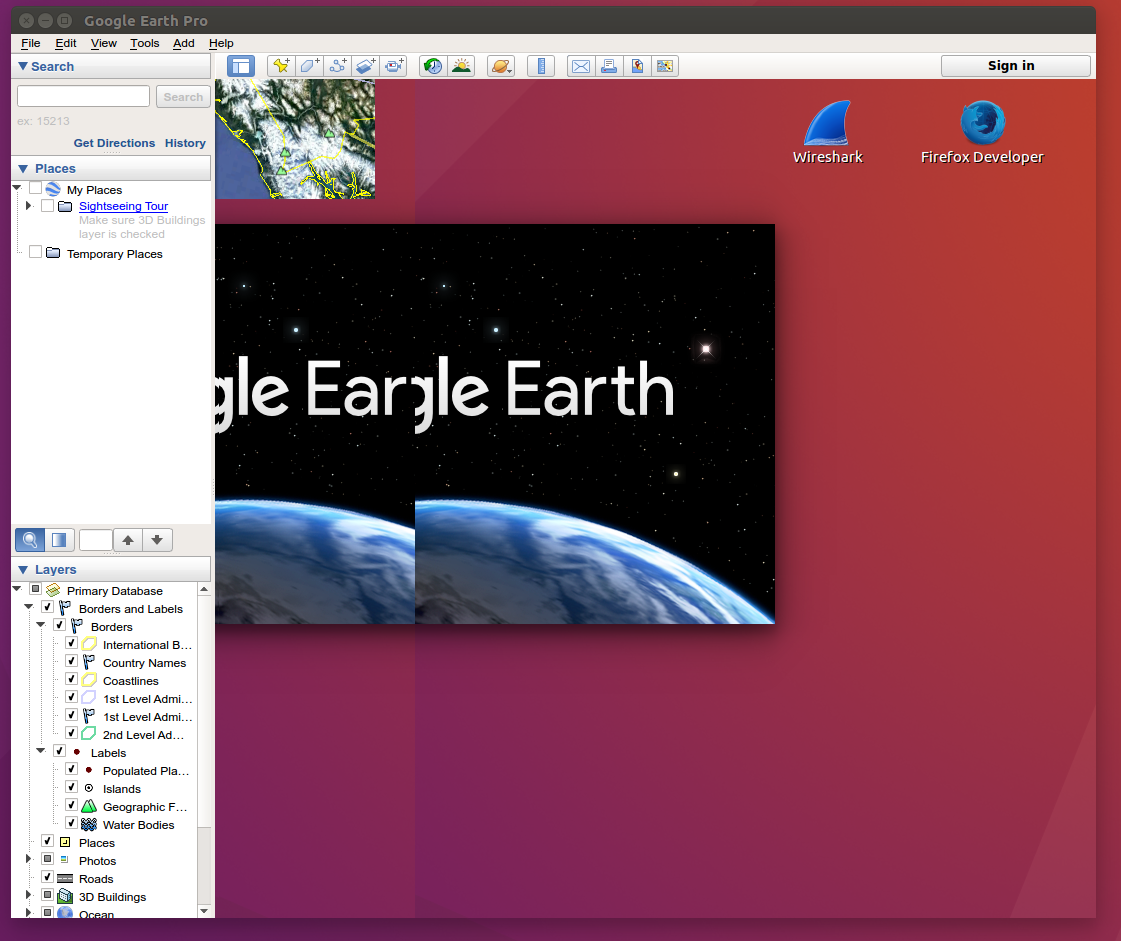
> > > Okay, screen shot is at http://nwgrr.org/SS-GE.png
> > >
> > > You can see my desktop is shown in the primary screen, the
> > > toolbar
> > > thing is
> > > on the left, and the actual map is a small box in the upper left
> > > corner. I
> > > can manipulate the small map, zoom, scroll, etc. but I can't
> > > really
> > > do anything useful as it is so small.
>
> I tried your suggestion. Didn't work well.
>
> $ sudo install google-earth-pro-stable
> install: missing destination file operand after 'google-earth-pro-
> stable'
> Try 'install --help' for more information.
I think you want

sudo apt install google-earth-pro-stable

note the 'apt'.


_______________________________________________
PLUG mailing list
[email protected]
http://lists.pdxlinux.org/mailman/listinfo/plug