Razzak,
Thank you for the reply.

Using 9.5.5.20109
I seem to find the following situation.
I created a form in RRBYWI8 based upon the customer table as you outlined.
I created a form with a variable list view on that table and clicked show row
numbers.
The result displayed exactly as your posted examples did, i.e. complete 3 digit
numbers.

I changed the font and size on the list view to MS Sans Serif and size 14.
The list view then showed the abbreviated row numbers. 1... 2... 3... etc.

I tested on my original production form and if I reduce the font size to 10,
then the
row numbers display without abbreviation.

This form is used on Fork Truck touch screens and I must have the font
relatively large.
The font I had used on the list view is MS-Sans Serif and size 14. I tested a
couple of fonts at
various sizes, but was unable to get the row number column to show complete at
larger
fonts. Perhaps there is a setting I am missing?

Thank you,
Bob Thompson


----- Original Message -----

From: "A. Razzak Memon" <[email protected]>
To: "RBASE-L Mailing List" <[email protected]>
Sent: Wednesday, February 11, 2015 5:37:00 PM
Subject: [RBASE-L] - Re: Variable list view : show row numbers

At 05:55 PM 2/11/2015, Bob Thompson wrote:

>I have a list view with the Show Row numbers attribute checked. This
>works, but when the row count hits 100, it displays as "1..." ex:
>97
>98
>99
>1...
>
>The list view width is plenty wide to accommodate the row column. I
>have not found how to increase this width. (Other than manually
>sliding the column header over)


The first and most important question, what build of R:BASE eXtreme 9.5?

For latest version and build:
http://www.rupdates.com
http://www.rbaseupdates.com (Mirrored Site)

Just for my own curiosity and wanting to bullet-proof R:BASE ....

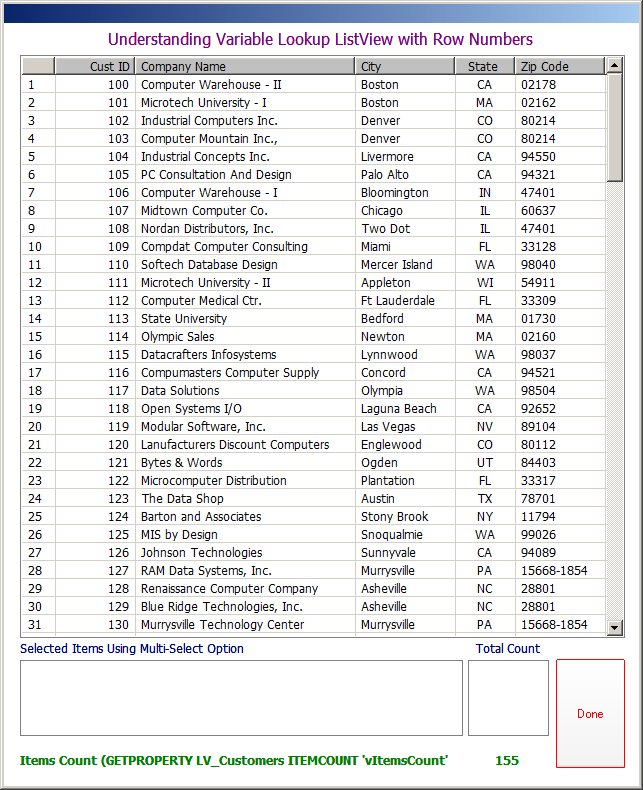
Using the sample RRBYW18 database, I quickly created a duplicate
table based upon the existing Customer table and then appended
a whole bunch of rows to get a total of at least 155 rows. Then,
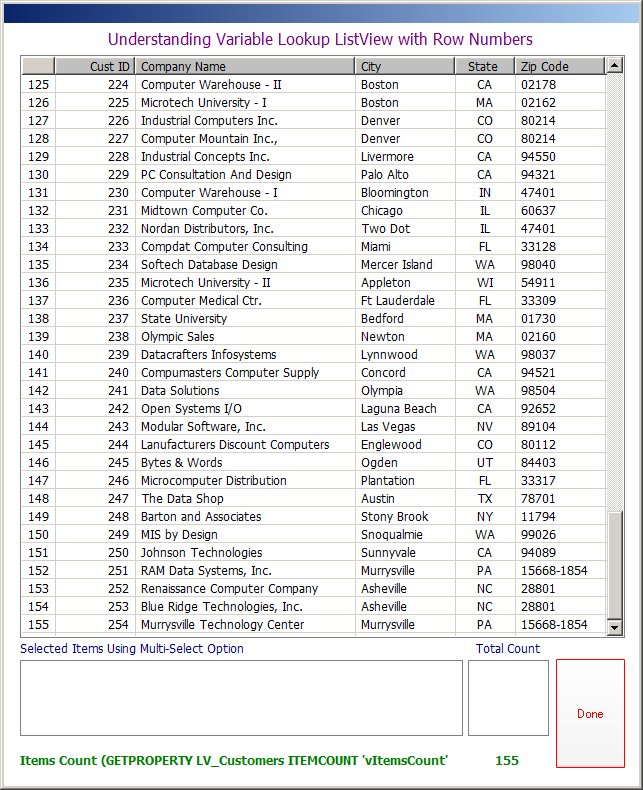
I created a coooooool Variable Lookup List View to illustrate
the use of "Row Numbers".

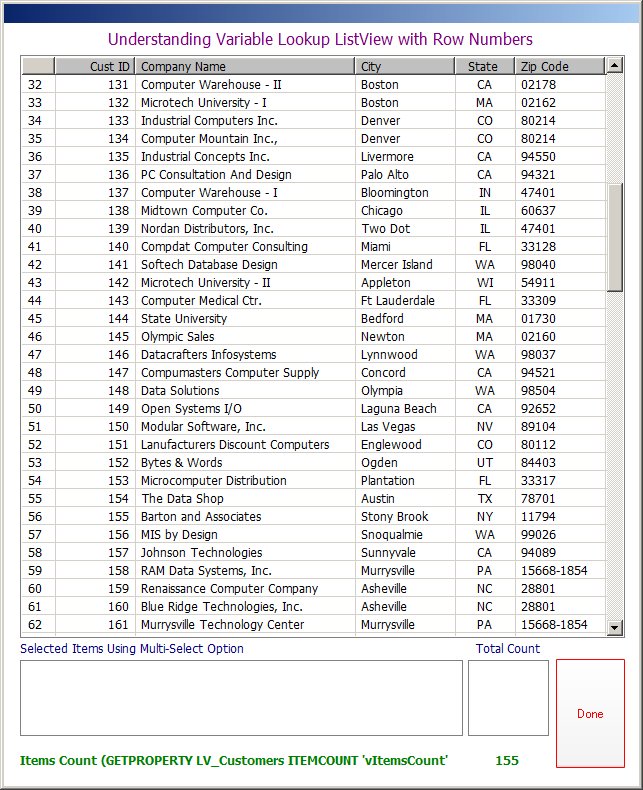
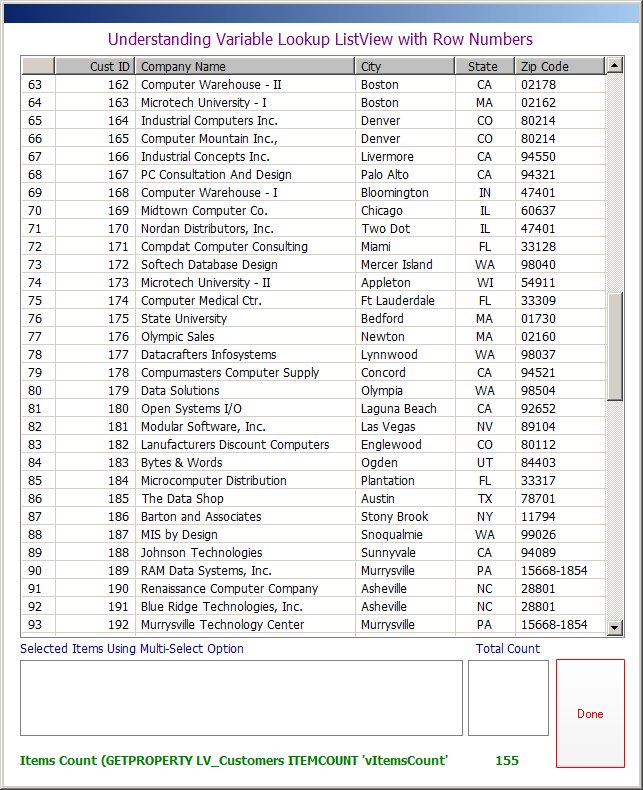
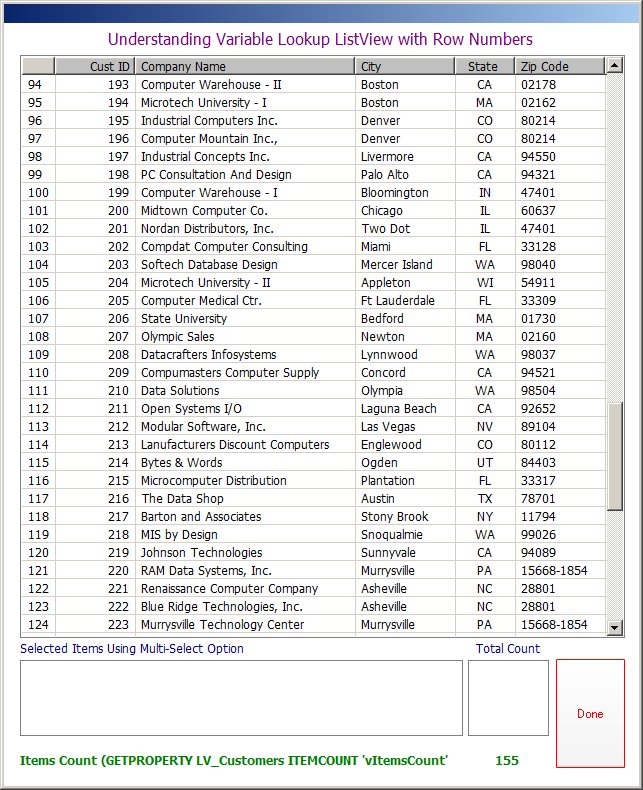
Here are the results ...

http://www.razzak.com/tips/ListView_With_RowNumbers_01.jpg
http://www.razzak.com/tips/ListView_With_RowNumbers_02.jpg
http://www.razzak.com/tips/ListView_With_RowNumbers_03.jpg
http://www.razzak.com/tips/ListView_With_RowNumbers_04.jpg
http://www.razzak.com/tips/ListView_With_RowNumbers_05.jpg
http://www.razzak.com/tips/ListView_With_RowNumbers_06.jpg

Notice the Image "04" with row number from 94 - 124

Notice the Image "05" with row number from 125 - 155

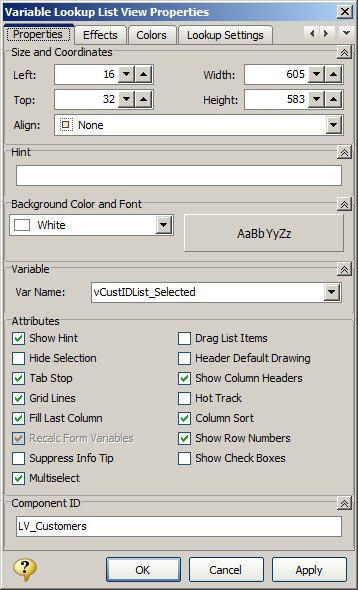
Image "06" illustrates the Variable Lookup List View Properties.

Hope that provides you with some blue's clues ...

I don't know about you all, but I certainly had FUN!

Very Best R:egards,

Razzak.