When the economy was in tatters, everyone was poor-mouthing about available
funds to attend conferences and to be fair, when the last conference was
held, economic times weren't at their worst as yet.
Still attendance wasn't at a level that "I" would have put forth the effort
to put together, but the reliable folks at RBTI did it anyway.

I think if the RBase community, collectively would want a conference, then
the voting should be with your pocketbook.

If it were me, and it's not BTW, I wouldn't wait until weeks before the
already scheduled event to start banging the drum to get people signed up.

I would require spring registration with payment for a fall conference and
set a break point of a minimum number of seats to be filled by a date
certain, that failing, NO Conference.

But that is just me.  I just don't like to wait till the last minute to see
how things are going to pan out.

I like a plan that makes sense and works toward a good outcome for all
concerned.

I have enjoyed every minute of each conference I have been able to attend
and have never left thinking I didn't get some benefit from it.


> -----Original Message-----
> From: [email protected] [mailto:[email protected]] On Behalf Of Karen
> Tellef
> Sent: Thursday, February 12, 2015 9:46 AM
> To: RBASE-L Mailing List
> Subject: [RBASE-L] - Re: Variable list view : show row numbers
>
> Bob will probably shoot me, but I'll use this opportunity to say this:
> I wish that every RBase user
> could spend a day at the factory that Bob works for!   What he has done
> there with incorporating
> RBase with all kinds of hardware and other software is truly amazing!
> There's all these forklifts and
> truck thingys driving around with touch screens running RBase programs
> that he designed to use without a mouse or keyboard.  And he
> incorporates RBase with machines that print batch barcodes
> and all other sorts of machines that I didn't understand.   Every inch
> of product production is tracked
> in RBase, usually using just touch screens...  If we still had
> conferences I would have wanted to videotape his operation and display
> it!
>
> Karen
>
>
>
> -----Original Message-----
> From: ttc.inc <[email protected]>
> To: RBASE-L Mailing List <[email protected]>
> Sent: Thu, Feb 12, 2015 8:39 am
> Subject: [RBASE-L] - Re: Variable list view : show row numbers
>
>
> Razzak,
> Thank you for the reply.
>
> Using 9.5.5.20109
>
> I seem to find the following situation.
> I created a form in RRBYWI8 based upon the customer table as you
> outlined.
> I created a form with a variable list view on that table and clicked
> show row numbers.
> The result displayed exactly as your posted examples did, i.e.
> complete 3 digit numbers.
>
> I changed the font and size on the list view to MS Sans Serif  and size
> 14.
> The list view then showed the abbreviated row numbers.    1... 2...
> 3... etc.
>
> I tested on my original production form and if I reduce the font size
> to 10, then the row numbers display without abbreviation.
>
> This form is used on Fork Truck touch screens and I must have the font
> relatively large.
> The font I had used on the list view is MS-Sans Serif and size 14.   I
> tested a couple of fonts at
> various sizes, but was unable to get the row number column to show
> complete at larger fonts.  Perhaps there is a setting I am missing?
>
> Thank you,
> Bob Thompson
>
>
> ________________________________
>
> From: "A. Razzak Memon" <[email protected]>
> To: "RBASE-L Mailing List" <[email protected]>
> Sent: Wednesday, February 11, 2015 5:37:00 PM
> Subject: [RBASE-L] - Re: Variable list view : show row numbers
>
>
> At 05:55 PM 2/11/2015, Bob Thompson wrote:
>
>
> >I have a list view with the Show Row numbers attribute checked. This
> >works, but when the row count hits 100, it displays as "1..."   ex:
> >97
> >98
> >99
> >1...
> >
> >The list view width is plenty wide to accommodate the row column. I
> >have not found how to increase this width. (Other than manually
> sliding
> >the column header over)
>
>
>
> The first and most important question, what build of R:BASE eXtreme
> 9.5?
>
>
> For latest version and build:
> http://www.rupdates.com
> http://www.rbaseupdates.com (Mirrored Site)
>
>
> Just for my own curiosity and wanting to bullet-proof R:BASE ....
>
>
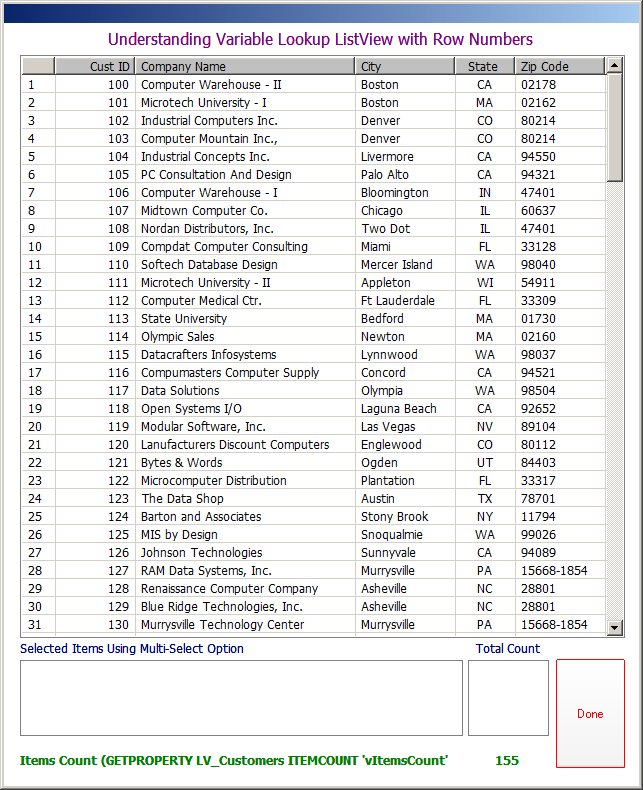
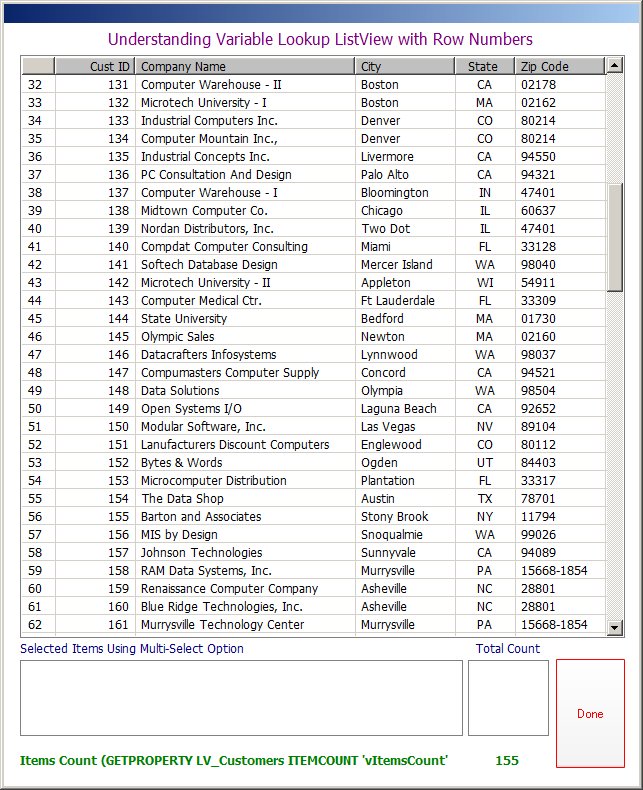
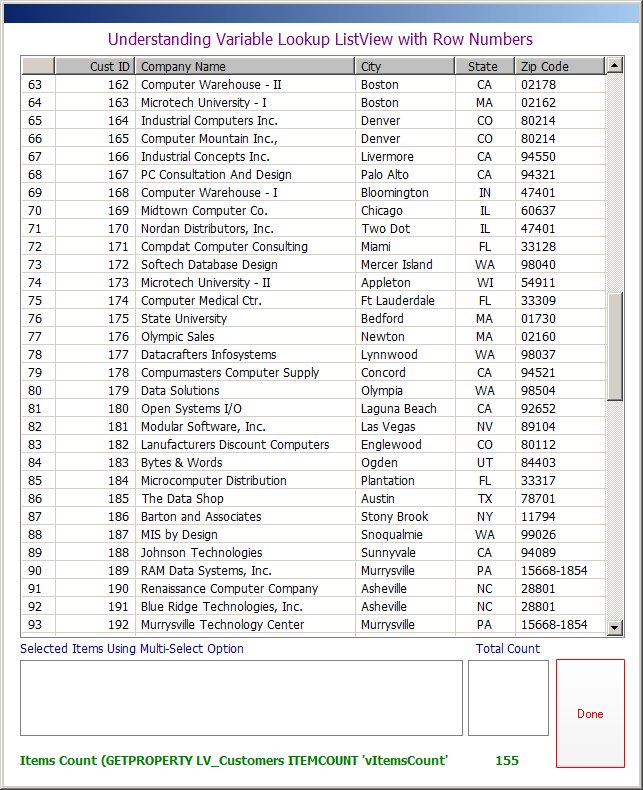
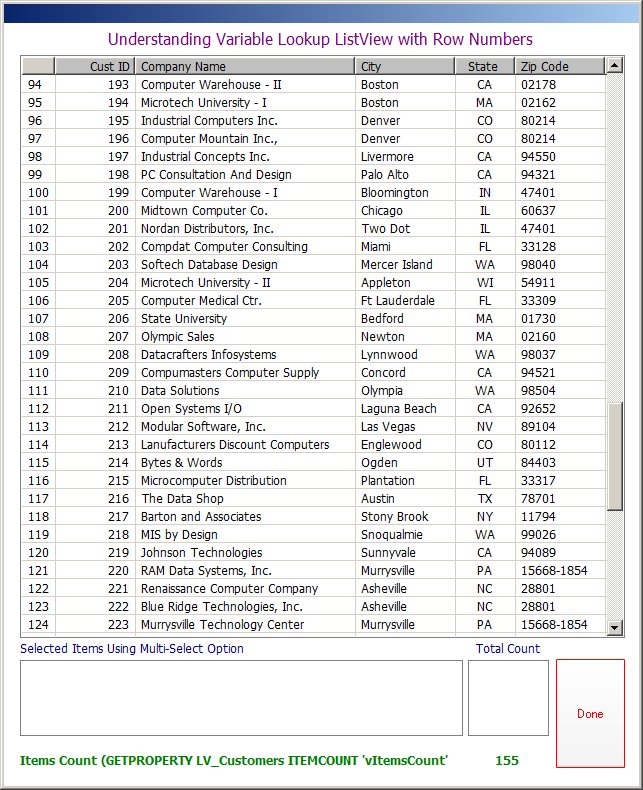
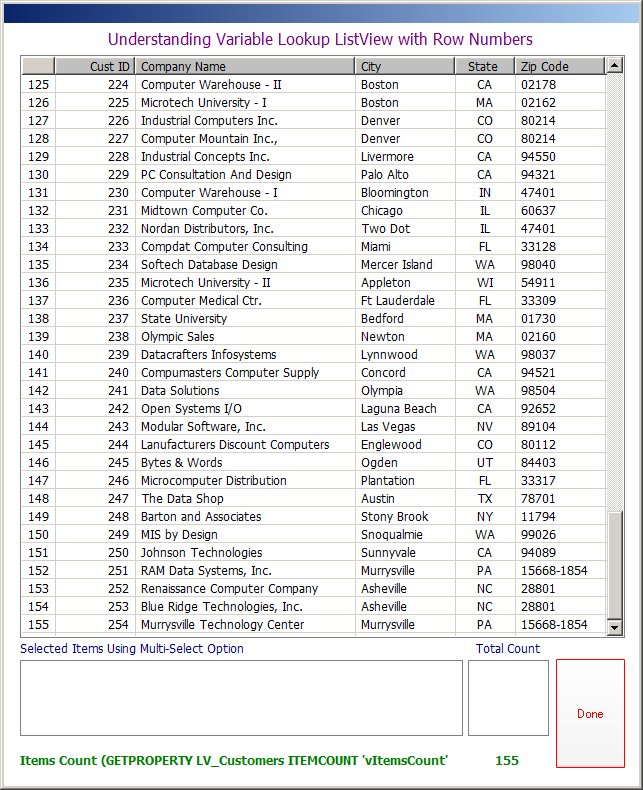
> Using the sample RRBYW18 database, I quickly created a duplicate table
> based upon the existing Customer table and then appended a whole bunch
> of rows to get a total of at least 155 rows. Then, I created a
> coooooool Variable Lookup List View to illustrate the use of "Row
> Numbers".
>
>
> Here are the results ...
>
>
> http://www.razzak.com/tips/ListView_With_RowNumbers_01.jpg
> http://www.razzak.com/tips/ListView_With_RowNumbers_02.jpg
> http://www.razzak.com/tips/ListView_With_RowNumbers_03.jpg
> http://www.razzak.com/tips/ListView_With_RowNumbers_04.jpg
> http://www.razzak.com/tips/ListView_With_RowNumbers_05.jpg
> http://www.razzak.com/tips/ListView_With_RowNumbers_06.jpg
>
>
> Notice the Image "04" with row number from 94 - 124
>
>
> Notice the Image "05" with row number from 125 - 155
>
>
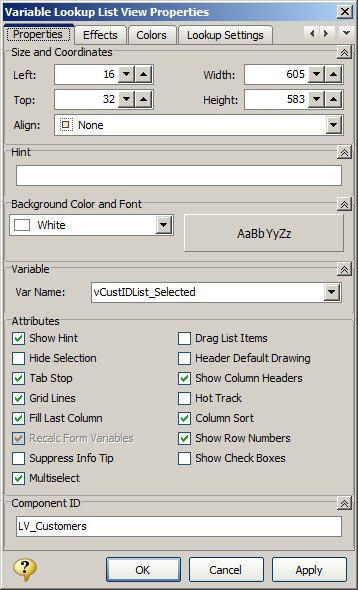
> Image "06" illustrates the Variable Lookup List View Properties.
>
>
> Hope that provides you with some blue's clues ...
>
>
> I don't know about you all, but I certainly had FUN!
>
>
> Very Best R:egards,
>
>
> Razzak.
>
>
>

--- RBASE-L
================================================
TO POST A MESSAGE TO ALL MEMBERS:
Send a plain text email to [email protected]

(Don't use any of these words as your Subject:
INTRO, SUBSCRIBE, UNSUBSCRIBE, SEARCH,
REMOVE, SUSPEND, RESUME, DIGEST, RESEND, HELP)
================================================
TO SEE MESSAGE POSTING GUIDELINES:
Send a plain text email to [email protected]
In the message SUBJECT, put just one word: INTRO
================================================
TO UNSUBSCRIBE:
Send a plain text email to [email protected]
In the message SUBJECT, put just one word: UNSUBSCRIBE
================================================
TO SEARCH ARCHIVES:
Send a plain text email to [email protected]
In the message SUBJECT, put just one word: SEARCH-n
(where n is the number of days). In the message body,
place any
text to search for.
================================================