Bob will probably shoot me, but I'll use this opportunity to say this:  I wish
that every RBase user
could spend a day at the factory that Bob works for!   What he has done there
with incorporating
RBase with all kinds of hardware and other software is truly amazing!   There's
all these forklifts and
truck thingys driving around with touch screens running RBase programs that he
designed to use
without a mouse or keyboard.  And he incorporates RBase with machines that
print batch barcodes
and all other sorts of machines that I didn't understand.   Every inch of
product production is tracked
in RBase, usually using just touch screens...  If we still had conferences I
would have wanted to
videotape his operation and display it!
Karen


-----Original Message-----
From: ttc.inc <[email protected]>
To: RBASE-L Mailing List <[email protected]>
Sent: Thu, Feb 12, 2015 8:39 am
Subject: [RBASE-L] - Re: Variable list view : show row numbers


Razzak,
Thank you for the reply.


Using 9.5.5.20109


I seem to find the following situation.
I created a form in RRBYWI8 based upon the customer table as you outlined.
I created a form with a variable list view on that table and clicked show row
numbers.
The result displayed exactly as your posted examples did, i.e.  complete 3
digit numbers.


I changed the font and size on the list view to MS Sans Serif  and size 14.
The list view then showed the abbreviated row numbers.    1... 2... 3... etc.


I tested on my original production form and if I reduce the font size to 10,
then the
row numbers display without abbreviation.


This form is used on Fork Truck touch screens and I must have the font
relatively large.
The font I had used on the list view is MS-Sans Serif and size 14.   I tested a
couple of fonts at
various sizes, but was unable to get the row number column to show complete at
larger
fonts.  Perhaps there is a setting I am missing?


Thank you,
Bob Thompson


From: "A. Razzak Memon" <[email protected]>
To: "RBASE-L Mailing List" <[email protected]>
Sent: Wednesday, February 11, 2015 5:37:00 PM
Subject: [RBASE-L] - Re: Variable list view : show row numbers


At 05:55 PM 2/11/2015, Bob Thompson wrote:


>I have a list view with the Show Row numbers attribute checked. This
>works, but when the row count hits 100, it displays as "1..."   ex:
>97
>98
>99
>1...
>
>The list view width is plenty wide to accommodate the row column. I
>have not found how to increase this width. (Other than manually
>sliding the column header over)


The first and most important question, what build of R:BASE eXtreme 9.5?


For latest version and build:
http://www.rupdates.com
http://www.rbaseupdates.com (Mirrored Site)


Just for my own curiosity and wanting to bullet-proof R:BASE ....


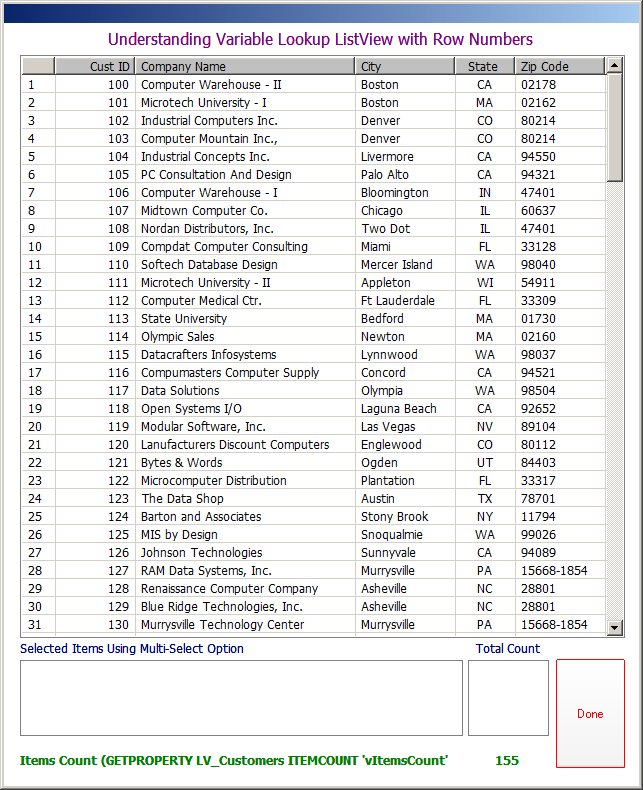
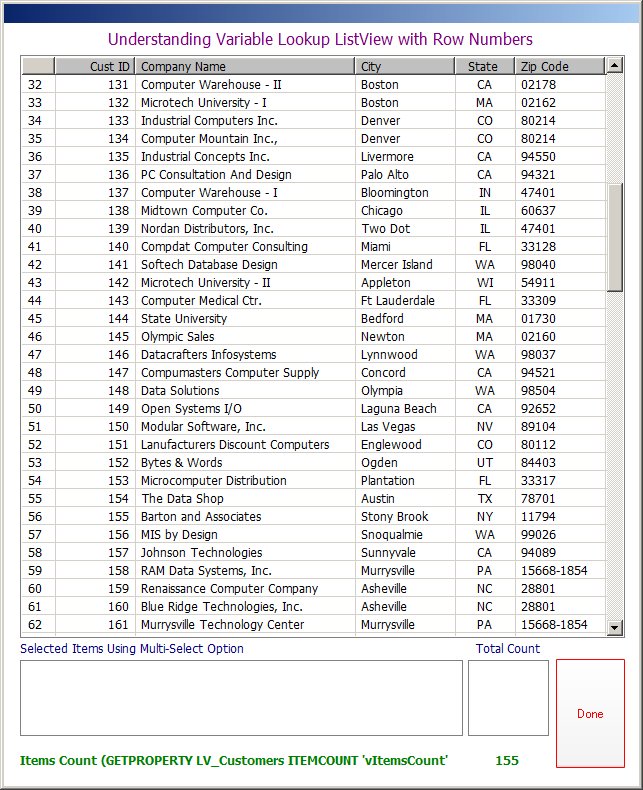
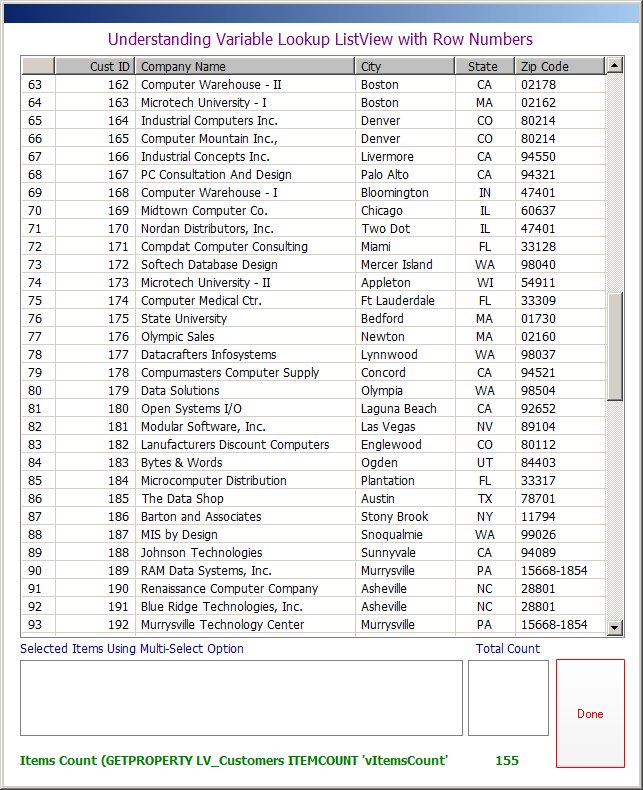
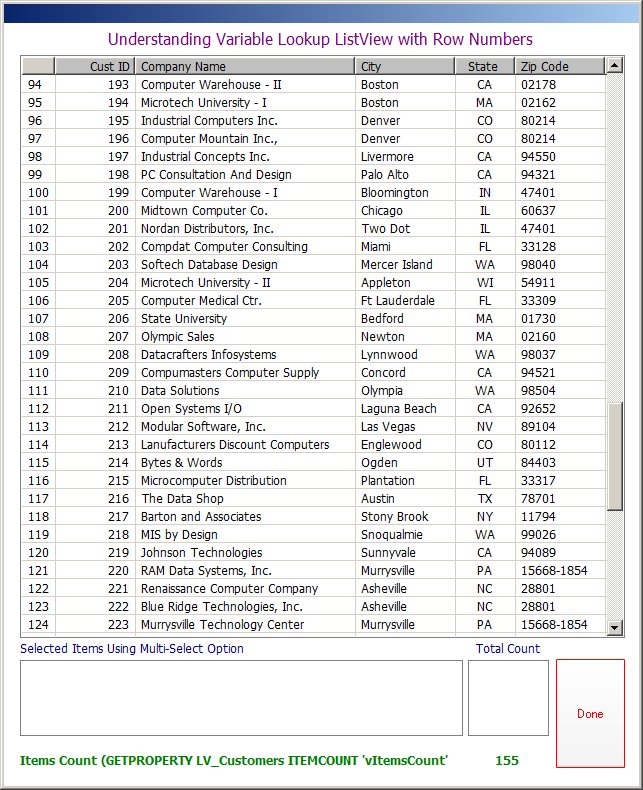
Using the sample RRBYW18 database, I quickly created a duplicate
table based upon the existing Customer table and then appended
a whole bunch of rows to get a total of at least 155 rows. Then,
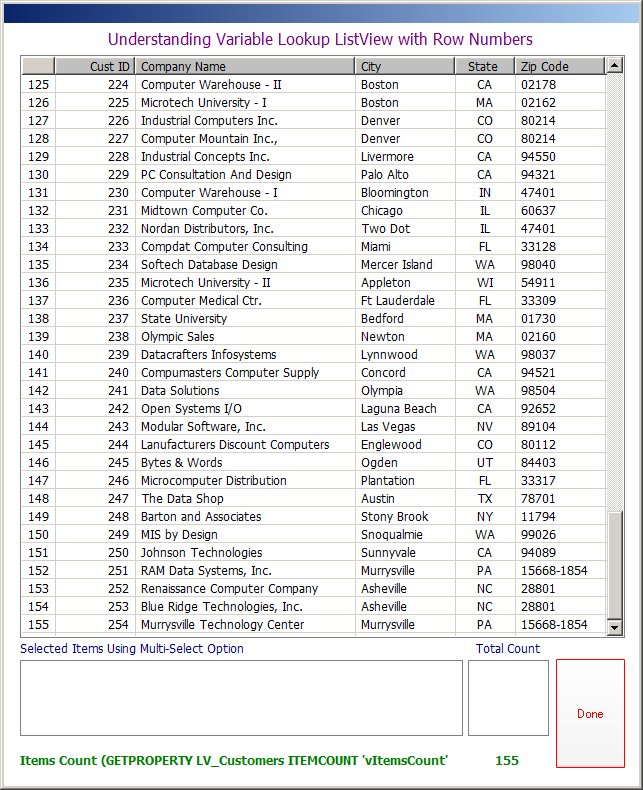
I created a coooooool Variable Lookup List View to illustrate
the use of "Row Numbers".


Here are the results ...


http://www.razzak.com/tips/ListView_With_RowNumbers_01.jpg
http://www.razzak.com/tips/ListView_With_RowNumbers_02.jpg
http://www.razzak.com/tips/ListView_With_RowNumbers_03.jpg
http://www.razzak.com/tips/ListView_With_RowNumbers_04.jpg
http://www.razzak.com/tips/ListView_With_RowNumbers_05.jpg
http://www.razzak.com/tips/ListView_With_RowNumbers_06.jpg


Notice the Image "04" with row number from 94 - 124


Notice the Image "05" with row number from 125 - 155


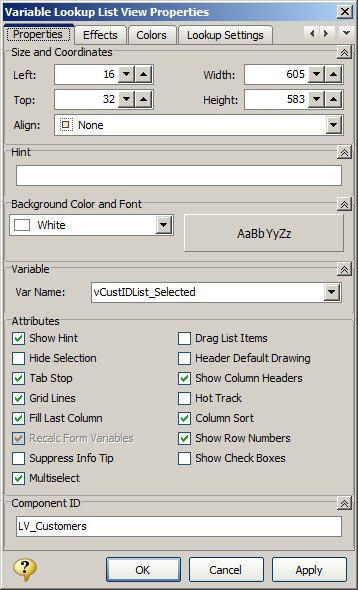
Image "06" illustrates the Variable Lookup List View Properties.


Hope that provides you with some blue's clues ...


I don't know about you all, but I certainly had FUN!


Very Best R:egards,


Razzak.