well ifyou send an email to asrock comlpainni about the motherboards
tehy manufacture they somehow manage to turn a perfectly good USB 2.0
motherboard connector into a USB 1.0 one
memtest? is that a part of the operating system?
wy would i want to memtest - surely programs like that make problems
for the memory that is how they make money? 2gb in this beastie and
6gb in the other one
how does a 29mb limit have something to do with an emualtor - i took a
700mb video file where every frame was already at 256x192 only it was
still pc 16bit colour depth - i assumed your program would convert it
into a tap&tzx file as i had no idea that neither would work in sim
coupe or in your own file viewer that comes with retroX
i couldnt use retroX to convert it as it doesnt convert stuff only
bmp2scr managed to do it and it stopped after it had made exactly two
29mb files one tzx and the second one tap
i was unabel to use these in sim coupe as sim coupe doesnt support
these file formats or file truly useful formats like RZX which saves
you the hastle of actually having to remember how to press all the
buttons at exactly the right moments in order to get anywhere - which
i would have thought would have been possible to replicate seeing as
the rom could be modified so that any keybaord read routines simply
read data from somewhere big like the external 4mb where the
keypresses - im not sure if RZX has full functionality with regard to
various mouse interfaces as it would need to store any mouse movements
made at the same time as reading keyboards and joysticks which must be
slightly more tricky as the mouse movement woudl be scanned 50 times a
second and need another four variables - so not sure if any one at the
RZX archive has managed to upload a mouse RZX file though it might be
possible for someone to communicate with zx spin real spectrum and
fuse all of which claim to support this file format though my
experience is rather different again rather like trying to use bmp2scr
- you say theres no file size limit whereas my machine was stopped
after a 29mb tap & tzx file was produced dont worry it probably isnt
your program it is probably the same barstewards who spent all day
preventing me from uplaoding the video to youtube - histerically funny
and then added a 2mb upload limit without bothering to inform anyone
when they were uplaoding as they couldnt be bothered to add to the
error message that there was no error only an illegal limit placed on
folks uploading just to piss people off especially as the website in
question was still happily telling the world that it can accept files
of 1gb
mind you if we cant get 48 snaps running in external ram area - which
cant be that complicated - although maybe some sprite stuff is not
going to work due to speed issues - though i doubt it surely any 3d
vector or freescape stuff will trundle along quite happily? wouldnt
you just be changing the location of two 16kb ram chunks opf teh
snapshot which had automatically loaded into internal ram - unless you
could trick the load routine to load into external ram without having
to copy the code across - but then its all abit like a push print
routine its all a bit pie in the sky unless you've actually got your
teeth into the pastry and can see the apple at the opposite end you
aint ad your main av u c!
so which emualtor puts a 29mb limit on a totally separate program like
bmp2scr and how does it do it if you can explain that to someone with
½ a brain i would much appreciate
although to be honest the animation just keeps on rotating as far as i
remember and even in its hi definition verison was a bit week - i
think the thing with the nvidia ati vgac ard demos is that they are
all a bit rediculous - each graphic card chipset is supposed to have
so many extra features and even within the same kind of vga chip
family the ultra versions are supposed to be so much better - mindyou
most of the demos apart from letting you fiddle with lines dots solid
- change the viewing position a little bit alter some slight and
terribly marginal aspects of it
its not as though you are giving a carte blanche able to add models or
run programs with various settings - the vga driver from teh
manufacturer has a huge list of programs and benchmarks as tough you
are goign to waste your time individually setting each program to run
at some optimum vga card 3d rendering setting - i really couldnt be
bothered - the benchmarks havent a clu that your running a 32bit
operating system on a 64 bit processor or tow of them so they cant be
bothered to detec tthe tv encoder on the vga card either and as all im
doing is trying to create semi decent videos of my dear ol sam -
though at the moment ive been cheating and using simkoop most of the
time with stupid screen cast desktop recording programs none of which
have any idea what a tv encoder on the vga card is least of all what a
digital tv tuner is
i cant even get the speell chaecker to work in ie8
and every website urges me to upgrade to ie9 even though im still
running xp on this as the vodaphone mobiel broadband incredibly
expensive and totally rubbish service wont install on a 64bit os
though i asked them about this over a year ago - but again probably if
you buy it from them it will work on a 64bit os its probebly designed
just to prevent me from doing it as you can see from the problems i
have experienced in the public library and then trying to use bmp2scr
which functions in  a totally different manner for me than for
everyone else


On 10/06/2011, VELESOFT <[email protected]> wrote:
> Original SAM MOUSE interface can't support wheel mouse (no free pins on
> mouse connector). But my SAM MOUSE TURBO support mouse with PS/2 protocol, 5
> buttons and wheel. All this signals is connect and can be used. But firmware
> for my CPLD use only standard SAM MOUSE communication.
>
> Is possible modify firmware and add wheel status:
>
> Original SAM MOUSE communication protocol
> -----------------------------------------------------------------
> if you read 9x port #FFFE then CPU read :
> 1) keyboard state
> 2) keyboard state
> 3) mouse buttons (three buttons + 1 bit is unused/reserved)
> 4) X-AXIS counter (high 4 bits)
> 5) X-AXIS counter (middle 4 bits)
> 6) X-AXIS counter (low 4 bits)
> 7) Y-AXIS counter (high 4 bits)
> 8) Y-AXIS counter (middle 4 bits)
> 9) Y-AXIS counter (low 4 bits)
>
> All this 9 ports must be read during time 100ys. Theoretically I can add
> status with wheel counter or 4th and 5th mouse buttons. This is new protocol
> idea:
> if you read 10x port #FFFE then CPU read :
> 1) keyboard state
> 2) keyboard state
> 3) mouse buttons (three buttons + 1 bit is unused/reserved)
> 4) X-AXIS counter (high 4 bits)
> 5) X-AXIS counter (middle 4 bits)
> 6) X-AXIS counter (low 4 bits)
> 7) Y-AXIS counter (high 4 bits)
> 8) Y-AXIS counter (middle 4 bits)
> 9) Y-AXIS counter (low 4 bits)
> 10) mouse wheel counter (high 4 bits)
> 11) mouse wheel counter (low 4 bits)
> This protocol return 8bit counter for wheel ( -128 to 127 )
>
> I don't know if is free space in CPLD chip for this counter. Practically use
> SAM MOUSE too big mouse counters for X and Y axis. Each counter is 12bit
> value (2048 steps). I can reduce counters to 8bit as in KEMPSTON MOUSE for
> ZX Spectrum (256 steps). High 4 bits of X and Y axis can be unused (only
> hardware emulated for backward compatibility). After this optimalisation
> will protocol same (11 times read FFFE) and free space in CPLD can be used
> for wheel counter. And up to 5 mouse buttons can be readable on 12th reading
> of FFFE. :)
>
> Or exist next way :
> connect K-MOUSE TURBO interface to SAM COUPE. This is mouse interface for ZX
> Spectrum, but is compatible with SAM COUPE ports. Can be used original ZX
> software with mouse support or rewrited mouse drivers in SAM COUPE software
> for K-MOUSE support. :)
>
> Small info about mouse support on SAM COUPE:
> Mouse connector on SAM COUPE back side contain 9 signals DOWN, UP, CTRL,
> LEFT, RIGHT, MOUSE, INTERRUPT, RDMSEL, +5V and GND. Hardware in SAM COUPE
> (ASIC chip) is designed for different mouse communication than are used in
> original SAM MOUSE and emulators. Original idea about mouse communication
> use special interrupt and return on cursor port direction state (active true
> directions LEFT/RIGHT/UP/DOWN after each change of mouse position). This
> communicaion can generate multiple interrupt in very small time range and
> very slowdown CPU. Then hardware designers make new mouse interface
> (original SAM MOUSE) using only 4 bit communications and usable also in
> software with perfect timing (no need more CPU time, mouse driver can be
> call in long intervals)
>
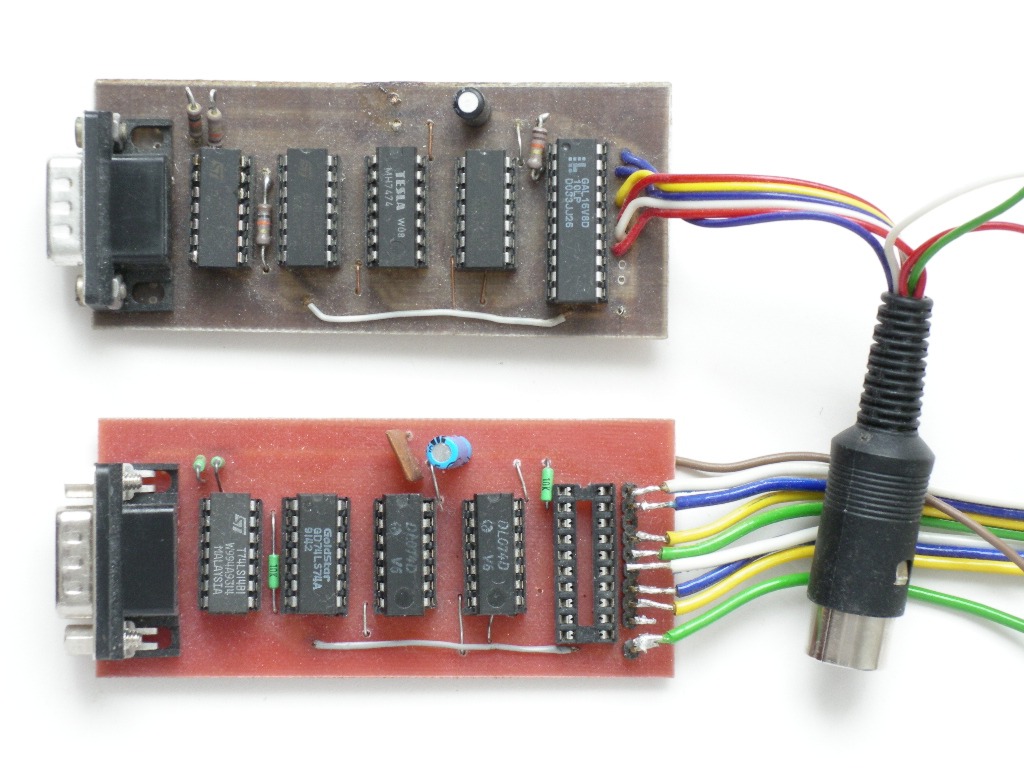
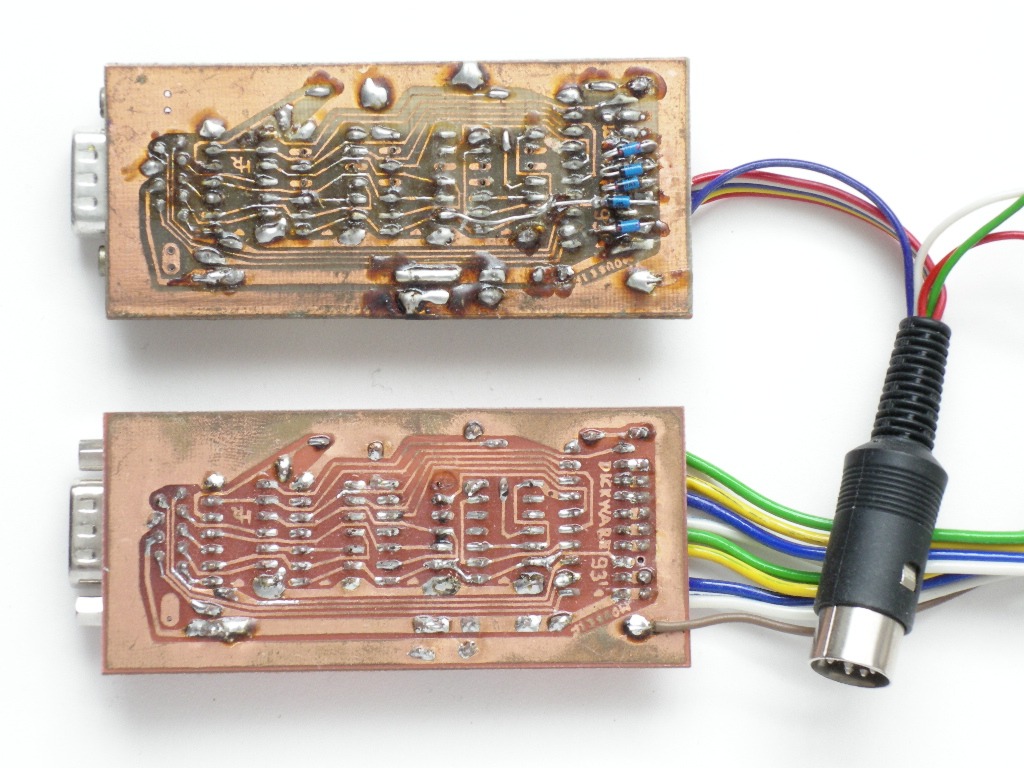
> Here is photo of Czech old mouse prototype - low price mouse interface based
> on original communication idea (multiple interrupt):
> http://velesoft.speccy.cz/samcoupe/sammouse/sammouse-original/sammouse_new_prototype_top.jpg
> http://velesoft.speccy.cz/samcoupe/sammouse/sammouse-original/sammouse_new_prototype_bottom.jpg
>
> My SAM MOUSE TURBO can work as this mouse idea if I rewrite firmware. But
> not exist software for it :(
>
> VELESOFT
>
>
>   ----- Original Message -----
>   From: Leszek Chmielewski
>   To: [email protected]
>   Sent: Friday, June 10, 2011 9:35 AM
>   Subject: Re: ST Mice
>
>
>   Where did Velesoft say it will not work? Velesoft only said, the mouse
> wheel will not work, which is correct. I said USB (PS/2 Protocol) mouse will
> work with this converter. This is correct too.
>   USB mouse with PS/2 support will work, The wheel status reading will not
> work. Check the pinouts of Mouse connector on SAM. It has up, down, left,
> right annd status of two buttons. No additional data lines for readind wheel
> status. You are mixing up two problems, so both answers are correct.
>   There is only one solution: construction of a Mouse interface with
> direction and button reading to the mouse input port, and SAM expansion bus
> interface for non-standard reading of additional buttons and wheels.
>
>
>
>
>   2011/6/10 Roger Jowett <[email protected]>
>
>     you say it will velesoft says it wont?
>     im getting a bit spammed misself here?!
>
>
>     On 06/06/2011, Leszek Chmielewski <[email protected]> wrote:
>     > 2011/6/6 <[email protected]>
>     >
>     >> Here's something interesting...
>     >>
>     >> An Atari ST mouse to usb mouse connector. In theory, this should also
> work
>     >> with the SAM mouse interface, should it not? So we could use a modern
> usb
>     >> mouse with the old MGT mouse interface?
>     >>
>     >>
>     >>
> http://cgi.ebay.co.uk/Atari-ST-USB-Mouse-Adapter-Brand-New-/120732726502?pt=UK_VideoGames_VideoGameAccessories_VideoGameAccessories_JN&hash=item1c1c3b34e6#ht_2467wt_1139
>     >>
>     >> I suppose the other questions, which others will know better, are
> whether
>     >> or not it would support a)optical mice and b)perhaps even wireless?
> Though
>     >> I
>     >> would presume there are other issues regarding power from the USB
> port,
>     >> etc,
>     >> for wireless and optical that might make it incompatible with the
> SAM. The
>     >> item listing seems to imply that it would work with optical and
> wireless
>     >> mice on the ST, so who knows?
>     >>
>     >> An interesting possibility! :-)
>     >>
>     >> It will work with SAM mouse interface and optical / RF mices without
>     > problems, but only if the mice supports PS/2 protocol (sold with a
> PS/2
>     > adapter). Pure USB mices are not supported.
>     >
>
>
>