Thank you Holger. I will try this and report back. Turned out, the client
wants  a more stylised approach anyway, so particle sims are off.
From: [email protected]
[mailto:[email protected]] On Behalf Of Schoenberger
Sent: Friday, November 18, 2016 10:01 PM
To: [email protected]
Subject: RE: Particle volume rendering problem


2 options left:


Create a geo plane and apply the particle_density shader as input for a
gradient mixer.

Pick the volume on one of the form the particle_density tabs.

Plug the gradient mixer directly into the surface.

This should give you a cut of the volume (Do not hide the particle render
for this test).

This way you can test if the particles are actually there and if just the
BBox is wrong.

Then create your own box as bounding box with a transparent constant shader
and the volume shader.


2 Option would be to export the particle position into a cache file.
(probably position only as you have a lot of particles, perhaps velocity as
you can then set the particle shader to align on velocity and make the
particles elliptical)

Convert them with cachefile_converter and load them with the baSICacheLoader
object.

Apply a phong shader and check if the BBox is now right.


Hint:

If you need a bit more detail, use the baFractal4D, set to colored and plug
it into the distort of the volume shader.

I have even made a test some time ago to use a second particle anim with
huge particles and that shader with the same motion as the small ones.

So your distortion moves with the particles.

I have no video, but this one shows what a distortion can do:
https://vimeo.com/29272120


Holger Schönberger
technical director
The day has 24 hours, if that does not suffice, I will take the night


  _____


From: [email protected]
[mailto:[email protected]] On Behalf Of Sven Constable
Sent: Friday, November 18, 2016 8:37 PM
To: [email protected]
Subject: RE: Particle volume rendering problem

sorry, broken links


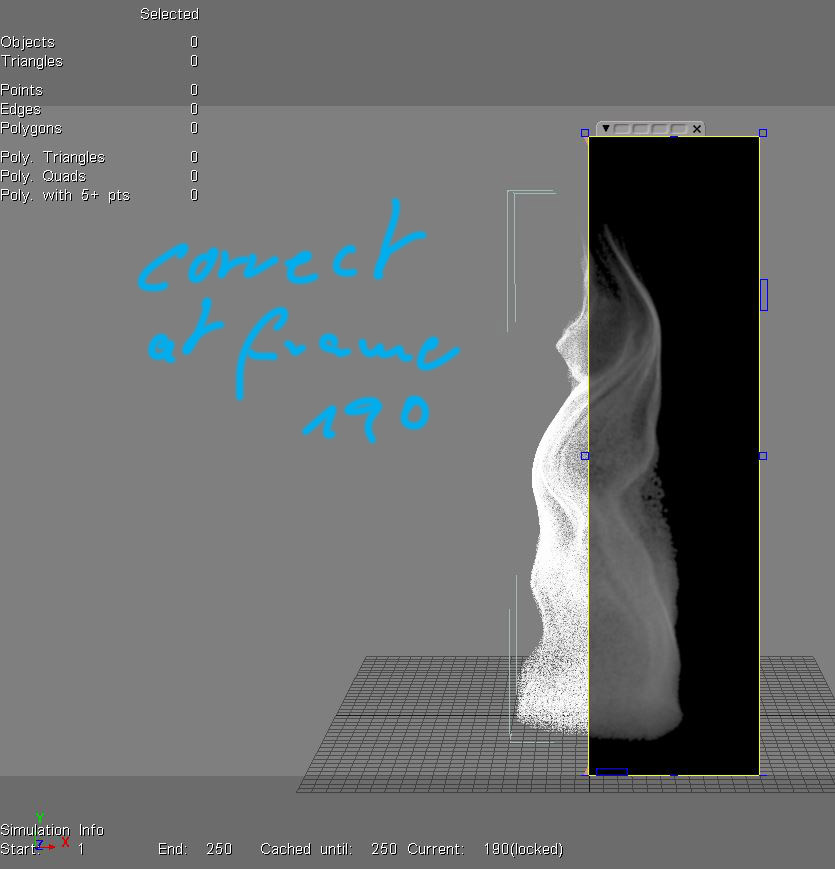
http://www.imagefront.de/tmp/correct_frame.JPG

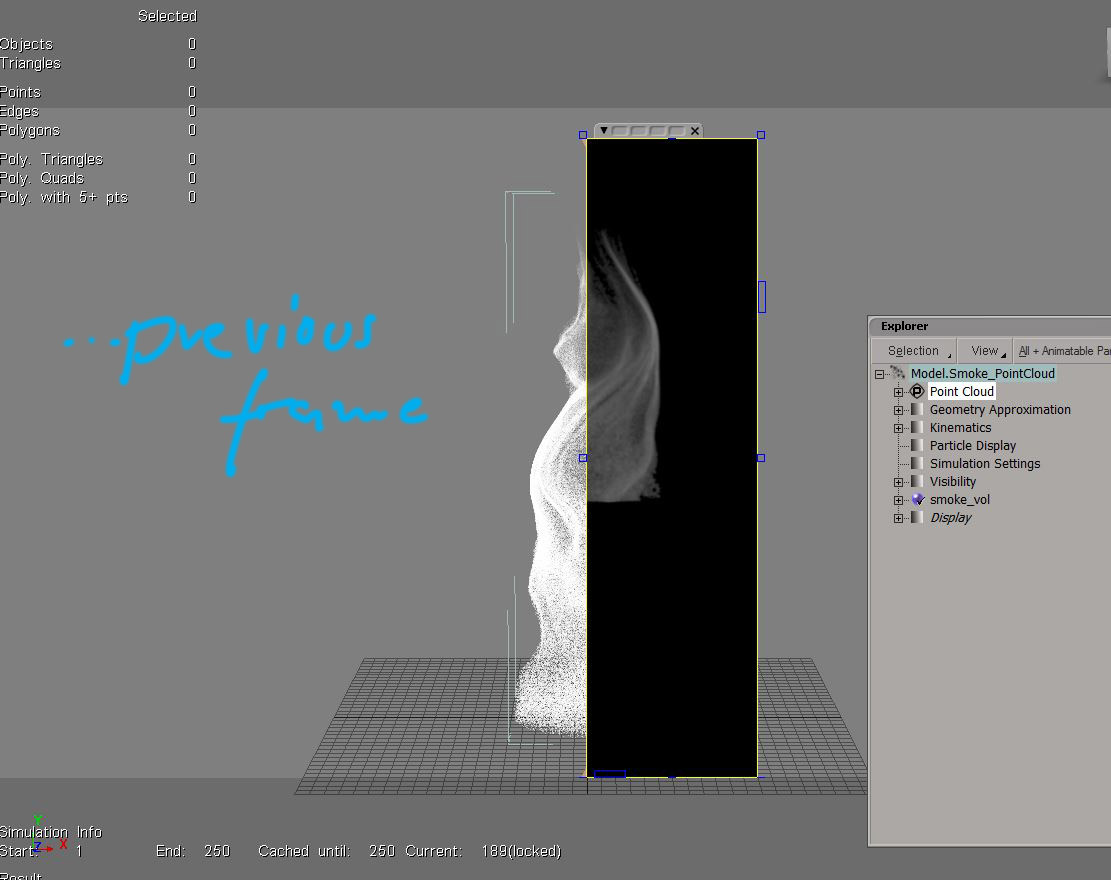
http://www.imagefront.de/tmp/problem_frame.JPG

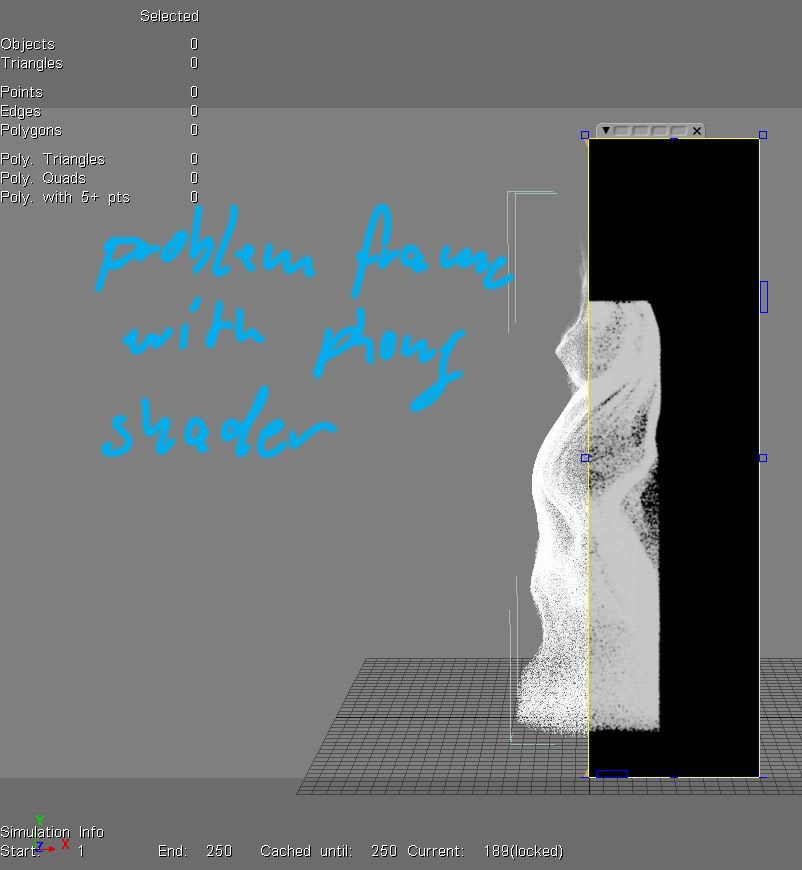
http://www.imagefront.de/tmp/problem_frame_w_phong.JPG


From: [email protected]
[mailto:[email protected]] On Behalf Of Sven Constable
Sent: Friday, November 18, 2016 8:33 PM
To: [email protected]
Subject: RE: Particle volume rendering problem


Did some more tests and it looks like it's not even the shader. Problem
accours also with a standard phong. Interestingly the shape of the cloud
changes(!) when rendered with a phong shader.


some pics:
http://www.imagefront.de/tmp/correct_frame.JPG
<http://www.imagefront.de/tmp/steam_BTY.mp4>

http://www.imagefront.de/tmp/problem_frame.JPG
<http://www.imagefront.de/tmp/steam_BTY.mp4>

http://www.imagefront.de/tmp/problem_frame_w_phong.JPG
<http://www.imagefront.de/tmp/steam_BTY.mp4>


Maybe I'll check with another renderer when I have time.

sven


From: [email protected]
[mailto:[email protected]] On Behalf Of Schoenberger
Sent: Friday, November 18, 2016 11:32 AM
To: [email protected]
Subject: RE: Particle volume rendering problem


Please reduce the lookup table size of the shader.

See "Lookup Table" and "Setting up Lookup table":

http://softimage.wiki.softimage.com/xsidocs/particles_shaders_ParticleVolume
ICE.htm


Holger Schönberger
technical director
The day has 24 hours, if that does not suffice, I will take the night


  _____


From: [email protected]
[mailto:[email protected]] On Behalf Of Sven Constable
Sent: Friday, November 18, 2016 1:57 AM
To: [email protected]
Subject: Particle volume rendering problem

Hey list,


I did some tests for an upcoming project and rendering doesn't work as
expected. Just basic ICE particles with built-in nodes and some deformers on
the pointcloud. Rendered with mental ray.
As you can see in the vid, there are render problems. Sometimes it looks
like missing tiles in the rendering but mostly it seems to be missing
particles in the cloud itself. In this video there are all missing at the
bottom but in other tests it happened also at the top and sometime at the
sides of the point cloud. Never inside the cloud. And it only happens at
render time. No particles are missing in the viewport.


http://www.imagefront.de/tmp/steam_BTY.mp4


What I tried so far:


Eliminated render farm problems: Rendered it locally on the workstation.


Possible caching problem? Rendered it on a workstation on the fly without
any caching.


Tried playback caching as well as the manual 'write cache' via the cache
manager. (unlikely since it also happens with no caching at all)


Put the point cloud to global zero with no offsets in SRT.


Changed most of the MR render settings. Including switching to BSP1.
Disabled On Disk Framebuffer.


Changed settings of the volume shader ( specially the bounding box size for
the voxel computation. Set it to manual instead of Auto because the missing
parts always appeared at the perimeter of the cloud). I also changed most of
the other settings that possibly could have an effect.


Tried both built-in particle volume shaders, 'Particle Volume Cloud' and the
basic 'Particle Renderer'. (btw. the volume cloud shader by Holger
Schoenberger is amazing) However,  it gave me the same problems.


Reduzed the particle rate (this is the video showing different particle
counts but it happens in all versions as you can see).


I'm pretty much out of ideas. Anyone?


Thanks,

sven
------
Softimage Mailing List.
To unsubscribe, send a mail to [email protected] with
"unsubscribe" in the subject, and reply to confirm.