<https://lh3.googleusercontent.com/--CCBZ7Q7jNA/Vg15ql7HVEI/AAAAAAAAAF8/WwHHh6QMuUo/s1600/spyder_update.GIF>
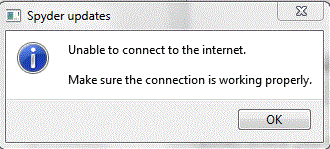
retrying from a blank install, I get this:
"(Spyder updates) Unable to connect to the internet .... click <OK>"


So:
- on this version this annoying default of Spyder was maybe not yet disabled
- open WinPython-64bit-3.4.3.5Qt5\settings\.spyder-py3\spyder.ini

replace "check_updates_on_startup = True"
per "check_updates_on_startup = False"

save and retry

--
You received this message because you are subscribed to the Google Groups
"spyder" group.
To unsubscribe from this group and stop receiving emails from it, send an email
to [email protected].
To post to this group, send email to [email protected].
Visit this group at http://groups.google.com/group/spyderlib.
For more options, visit https://groups.google.com/d/optout.