TidBITS#913/04-Feb-08
=====================
  Issue link: <http://db.tidbits.com/issue/913>
  The big news this week is Microsoft's $44.6 billion bid to buy
  Yahoo, so Adam looks at what's involved and comes away unconvinced
  that it's a good idea. Back in the Macintosh world, Apple released
  updates to iWork and iWeb, but draws ire for remaining almost
  entirely mum on what changed. Glenn laments the loss of the Crazy
  Apple Rumors Site, Joe explains how to work around the disconcerting
  way that video chats make eye contact nearly impossible, Adam weighs
  in on the Direct Marketing Association's move against the Catalog
  Choice service, and Mark relates his woes in dealing with warranty
  repairs. This issue brings a number of practical tips, such as how
  to avoid mysterious crashes on launch in Word 2008, ways of working
  around an infinite Setup Assistant loop at startup, and what to do
  when your Mac starts typing in the wrong language. We also welcome a
  new sponsor - CS Odessa, makers of ConceptDraw - and open a DealBITS
  drawing to give away copies of Sound Studio 3. Lastly, check out our
  latest Leopard ebooks on backing up, maintaining your Mac, and more!

Articles
    iWork and iWeb Updated, Apple Restricts Release Notes
    Microsoft Bids $44.6 Billion for Yahoo
    CS Odessa Sponsoring TidBITS
    DealBITS Drawing: Win a Copy of Sound Studio 3
    Crazy Apple Rumors Site Kills Self, Collapses Mineshaft
    Fix for Mysterious Word 2008 Crash
    For Want of a File, an Operating System Was Lost
    Quick Fix for a Mac Typing in the Wrong Language
    Catalog Choice Slammed by Direct Marketing Association
    New Leopard Ebooks Help with Backups, Maintenance, and More
    Looking Video Chat Problems in the Eye
    When Is a Warranty Not a Warranty?
    Hot Topics in TidBITS Talk/04-Feb-08


------------ This issue of TidBITS sponsored in part by: --------------

* READERS LIKE YOU! Support TidBITS with a contribution today!
  <http://www.tidbits.com/about/support/contributors.html>
  Special thanks this week to Tom Marshburn, James Pistrang,
  Harold L. Appel, and David K. Dean for their generous support!

* Fetch Softworks: Fetch 5.3 makes FTP and SFTP easy!
  Upload, download, mirror, and manage your Web site. Dozens of
  new features to make file transfers easier and more reliable.
  Get your free trial version at <http://fetchsoftworks.com/>!

* WebCrossing Neighbors Creates Private Social Networks
  Create a complete social network with your company or group's
  own look. Scalable, extensible and extremely customizable.
  Take a guided tour today <http://www.webcrossing.com/tour>

* Yojimbo 1.5 from Bare Bones Software: Your effortless, reliable
  information organizer for Mac OS X. It will change your life,
  without changing the way you work. Download the demo or buy it
  today! <http://www.barebones.com/products/yojimbo/>

* MARK/SPACE, INC: The Missing Sync provides the very best in
  synchronization for Mac users with BlackBerry, Palm OS, or
  Windows Mobile devices. Integrates with Address Book, iCal,
  Entourage, iPhoto, and iTunes. <http://www.markspace.com/bits>

* VMware Fusion. The most seamless way to run Windows on your Mac.
  Backed by nearly a decade of proven virtualization technology.
  Try VMware Fusion today for free, or order online for only $79.
  Visit: <http://www.tidbits.com/about/support/vmware-fusion.html>

* StuffIt Deluxe 12: breakthrough compression of MP3 files, PDFs,
  iWork and MS Office files! Reduce JPEG file sizes with no loss in
  quality, burn to CD/DVD, back up archives to iDisk and more. Buy
  today for only $59.99! <http://www.stuffit.com/mac/deluxe/tb/>

* Freeverse, Inc.'s SOUND STUDIO 3.5.5 - Sound Studio is for anyone
  who needs to record or edit audio with a professional tool, but at
  a consumer price. Perfect for Podcasts, Music, More! Now updated
  for OS X 10.5 Leopard. <http://www.freeverse.com/soundstudio>

* Used to working with Microsoft Office Visio on a PC but have a Mac?
  ConceptDraw 7 is professional technical drawing and business
  graphics software. It supports Leopard and can import Visio files.
  TidBITS readers save $50! <http://www.conceptdraw.com/tb>

* DealBITS: Get the word out about your product AND generate sales!
  It's easy: give away a few copies and offer a discount to entrants.
  A DealBITS drawing is quick to set up and can easily pay for itself.
  For more info and rates, visit <http://www.tidbits.com/dealbits/>.

---------- Help support TidBITS by supporting our sponsors ------------


iWork and iWeb Updated, Apple Restricts Release Notes
-----------------------------------------------------
  by Adam C. Engst <[EMAIL PROTECTED]>
  article link: <http://db.tidbits.com/article/9431>

  Apple has released updates to the components of the iWork suite via
  Software Update and as standalone downloads, bumping Keynote to
  version 4.0.2 (32 MB download), Pages to 3.0.2 (27.8 MB download),
  and Numbers to 1.0.2 (26.2 MB download). Separately, iWeb was revved
  to 2.0.3 (17.2 MB download). The release notes for these updates set
  a new low even for Apple, noting for Pages, Numbers, and iWeb that
  "This update addresses compatibility with Mac OS X" and expounding
  only more slightly for Keynote that "This update primarily addresses
  performance issues while playing or exporting presentations."

<http://www.apple.com/support/downloads/keynote402.html>
<http://www.apple.com/support/downloads/pages302.html>
<http://www.apple.com/support/downloads/numbers102.html>
<http://www.apple.com/support/downloads/iweb203.html>

  I'm becoming increasingly fed up with Apple's reluctance to admit
  that they might have fixed a bug when releasing an update to one of
  their programs. I can see an argument that average users may not
  care what specifically changed, but release notes that say merely
  "This update addresses compatibility with Mac OS X" are just
  patronizing. Some people actually use these programs for real work
  and care deeply about changes. Describing what's new in a program
  gives the interested user the necessary information to determine if
  an update is likely to solve a particular problem. And since some
  updates actually cause new problems to crop up, release notes that
  could be summarized with a grunt and "Update good" verge on the
  negligent.

  Come on, Apple, acknowledge that you have professional users whose
  livelihoods depend on your programs and the information you publish
  about them. I'm not saying you have to overwhelm Software Update
  users with detail that most people couldn't possibly understand, but
  somewhere on your Web site, how about providing real release notes
  that actually document what has changed? It's all about trust - you
  want us to trust your updates without question, but if you can't
  trust us to make our own informed decisions, why should we trust
  your software to work in mission-critical situations? If you need a
  role model, check out the release notes from Bare Bones Software,
  which lay out clearly exactly what has been added, changed, and
  fixed.

<http://www.barebones.com/support/updates.shtml>


Microsoft Bids $44.6 Billion for Yahoo
--------------------------------------
  by Adam C. Engst <[EMAIL PROTECTED]>
  article link: <http://db.tidbits.com/article/9434>

  The New York Times is reporting that Microsoft has made an
  apparently unsolicited offer to buy Yahoo for about $44.6 billion,
  in a mix of cash and stock. That price values Yahoo at $31 per
  share, a 62 percent premium over Yahoo's $19.18 closing price on
  31-Jan-08.

<http://www.nytimes.com/2008/02/01/business/01cnd-yahoo.html>

  The move is clearly aimed at Google, which has continued to cement
  its dominance even as both Microsoft and Yahoo have invested
  millions in competing with Google Search and Google's online
  advertising programs. According to market research firm comScore, in
  December 2007 Google handled 58.4 percent of Web searches, with
  Yahoo in second at 22.9 percent and Microsoft a distant third at 9.8
  percent.

  The real question is what benefit Microsoft sees to buying Yahoo. In
  the letter to Yahoo's board of directors, Microsoft reportedly said
  that the merger would provide economies of scale and allow combined
  research and development efforts. But the Internet world doesn't
  hinge on economies of scale as do manufacturing industries where
  being able to buy in larger quantities results in lower per-unit
  costs. Combined R&D operations don't seem like a huge win either,
  unless Microsoft believes that Yahoo has some truly astonishing
  technology in the works that it can't duplicate.

  On the even more obvious downside, Yahoo and Microsoft have very
  different corporate cultures that might not meld well, and more
  importantly, the companies have numerous overlapping services,
  including search, email, instant messaging, advertising, news,
  travel, and finance. It's unclear if there's any particular benefit
  to one company owning multiple competing services, and forcing users
  to switch to a combined service could cause them to jump ship
  entirely to Google or another site.

  As such, it's hard to see Yahoo wanting to merge with Microsoft from
  a strategic standpoint. However, from the financial side, Yahoo has
  been having trouble of late, announcing plans last week to lay off
  1,000 employees and giving a 2008 revenue forecast that disappointed
  Wall Street analysts (and Apple watchers know what punishment comes
  to a stock's price  when analysts are disappointed!). But Yahoo
  remains profitable, posting a $660 million profit in 2007.

  Still, I remain unconvinced that this is a good idea. And more
  importantly, it doesn't seem likely that Yahoo's board of directors
  will approve the offer unless they feel that it's simply too much
  money to pass up.


CS Odessa Sponsoring TidBITS
----------------------------
  by Adam C. Engst <[EMAIL PROTECTED]>
  article link: <http://db.tidbits.com/article/9442>

  We're pleased to welcome as our latest long-term sponsor the
  Ukrainian company CS Odessa, makers of a suite of programs based on
  their flagship business and technical drawing application
  ConceptDraw. You likely wouldn't use ConceptDraw for a figure
  drawing class, but if you need to draw an org chart, diagram your
  network, plan out a Web site, lay out an office floor plan, or map
  your business processes, ConceptDraw's vector drawing tools, layers,
  smart connectors, and presentation mode make it ideal for business
  graphics. CS Odessa has taken some of the more popular uses of the
  general ConceptDraw program and created versions tweaked for
  specific uses, such as Concept Draw MINDMAP for brainstorming,
  ConceptDraw Project for project management, ConceptDraw WebWave for
  mocking up Web sites, and ConceptDraw NetDiagrammer for visualizing
  networks. For people coming over from Windows, ConceptDraw works
  well as an alternative to Microsoft Visio, and ConceptDraw can
  import Visio documents in XML format (the company also provides a
  free service for anyone who wants to convert Visio's VSD documents
  into Visio XML (VDX) files).

<http://www.conceptdraw.com/>
<http://www.conceptdraw.com/en/visio/>

  We go way back with CS Odessa - they first sponsored TidBITS in
  2001, and for a time they were even helping revitalize our Russian
  translation, so it's good to see that they've prospered over the
  last seven years. Thanks to CS Odessa for their support of TidBITS
  and the Mac community!


DealBITS Drawing: Win a Copy of Sound Studio 3
----------------------------------------------
  by Adam C. Engst <[EMAIL PROTECTED]>
  article link: <http://db.tidbits.com/article/9438>

  The Mac has numerous audio recording and editing programs, but one
  long-time standout has been Sound Studio 3, created by Felt Tip
  Software and published by Freeverse. Sound Studio lets you capture
  audio by recording a live performance, digitizing from an analog
  source like an LP, or using any other Core Audio-based device like a
  USB microphone. Once captured, you can use Sound Studio's
  easy-to-use tools for editing and manipulating your audio, including
  the capability to apply numerous built-in and Audio Unit filters,
  analyze the audio content, and even generate tones and noise from
  scratch. The program can import and export common audio formats,
  and, for those who find themselves applying filters or adding intro
  and outro audio to numerous files, Sound Studio supports AppleScript
  and Automator.

<http://www.freeverse.com/soundstudio>

  In this week's DealBITS drawing, you can enter to win one of two
  copies of Sound Studio 3. Entrants who aren't among our lucky
  winners will receive a discount on Sound Studio 3, so be sure to
  enter at the DealBITS page. All information gathered is covered by
  our comprehensive privacy policy. Remember too, that if someone you
  refer to this drawing wins, you'll receive the same prize as a
  reward for spreading the word.

<http://www.tidbits.com/dealbits/sound-studio/>
<http://www.tidbits.com/about/privacy.html>


Crazy Apple Rumors Site Kills Self, Collapses Mineshaft
-------------------------------------------------------
  by Glenn Fleishman <[EMAIL PROTECTED]>
  article link: <http://db.tidbits.com/article/9435>

  In a rare public appearance, Crazy Apple Rumors Site (CARS) was seen
  ingesting massive quantities of fluid extracted from the pineal
  gland of an iguana, before shouting, "iPod socks forever!", pulling
  out a fake banana, and plunging it repeatedly into its own midriff.
  That failing, it pulled the supports out of the mineshaft in which
  it had been trapped for eight days, killing itself, and destroying
  the only known sexbots on the planet.

<http://www.crazyapplerumors.com/>

  In more rational news, we bid a fond and hopefully temporary
  farewell to the only Macintosh rumors site honest enough to reveal
  that it makes up all, not just some, of its news. John Moltz's CARS
  brought us lesbian ninja sexbots, of course, let's not forget that,
  but also an account of IDG's Macworld Expo Extended Edition, a DVD
  including:

<http://www.crazyapplerumors.com/?p=1025>

  "Shocking footage of how Macworld's Jason Snell, Philip Michaels,
  and Dan Moren really spent their week: a cocaine-fueled blur of
  hookers and violence ending in a shootout with police (a PC World
  neighbor notes: 'They seemed like such nice fellas. Quiet. Kept to
  themselves.')"

  Or news of Apple dropping all DRM from its music and videos:

<http://www.crazyapplerumors.com/?p=993>

  "According to Jobs, Apple is scrapping its FairPlay DRM system and
  replacing it with the Aunt Ethel system. Instead of software
  restrictions on copying files to unauthorized users, your Aunt Ethel
  will call you periodically and ask if you've been file sharing."

  TidBITS wasn't immune to CARS ribbing, including the premature
  revelation of our plans for world domination.

<http://www.crazyapplerumors.com/?p=962>
<http://www.crazyapplerumors.com/images/TidBITS.jpg>

  We'll miss the insanity and humor, especially Moltz's alter ego Phil
  Schiller. Like Andy Kaufman and his unleashed id Tony Clifton, Moltz
  would regularly make himself up as Schiller, and appear in Apple
  keynotes with Steve Jobs (Moltz's godfather and drinking buddy). The
  Schiller face make-up alone took four hours, an indication of
  Moltz's commitment to Apple.

<http://en.wikipedia.org/wiki/Andy_Kaufman#.22Tony_Clifton.22>

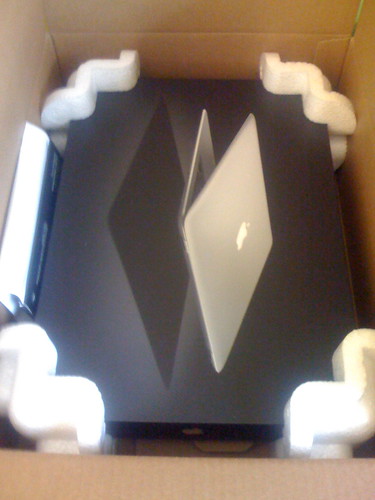
  In honor of John Moltz, I present the Worst Unboxing Photos Ever,
  shot from my iPhone while opening up a MacBook Air that Apple lent
  me for review purposes. Shawn King of Your Mac Life called these
  pictures, "spectacularly crappy." Author Tom Negrino noted,
  "Those...just...suck! Well done!" I can hear Moltz's angelic voice
  whispering down from the heavenly choir - rather, Twitter - "Oh,
  sure, post photos of a 19th century bootblack unboxing a MacBook Air
  THE DAY I'M QUITTING."

<http://www.flickr.com/photos/glennf/sets/72157603834937267/>
<http://farm3.static.flickr.com/2341/2235326638_7ba822cf04.jpg>
<http://www.yourmaclifeshow.com/>
<http://www.backupbrain.com/>


Fix for Mysterious Word 2008 Crash
----------------------------------
  by Glenn Fleishman <[EMAIL PROTECTED]>
  article link: <http://db.tidbits.com/article/9437>

  Here's a tip for any of you early installers of Office 2008 for Mac:
  If you're experiencing a crash on launching Word 2008, try throwing
  out its settings file. Look in your home directory for Microsoft's
  preferences folder at ~/Library/Preferences/Microsoft. Move the Word
  Settings (10) file to the Desktop and relaunch Word 2008. That did
  the trick (with some help from Microsoft tech support) for me under
  Leopard on an older PowerBook G4. If moving Word Settings (10) out
  of the way solves your problem, trash the file.


For Want of a File, an Operating System Was Lost
------------------------------------------------
  by Glenn Fleishman <[EMAIL PROTECTED]>
  article link: <http://db.tidbits.com/article/9436>

  I had to reinstall Leopard on my home computer, and it was among the
  most frustrating experiences in my 24-year history as a Mac user.
  The re-installation was required because of a problem with a single
  tiny file that caused Setup Assistant to demand registration again
  and again - on a computer that has long been registered - no matter
  what else was tried.

  The problem started with RAM. I was upgrading my 1.33 GHz PowerBook
  G4 (September 2003) from 1.25 GB to 2.25 GB. (Never mind that it can
  only address 2 GB; the machine has 256 MB on the motherboard, and
  two slots; it's an odd problem.) After installing the RAM and
  starting up, Setup Assistant ran. I couldn't escape and return to my
  account, so I assumed it was a problem with the RAM. After several
  attempts, I powered down, removed the power supply and battery
  again, and reinstalled the old RAM. Another boot; same problem.

  I started researching the matter via my wife's computer, and found
  that Apple has a technical note on this precise topic for Leopard:
  "Setup Assistant appears after every restart." In forums, I
  discovered similar advice, which appeared to be required when a
  QuickTime update or other software upgrade for Leopard had gone
  awry.

<http://docs.info.apple.com/article.html?artnum=306998>

  I followed the brief instructions, which are, quite simply: start up
  with the Shift key held down (to trigger Safe Mode), and then click
  the Restart button on the account login screen. (Safe Mode startup
  took nearly 10 minutes on my computer, but I found after a few
  tries, I didn't have to keep the Shift key held down after the
  progress circle appeared under the Apple logo at startup.)

  The advice didn't help. I turned to colleagues, who noted that the
  problem appears to lie in a file located in the /var/db directory
  called .AppleSetupDone. The file indicates that, you know, the Apple
  setup is done. The file was present; usually its absence is a
  problem. I mounted my computer in FireWire target disk mode to my
  wife's MacBook, and examined the file. I wound up trying several
  tactics, including replacing the file with hers, and deleting it.
  Nothing seemed to help. (In retrospect, it may have been a
  permissions problem with the file or its parent directory, but Disk
  Utility's Repair Permissions found nothing wrong with files or the
  disk.)

<http://docs.info.apple.com/article.html?artnum=58583>

  I had to give up at last and use the Leopard installer's Archive and
  Install option. With this option, described in depth among other
  strategies in Joe Kissell's "Take Control of Upgrading to Leopard"
  book, you preserve applications, user accounts, and other
  information, but the installer puts in place a clean copy of the
  operating system.

<http://www.takecontrolbooks.com/leopard-upgrading.html?14@@!pt=TB913>

  This, of course, worked perfectly. After the installation was
  complete, my system was back to normal. The .AppleSetupDone file is
  now at zero bytes (with an odd set of permissions: user writable,
  world readable). And I had to download about 200 MB of updates to
  get myself back into sync.

  After those updates were complete, I ran a Time Machine backup to
  ensure that if it happened again, I'd be in a little better shape;
  my previous backup was a few days old, and I wouldn't have lost
  anything critical. It's just that an Archive and Install seemed less
  painful than a system restore because I could retain my precise
  current state. Had that failed, a Time Machine restore would have
  been next up.

  A TidBITS reader, Dave Dykes, wrote in with the link to an alternate
  solution that avoids reinstallation but requires a bit more
  technical finesse. The article he recommends explains how to boot a
  Mac into Unix single-user mode, and then carry out a short sequence
  of commands that removes two files I was unaware of -
  .SoftwareUpdateAtLogout and .SoftwareUpdateOptions - to disable
  Setup Assistant's loop. Thanks, Dave!

<http://www.macfixitforums.com/showthreaded.php?Cat=&Board=leopard&Number=843562>

  Have you encountered this problem? Did you find a better solution?
  Let me know, and I'll add the details to this article. I suspect,
  based on searches on Google, that this problem is not common, but
  it's not exceedingly rare, either.

<mailto:[EMAIL PROTECTED]>


Quick Fix for a Mac Typing in the Wrong Language
------------------------------------------------
  by Tonya Engst <[EMAIL PROTECTED]>
  article link: <http://db.tidbits.com/article/9389>

  If you find that your Mac unexpectedly starts typing in a different
  character set, such as Greek or Arabic, the explanation may be
  simple.

  Solving this problem became a top priority for me shortly after I
  upgraded to Leopard. It first showed up in Safari under Leopard:
  when I typed in the URL field, I got a few Greek characters. I tried
  to solve the problem in Safari's preferences, and that seemed to
  help after I quit and relaunched Safari.

  But, a few days later, the problem came back, and after fiddling
  with a few things and restarting, I noticed that somehow my
  International menu bar item had become enabled, and it had a Greek
  flag icon, indicating that I had the Greek language chosen. Weird!
  But easily fixed. I opened my International preference pane, clicked
  Input Menu, and disabled Greek.

  It wasn't until I mentioned the problem in a Twitter post that I
  figured out how this had come about, thanks to Matt Deatherage from
  MacJournals.com, who noted a conflict between the default keyboard
  shortcut for switching the keyboard input language and the one for
  showing the Spotlight Search field (Command-Space in both cases).
  You can have one or the other, but if you want keyboard shortcuts
  for both options, you should open the Keyboard & Mouse pane in
  System Preferences and modify one of the shortcuts. Or, if you want
  only one, you should be sure the other is disabled.

<http://www.tidbits.com/resources/2008-01/keyboard-and-mouse.png>

  This conflict can also occur in Mac OS X 10.4 Tiger, so why did I
  encounter it now, years after Tiger's release? When Tiger came out,
  Spotlight was new, and Spotlight's Command-Space keyboard shortcut
  conflicted with the default trigger for LaunchBar, a great $39
  utility from Objective Development. LaunchBar beats the pants off
  Spotlight as a keyboard-activated application launcher, calculator,
  Google searcher, iTunes controller, and so forth. Unwilling to
  change my habits for Tiger, I turned off Spotlight's keyboard
  shortcut and stuck with LaunchBar.

<http://www.obdev.com/products/launchbar/>

  But in Leopard I decided to rewire my nervous system to use
  Command-Space for Spotlight and switch to Control-Space for
  LaunchBar. I somehow also turned on the Greek language in the
  International preferences pane - the jury is still out on how I did
  that. As a result, Command-Space for switching to Greek took over
  for Command-Space for opening Spotlight. And, since it took a few
  days to remember to press a different trigger for LaunchBar, I kept
  accidentally pressing Command-Space. Spotlight didn't activate in
  the menu bar, but since I was trying to activate LaunchBar instead,
  I didn't notice.

  It seems odd that Apple would make the default - to change the Mac's
  typing language - override the far less intrusive action of
  activating the Spotlight search field.

  A Google search about this problem turned up little assistance, so I
  hope that this piece will help others who have inadvertently
  activated a second input language. If something along these lines
  happens to you, the solution may be as simple as changing a keyboard
  shortcut or turning off all extra languages in the International
  preference pane, on the Input Menu screen. In fact, if you don't
  select any extra languages, you won't even see Input Menu listed in
  the Keyboard & Mouse preference pane.


Catalog Choice Slammed by Direct Marketing Association
------------------------------------------------------
  by Adam C. Engst <[EMAIL PROTECTED]>
  article link: <http://db.tidbits.com/article/9432>

  According to an article in Business Week, the Catalog Choice service
  I wrote about last year has caused a bit of a scare in the direct
  marketing world (see "Stop the Catalog Madness with Catalog Choice,"
  2007-12-03). With over 500,000 members having declined more than 6.3
  million catalogs, even the Direct Marketing Association is
  concerned, and is encouraging its members to ignore requests from
  Catalog Choice users to be removed from catalog mailing lists.
  Business Week says that the DMA will be removing the $1 fee from its
  service and letting users decline individual catalogs, but it's too
  little, too late, especially since a credit card will reportedly be
  required for proof of identity. That's a privacy nightmare waiting
  to happen.

<http://www.businessweek.com/magazine/content/07_53/b4065035213195.htm>
<http://www.catalogchoice.org/>
<http://db.tidbits.com/article/9232>

  If your business wants to endorse Catalog Choice's work, they've set
  up an Endorsements page for that now. I've added TidBITS Publishing
  Inc. to that page - we love what Catalog Choice has done so far.
  We've declined a total of 68 catalogs, 13 of which have been
  confirmed by the merchants. Only one - Title Nine (a sports clothing
  retailer for women) - has refused our request; we'll be calling them
  to request more firmly that they stop inundating us with unwanted
  paper.

<http://www.catalogchoice.org/endorsements>

  What's especially nice about the Catalog Choice site is that you
  have a record of which catalogs you've declined, and they provide
  links to those companies' Web sites. Just because I don't want a
  catalog doesn't mean I don't want to shop with that merchant again.
  But catalogs have given way to the Web for many of us, and it's high
  time retailers acknowledged that not everyone wants paper catalogs.
  They could redirect the saved money to creating better and more
  compelling Web sites; there's no site out there that doesn't have
  room for improvement.


New Leopard Ebooks Help with Backups, Maintenance, and More
-----------------------------------------------------------
  by Adam C. Engst <[EMAIL PROTECTED]>
  article link: <http://db.tidbits.com/article/9430>

  Leopard has been out for three months now, giving us time to explore
  its quirks and figure out where Leopard users need help. Whether you
  want help with Time Machine, need to put your Mac on a regular
  maintenance schedule to avoid problems, or could use some guidance
  on how to use Leopard's marquee features, we have new ebooks for
  you.


**Take Control of Easy Backups in Leopard** -- Written by Joe Kissell,
  author of the massively popular "Take Control of Mac OS X Backups,"
  this concise ebook explains how to create a complete Leopard backup
  system with archives, a bootable duplicate, and offsite backups, but
  without significant effort. If you'd like to know how buy and
  prepare a backup drive, if you want to make (and recover data from)
  reliable backups in Leopard, then this ebook is for you. "Take
  Control of Easy Backups in Leopard" covers the ins and outs of Time
  Machine, and it also looks at seven cases where Time Machine doesn't
  cut the mustard. (We're giving this ebook away for free to owners of
  the second edition of "Take Control of Mac OS X Backups;" click that
  book's Check for Updates link to download your free copy.) $10, 83
  pages.

<http://www.takecontrolbooks.com/leopard-easy-backup.html?14@@!pt=TB913>
<http://www.takecontrolbooks.com/backup-macosx.html?14@@!pt=TB913>


**Take Control of Maintaining Your Mac** -- The best way to avoid
  problems with your Mac is through regular maintenance, and we're not
  talking a cursory clearing of your Desktop and swipe at the dust on
  your screen. In the latest version of "Take Control of Maintaining
  Your Mac," best-selling author Joe Kissell has returned to the topic
  of how to keep your Mac - whether it's running Tiger or Leopard -
  running at peak performance. All of his recommendations have now
  been updated to account for changes in Leopard and for the latest
  helpful utility software. Joe provides daily, weekly, monthly, and
  yearly schedules for how to best do preventative maintenance under
  Leopard or Tiger, helping you keep your Mac running smoothly and
  efficiently. The ebook also helps you monitor your Mac's health,
  find and remove unnecessary large files from your disk, keep your
  software updated, clear your caches, and much more. The update is
  free for the thousands of people who benefited from the original
  version; click the Check for Updates button to download it. $10, 87
  pages.

<http://www.takecontrolbooks.com/maintaining-mac.html?14@@!pt=TB913>


**Macworld Total Leopard Superguide** -- This visually appealing new
  ebook from our friends at Macworld provides an overview of a huge
  collection of new features in Leopard, teaching you how to be more
  productive and have more fun along the way. In the "Macworld Total
  Leopard Superguide," you'll find a compendium of savvy information
  about getting the most out of what's new in Leopard, whether you
  want to navigate the Finder faster, search Spotlight more
  effectively, automate your applications with Automator, share
  screens with others, or use core applications like Safari, iChat,
  Mail, and iCal. Contributors include several Take Control authors:
  Glenn Fleishman, Ted Landau, Joe Kissell, and Kirk McElhearn, along
  with a who's-who of other well-known writers. $12.95, 92 pages.

<http://www.takecontrolbooks.com/mw-total-leopard.html?14@@!pt=TB913>


Looking Video Chat Problems in the Eye
--------------------------------------
  by Joe Kissell <[EMAIL PROTECTED]>
  article link: <http://db.tidbits.com/article/9433>

  Several years ago I wrote an article on Interesting Thing of the Day
  about eye-to-eye video, the problem of making eye contact when
  videoconferencing. If you've ever used the video capabilities of
  iChat or Skype, you know what I'm talking about: the person on the
  other end appears to be looking at your navel (or the person next to
  you) rather than your face, and you appear the same way on the other
  person's screen. I've always found this to be weird and
  uncomfortable, but chalked it up to the limits of technology - the
  camera has to be above, below, or to the side of the screen, so if
  you're looking at the image you are not, by definition, looking at
  the camera and therefore give the impression of not looking at the
  person you're communicating with.

<http://itotd.com/articles/254/eye-to-eye-video/>

  As anyone who has watched Star Trek knows, this problem no longer
  exists in the 23rd century. Somehow flat-panel video displays in the
  future also magically act as cameras too, and you can look directly
  into the eyes of the person on the screen. As a matter of fact, the
  secret to this trick may already have been discovered, at least in
  Apple's labs. A patent the company received in 2006 describes a
  device in which minuscule sensors and lenses are embedded in a
  monitor's individual display elements. So instead of having one big
  sensor and one lens, you have thousands of tiny sensors, each with
  its own lens; digital processing magic combines all of the incoming
  data into a single image. Of course, a description in a patent
  application and a working prototype are two different things, and
  there's no telling if or when this technology will make its way into
  consumer products.

<http://xrl.us/bfhsr>

  Meanwhile, numerous researchers are toying with other clever
  solutions to the problem. For example, in an experimental system
  called gaze correction, digital processing alters the appearance of
  your face in real time to make it look as though your eyes are
  pointed in a different direction than what the camera is actually
  capturing. Some implementations of gaze correction use just one
  camera, while others interpolate the images from multiple cameras.
  Microsoft Research Cambridge has a Web site that demonstrates a
  variety of image-manipulation techniques that rely on a pair of
  cameras.

<http://research.microsoft.com/vision/cambridge/i2i/>

  Of course, I'm leaving out the obvious, low-tech solution, which
  newscasters and other television performers have been using since
  the 1950s: the teleprompter. Just stick a piece of glass, or a
  semitransparent mirror, in front of a camera at a 45-degree angle,
  and it will reflect whatever is beneath it (a computer screen, a
  mechanical scroll, or whatever) so that the subject can read it
  while looking directly into the camera's lens, while the camera sees
  nothing but the subject. If, instead of a script, the teleprompter's
  screen shows a video image of someone else, there's your eye-to-eye
  videoconferencing. Sure enough, several high-end videoconferencing
  systems use exactly this arrangement.

<http://en.wikipedia.org/wiki/TelePrompTer>

  For your run-of-the-mill computer user, systems that use the
  teleprompter design have the distinct disadvantage of being
  outrageously bulky. My MacBook Pro, for example, has an iSight
  camera built into the case, which despite the limitations inherent
  in its placement makes for a pleasantly compact arrangement.

  Just before moving to France last year, though, I picked up a gadget
  from Bodelin Technologies called See Eye 2 Eye (or SE2E for short).
  It's a periscope-like device that uses two mirrors (the top one of
  which is semitransparent) to turn a portion of my Mac's screen into
  a teleprompter. The idea is that you clip it to the top of your
  display and then position the video window from iChat or Skype
  behind the bottom mirror; it's reflected in the top, semitransparent
  mirror, which is right in front of your iSight camera. And presto:
  eye-to-eye videoconferencing in a relatively compact package (9 by 6
  by 4 inches, or about 23 x 15 x 10 cm) and at a modest price (around
  $60).

<http://www.bodelin.com/se2e/>
<http://www.bodelin.com/se2e/installing.jpg>

  I bought the SE2E not primarily for video chats, but for remote
  presentations. Travel costs being what they are, I can't often
  appear in person at user group meetings in the United States, but
  I've had several requests to give live, interactive video
  presentations. I wanted to be able to see my notes while speaking
  without seeming to look down the entire time, and the SE2E has
  enabled me to do just that. Combined with the version of iChat in
  Leopard, I can now even run my own Keynote presentation or demo
  software on my computer, with a video image of my face in the corner
  on the remote screen. Although I haven't yet ventured into the world
  of video podcasts, I could use exactly the same arrangement to do
  so, perhaps with the addition of teleprompter software such as
  Bodelin's ProPrompter LCD Software ($125), the new dvcPrompt from
  DVcreators.net ($60), Vara Software's Videocue 2 ($39.99), or the
  free, Web-based FreePrompter.

<http://www.bodelin.com/proprompter/software_lcd.html>
<http://www.dvcreators.net/dvcprompt/>
<http://www.varasoftware.com/products/videocue/>
<http://www.freeprompter.com/>

  Although the SE2E has worked adequately for me (and is certainly
  reasonably priced for what it is), it does have some potential
  gotchas. First, Bodelin's Web site advertises two models: the SE2E
  FOR $49.99 and the SE2E-N for $10 more. The lower-cost model is
  designed to work with displays that have an external camera mounted
  on top (such as Apple's discontinued and much-missed iSight), while
  the SE2E-N is for laptops with cameras built into the display bezel.
  I ordered the latter model, but what I got was a cross between the
  two - an apparently new design with removable tabs that allow the
  device to work on either display configuration. However, I've seen
  no mention or picture of this design on Bodelin's site or any other
  - even though I bought my SE2E more than six months ago - and it's
  not clear why they continue to maintain two separate SKUs when a
  single design covers all the bases.

  Then again, "all the bases" turns out to be an exaggeration, in that
  none of the SE2E designs works on an iMac with a built-in iSight
  camera - neither the older, thicker plastic models nor the newer,
  thinner aluminum ones. The notches that let the SE2E slip over a
  laptop screen are too narrow to accommodate the iMac's case, which
  means that the camera would end up beneath, rather than behind, the
  top mirror. If one were disposed to perform some surgery on the
  device, it might be made to fit, but I couldn't guarantee it.

  Another issue is that the semitransparent mirror sitting in front of
  the camera darkens the image a bit. Rather than buy extra lamps to
  shine in my own face while giving video presentations, I've been
  using Ecamm's $10 iGlasses utility, which lets me digitally brighten
  my iSight's image to my liking. (iGlasses does lots of other nifty
  things too, but the low-light image enhancement by itself makes it
  well worth the price in my book.)

<http://www.ecamm.com/mac/iglasses/>

  Then there's the size. The SE2E is far too bulky to carry around in
  a laptop case; I'd only ever use it at home. And because it obscures
  so much of the display, it's not like I can leave it attached all
  the time - it goes on the screen only when I need it. So I wish that
  somehow it were much smaller, perhaps even collapsible. On the other
  hand, I also dislike having to keep video chat windows scaled down
  to 4 inches square; that's just too small for comfortable
  conversations, and when you're using the SE2E as a teleprompter, you
  have to choose between displaying a very small amount of text or
  using a small font. So I wish that somehow it were much larger too!

  What I truly wish for is a thin screen that can see me as well as I
  can see it, just like the ones on the Enterprise. With any luck,
  Apple will make that a reality before the 23rd century.


When Is a Warranty Not a Warranty?
----------------------------------
  by Mark H. Anbinder <[EMAIL PROTECTED]>
  article link: <http://db.tidbits.com/article/9399>

  Remember when Apple's warranty on Macintosh computers was a mere 90
  days, and the change to a full one-year warranty was big news? Or
  when on-site desktop computer and mail-in laptop warranty repairs
  became the norm? Big changes like that are generally the only time
  the average consumer stops to think about product warranties beyond
  the simplest "How long is the warranty?" level. Unfortunately,
  that's not all we need to know when considering a purchase.

  The hidden variation of what warranties can mean to different
  vendors was brought into sharp relief last month when the
  high-capacity internal hard drive I'd bought for my MacBook died,
  and I discovered that the three-year warranty I thought I had didn't
  necessarily mean I'd be back up and running any time soon.

  Our story begins in July 2006, when I wanted to purchase a larger
  internal hard drive than Apple had available in their MacBooks. The
  selection process, as with most hardware purchases these days,
  required balancing reasonable price against a reasonable expectation
  of reliability and post-sales support. The $279 Hitachi drive from
  Other World Computing (OWC, also known as macsales.com) I picked
  wasn't the cheapest option, but I felt I was investing in a computer
  component I'd be heavily relying on. The peace of mind of a known
  vendor and known manufacturer seemed worth a slight price premium.


**Where in the World is Mark's Hard Drive?** -- Unfortunately, the
  level of warranty information provided by OWC (and, to be fair, most
  vendors) ends at the length of the manufacturer's warranty. What
  they leave out, and what I've learned the consumer needs to seek out
  independently, is any idea of the specific warranty policies of the
  manufacturer, including likely turnaround time.

  I've discovered this in the worst manner possible, by finding out
  that Hitachi's standard operating procedure for warranty replacement
  is, literally, a "slow boat from Asia" approach. A replacement hard
  drive had to make its way from Singapore to California, taking an
  estimated 7-10 "business days" (in December, that was extended
  thanks to the holidays), after which it could be sent across the
  United States to me in Ithaca.

  The problem was compounded by Hitachi's customer service rep
  misleading me into believing that the drive was being sent to me via
  second-day air; despite my skepticism, I gave him the benefit of the
  doubt and allowed for the possibility that he had no idea the drive
  had to take a two-week trip from Singapore first. He helpfully took
  my credit card number for their advance-exchange option, a
  reasonable provision that allowed them to start the process now,
  rather than waiting for me to get the defective drive to them.

  My happy illusion that my conversation with Hitachi on a
  mid-December Monday meant I'd have a replacement drive on Wednesday
  or Thursday evaporated when I plugged my RMA number into Hitachi's
  Web site that Tuesday to see whether the replacement drive had yet
  shipped. Hitachi's RMA tracker doesn't understand advance-exchange
  returns, so it gave me incorrect info, which prompted me to call the
  company again. This time, I was given the word that the drive was on
  its way from Singapore.

  The Hitachi rep I spoke to that Tuesday said that if the drive
  hadn't already been dispatched from Singapore, he could have looked
  to see if a warehouse in the United States (one that isn't generally
  used for warranty fulfillment) had a drive they could send me, but
  since Monday's misleading (or confused) rep had started the
  slow-boat process, they were unwilling to change anything. I should
  expect my replacement 2-3 weeks after requesting it, and I'd be
  without a working laptop for that time. This just doesn't reflect
  modern computer-user expectations, and if their hope is that
  customers who can't wait that long will give up and buy a brand new
  device rather than seek warranty replacement, it's pretty shady.

  That's when I tried calling Other World Computing again, in hopes
  that my reputable vendor of choice would stand behind the sale and
  take care of the customer after learning how poor a job the
  manufacturer was doing. While I've spoken to some friendly and
  sympathetic folks at OWC, their policy and their stance is that
  their responsibility to the customer ends thirty days after the
  sale, and that warranty fulfillment past that time is solely the
  responsibility of the manufacturer. (The folks I talked to at OWC
  allowed that they can, and do, stretch the thirty-day limit, but not
  _this_ long.)


**What's a Buyer to Do?** Obviously, the old "caveat emptor" advice,
  "Let the buyer beware," applies here. But this experience has made
  it clear that the buyer can't stop at selecting a seemingly
  reputable vendor and a name brand product with a reasonable warranty
  period. If I had to do it all over again (and I'm sure someday I
  will), I'd take the additional steps of ensuring the manufacturer
  offers advance-exchange service (this means they will send you the
  replacement before the old equipment reaches them) and finding out
  what kind of turnaround time I could expect.

  For example, Seagate, which now offers a five-year warranty on hard
  drives, offers both ground and two-day air shipping for replacement
  drives; the latter is available for a fee, or is included with the
  company's $20 advance exchange option. Western Digital also offers
  advance replacement, and, like Hitachi, asks for a credit card
  number to secure the return of the original unit, but doesn't charge
  a fee. They quote a 3-5 business day turnaround.

  Ideally, resellers like OWC would provide this sort of information,
  upon request if not right on their Web site. OWC, Amazon.com, Small
  Dog Electronics, and most other online resellers already tell
  customers how long a product's warranty lasts, as a matter of
  course. Why not provide typical warranty turnaround time? A customer
  relations manager at OWC says they'd never be able to keep up with
  frequent changes to such info, and publishing it would expose them
  to liability if it made a manufacturer unhappy. I'd prefer they
  focused on keeping the customer happy.

  The situation is complicated when a "house brand" from an online
  reseller is really a standard manufacturer product that's been
  relabeled with the reseller's name, such as similar hard drives
  manufactured by Hitachi, and offered for sale without identifying
  Hitachi. One such vendor tells us that the manufacturer is
  responsible for warranty fulfillment on these drives, but a buyer
  who doesn't do a little digging beyond the provided information
  won't know that.


**Is this Normal?** Of course, I'm kicking myself for not having
  figured out _before_ this happened that not all warranties are
  created equal. I wish I'd looked into Hitachi and OWC a year and a
  half ago, before making the purchase, to see what I could expect
  from them. One of OWC's folks tried to convince me that two-week
  turnaround wasn't _that_ bad, based on the fact that a couple of
  their Macs had taken two months to be repaired under warranty.

  Two months does make two weeks look better, but misses the point
  that two weeks is _normal_ (and, really, the bare minimum) for
  Hitachi's warranty fulfillment turnaround, whereas it's extremely
  unusual for Apple, whose typical repair turnaround is under a week.
  If Hitachi had unexpectedly run out of a U.S. supply, and as a
  result needed to do something unusual by getting my drive from
  Singapore via surface ship, it would still be frustrating, but more
  understandable.


**What Could OWC Have Done Better?** -- For starters, I'd have been
  more impressed if the customer service rep I spoke to on that
  Tuesday had offered more than sympathy and a recitation of their
  policies. It wasn't until I gave a PR rep from whom we get OWC press
  releases a heads-up that I was working on a "caveat emptor" article
  featuring one of her clients that anyone at OWC tried to get in
  touch with Hitachi to intervene on my behalf.

  OWC couldn't get anyone at Hitachi to come up with a better
  resolution, though they did extract something I hadn't been able to
  - a delivery ETA of December 31st. That's right, the replacement was
  being sent to my employer's office while my employer was closed,
  which Hitachi knew; I'd given them my work address with the specific
  caveat that the office would be closed from that Friday through
  January 2nd, so they should ship there _only_ if it was certain to
  arrive that week. Hitachi refused to arrange for a change in the
  delivery address, though they said I was welcome to try that with
  DHL myself.

  While I feel that warranty fulfillment after over a year _shouldn't_
  be OWC's problem, I'll admit I was hoping their sympathy would
  extend to standing behind their customer by replacing the product in
  a timely manner when it became clear that Hitachi wasn't going to do
  so. Everyone at OWC seems dismayed that Hitachi's standard procedure
  involves shipping a replacement from Singapore, and they're now
  (understandably) wondering whether they should drop Hitachi drives
  from their product selection; but even if they do that, it doesn't
  help me.

  Ironically, OWC's published policies would have allowed me to
  purchase a _new_ laptop hard drive, use it for a couple of weeks
  until my warranty replacement arrived, and then return it for a full
  credit or a refund minus a restocking fee. (Luckily for them, I
  don't feel it's right to take advantage of a liberal return policy,
  and even if I did, I wouldn't have felt like laying out my cash to
  make up for this gross lapse in customer satisfaction. Instead, I
  waited - with my laptop down for the count - until my replacement
  finally reached me, last week.)

  I can't help but think that someone - at Hitachi or OWC - really
  should have said, "You know? This is unacceptable. We took your
  money and if we can't get you a warranty replacement unit without
  making you wait two or more weeks for it, we should pull a drive off
  the shelf and send it to you." Instead, they've created a customer
  who will never again buy a Hitachi product, and will have to think
  long and hard before ever again buying from OWC.


Hot Topics in TidBITS Talk/04-Feb-08
------------------------------------
  by Jeff Carlson <[EMAIL PROTECTED]>
  article link: <http://db.tidbits.com/article/9440>

**Migrating from Now Contact** -- A reader trying to synchronize
  information from Now Contact to a Palm Treo runs into trouble. (2
  messages)

<http://emperor.tidbits.com/TidBITS/Talk/1806/>


**Non-English unicode fonts in Safari** -- A custom Tibetan font is
  required to read a Web site, but the font isn't one that ships with
  Mac OS X. (5 messages)

<http://emperor.tidbits.com/TidBITS/Talk/1807/>


**Prosoft Drive Genius vs. Alsoft DiskWarrior** -- Does Drive Genius
  unseat long-time Mac drive campion DiskWarrior? (6 messages)

<http://emperor.tidbits.com/TidBITS/Talk/1809/>


**What is a "Server Grade Hard Drive"?** Apple touts its new Time
  Capsule device as having a "server grade hard drive," but what does
  that mean exactly? (1 message)

<http://emperor.tidbits.com/TidBITS/Talk/1811/>


**External disk** -- The low cost of hard drives these days makes it
  possible to toss an old, low-capacity drive and replace it with a
  new internal drive, rather than trying to boot from a small external
  one. (15 messages)

<http://emperor.tidbits.com/TidBITS/Talk/1812/>


**"Mac Users Think They're Superior"** -- Yes, it's the title of an
  article in Advertising Age. Yes, we think we're superior compared to
  someone who would print a ridiculous article. (8 messages)

<http://emperor.tidbits.com/TidBITS/Talk/1814/>


**iWork and iWeb Updated, Apple Restricts Release Notes** -- Apple's
  lack of release notes is increasingly infuriating, especially for
  the reader who lost hours reinstalling Leopard after the latest
  iWork update.  (5 messages)

<http://emperor.tidbits.com/TidBITS/Talk/1817/>


**comparing older mac speeds** -- A Web site lists a complete history
  of Apple hardware and specifications, leading one reader to note
  that browsing the Web on an older PowerBook is comparable to a newer
  MacBook Pro. (5 messages)

<http://emperor.tidbits.com/TidBITS/Talk/1819/>


**Screen shots disabled while DVD player is running...** -- How do you
  get around the limitation when this message appears? A few options
  are available. (2 messages)

<http://emperor.tidbits.com/TidBITS/Talk/1820/>


$$

This is TidBITS, a free weekly technology newsletter providing timely
news, insightful analysis, and in-depth reviews to the Macintosh and
Internet communities. Feel free to forward to friends; better still,
please ask them to subscribe!

Non-profit, non-commercial publications and Web sites may reprint or
link to articles if full credit is given. Others please contact us. We
do not guarantee accuracy of articles. Caveat lector. Publication,
product, and company names may be registered trademarks of their
companies. TidBITS ISSN 1090-7017.

Copyright 2008 TidBITS: Reuse governed by Creative Commons license.

Contact us at:    <[EMAIL PROTECTED]>
TidBITS Web site: <http://www.tidbits.com/>
License terms:    <http://www.tidbits.com/terms/>
Full text search: <http://www.tidbits.com/search/>
Subscriptions:    <http://www.tidbits.com/about/list.html>
Account help:     <http://www.tidbits.com/about/account-help.html>


--
If you want to unsubscribe or change your address, use this link
http://emperor.tidbits.com/webx?unsub@@.3c557dc4!u=306a67f9