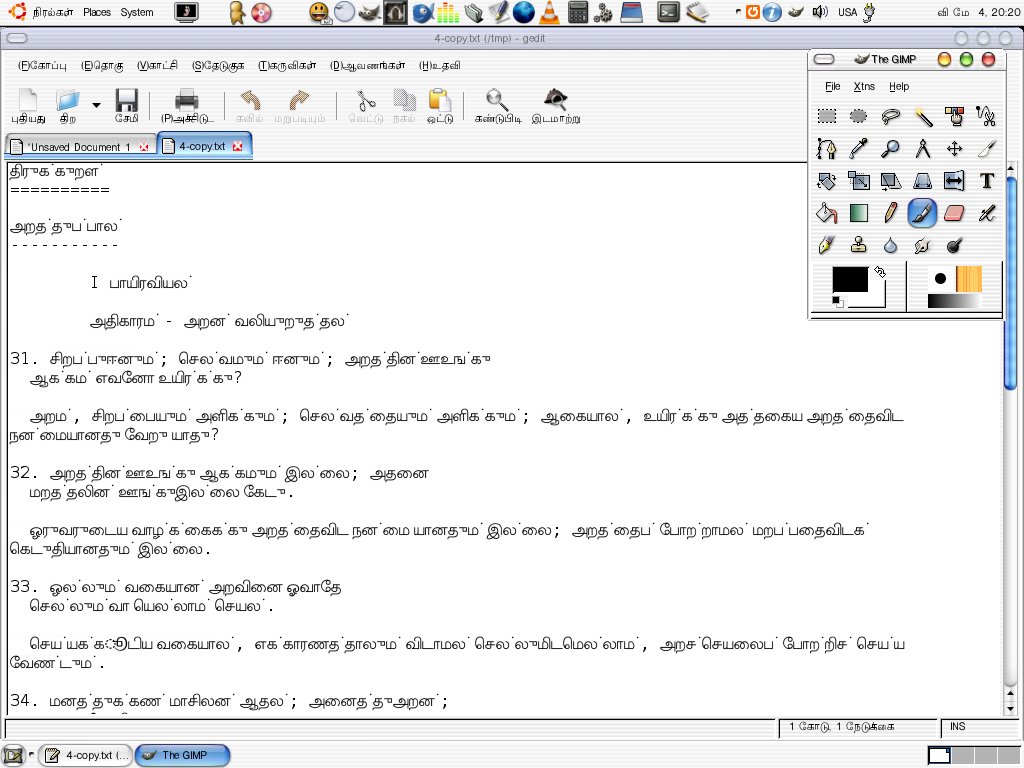
(Sorry for breaking the thread, but I accidentally deleted the message
 that I wanted to reply to.)
"Shakthi Kannan" <[EMAIL PROTECTED]> wrote:
[...]
On 5/6/06, gora at sarai.net <gora at sarai.net> wrote:
>> http://www.shakthimaan.com/downloads/tamil/input-error.jpg
>>
>> However, what is probably happening
>> is that gedit is still using Sans, or some other font with only partial
>> coverage of Tamil. Changing System->Preferences->Font changes it only
>> for the user interface. If you want to do this only for gedit, change
>> the gedit font under the "Font & Colors" tab in the Edit > Preferences
>> menu.
>
>No, changing only for an application doesn't resolve it. There is a
>bigger picture to it. Many folks have reported bugs of not being able
>to use their native language input form when they login to gdm with
>their local language. It somehow works when they login with some other
>language interface.

I am missing something here. The picture in question shows a gedit window.
What does this have to do with gdm? The suggested solutions will work
for gedit, with the editing of /etc/fonts/fonts.conf working for all
applications that use fontconfig, which covers all GNOME applications.
Now, what do you need to happen with gdm? Do you want the login screen
(username/password prompts, etc.) to appear in Malayalam? Do you want
to be able to log in with username and password in Malayalam? Both of
these are possible, but I will have to try things out on a Ubuntu box
to remember how to do this.

Regards,
Gora


--
ubuntu-in mailing list
[email protected]
https://lists.ubuntu.com/mailman/listinfo/ubuntu-in