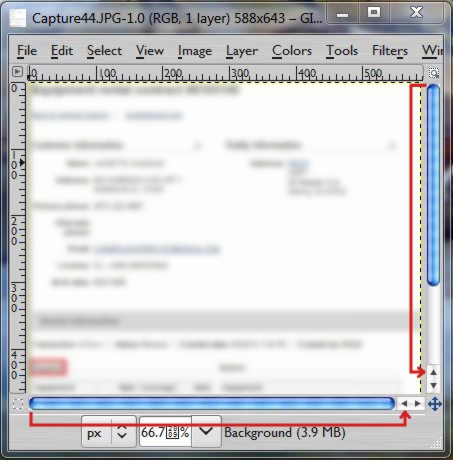
This certainly looks like a window manager problem. I don't believe that
gimp has any control over scroll bar position or style. It looks to me
like a style thing. In gimp, you can turn scroll bars off and on under
Preferences > Image Windows > Appearance > Show Scrollbars, But no other
influence AFAIK.
Just for kicks, I would try changing your windows theme and see what
kind of results you get.

On Tue, Aug 12, 2014, at 02:29 PM, 127markaz wrote:
> Strangest thing...I went to scroll a pic to the left and the scroll
> button
> wasn't there. Its positioned has moved next to the right scroll button
> (pic).
> The same is true for the scroll up button. It's moved next to the scroll
> down
> button. How do I move them back to their proper positions? Using 2.6.8.
>
> Attachments:
> * http://www.gimpusers.com/system/attachments/141/original/Capturemnb.JPG
>
> --
> 127markaz (via www.gimpusers.com/forums)
> _______________________________________________
> gimp-user-list mailing list
> List address:    [email protected]
> List membership: https://mail.gnome.org/mailman/listinfo/gimp-user-list
> List archives:   https://mail.gnome.org/archives/gimp-user-list


--
  akovia
_______________________________________________
gimp-user-list mailing list
List address:    [email protected]
List membership: https://mail.gnome.org/mailman/listinfo/gimp-user-list
List archives:   https://mail.gnome.org/archives/gimp-user-list