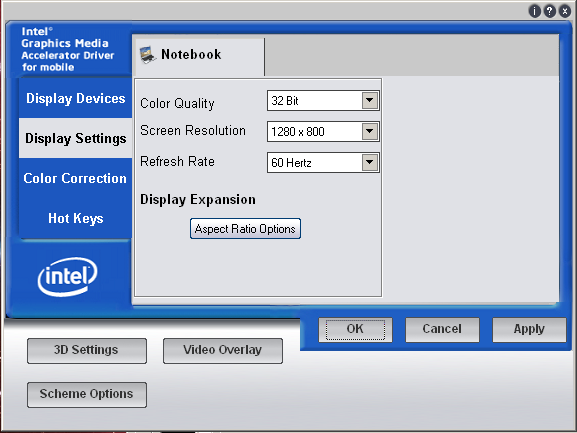
@Irony:

bro, i manage the site, and the links are UPDATED "i haven't included
Sigma 3.0 YET as we still need more testings" but..am not sure at
all..that is pretty strange :S
@Everyone:

Sigma 3.0 INSTALLED fine under my following specs:

Windows7 x86 7600 OEM
T5500 core 2 duo
3GB Ram
GMA950 "Sigma 3.0"

and ever since last week, my laptop's been running fine..though, the
only performance increase i found was under NFS7/8...i tested OpenGL
under CS 1.6 and the game still lags like **** :( am getting CS:S and
WoW to do more testings.

The new IMPROVED "reg" tweak is giving lots of performance increase
indeed...now i was gonna test the "reg" tweak on Alpha drives to see
if the Sigma 3.0 really is better with or without this "reg" tweak but
i didn't have the time :( i'll be trying it ASAP.

Also...i've got a problem running two games "NOT BECAUSE OF THE
DRIVER" CS 1.6 exits suddenly after like 2-3 minutes of game
play...and it doesn't just happen once or twice...i get bored of
trying it again and again....and again...unless i set HL.exe to a HIGH
CPU PRIORITY...the game would keep on CTD now and then....also, L4D
seems to be giving me quite the trouble too...just after the game
reaches the loading part it also goes to CTD, re-installed it many
times...but still same ****...if anybody have idea on how to fix the
issues, i'd really appreciate it :)

On Apr 23, 7:46 pm, Gerard <[email protected]> wrote:
> The drivers were actually worse. The new .reg is what is great lol.
>
> On Apr 23, 7:04 pm, Espionage724 <[email protected]> wrote:
>
>
>
>
>
> > your saying L4D runs better with these drivers then Alpha?
>
> > I barely noticed a difference in inf files when compared to Alpha.
> > Thats just me though. But was was changed 965 and 945 users? Like what
> > inf settings?
>
> > On Fri, Apr 23, 2010 at 1:32 AM, Gerard <[email protected]> wrote:
> > > installed on 950, but installer doesn't work. With new .reg l4d is
> > > playable!
>
> > > On Apr 23, 11:19 am, NeoDragon <[email protected]> wrote:
> > >> I don't think so :)
>
> > >> On Apr 22, 6:21 pm, Espionage724 <[email protected]> wrote:
>
> > >> > Hmm, does anyone here remember when MAD_BEAST said that we only had 1
> > >> > spot for new drivers? Since updates for older drivers isn't allowed,
> > >> > doesn't that mean that its now taken up by Sigma 3.0?
>
> > >> > On Wed, Apr 21, 2010 at 3:10 PM, NeoDragon <[email protected]>
> > >> > wrote:
> > >> > > As of today I'll be a bit less here, my new job is starting tomorrow
> > >> > > ( believe it or not, I plant tree's in the spring/summer, so your
> > >> > > kids
> > >> > > can actually have some air to breathe... and it's good for my wallet
> > >> > > too XD ) but I'll stop by everynow and then to see what's going on.
> > >> > > Keep the idea's coming and in order, cause I already have some good
> > >> > > idea's for the next Drivers :). Don't expect them until Intel release
> > >> > > an official updated driver package first tho, as we need them to fix
> > >> > > some of the **** work they're known to be doing.
>
> > >> > > Oh, and make sure you try Sigma 3.0 !!! =)
>
> > >> > > On Apr 20, 1:25 am, IronyTaken <[email protected]> wrote:
> > >> > >> I use Windows 7 and I downloaded the Alpha drivers from the site.
>
> > >> > >>http://9xxssf.info/downloads/
>
> > >> > >> On Apr 19, 7:56 pm, DanielPK <[email protected]> wrote:
>
> > >> > >> > @lolattheotherguy & Espi
>
> > >> > >> > guys thanx for the tips...but i don't think its about dusting or
> > >> > >> > anything like that...its abt the voltage of my C2D and the
> > >> > >> > voltage my
> > >> > >> > mobo supports...hmmmm...i think one is higher than the
> > >> > >> > other...which
> > >> > >> > means its the CPU XD so thats why its generating the heat..couple
> > >> > >> > of
> > >> > >> > days ago i did full dust blowing with a thin-tip compressed
> > >> > >> > air...got
> > >> > >> > all the dust out, and the thermal paste is still fine i see :)
>
> > >> > >> > @irony....thats strange o_0...are u using windows7 ?? because i
> > >> > >> > found
> > >> > >> > this settings under this OS..maybe..also, are u using Neo's
> > >> > >> > driver?
>
> > >> > >> > On Apr 20, 7:07 am, IronyTaken <[email protected]> wrote:
>
> > >> > >> > > I don't have that feature listed.
>
> > >> > >> > > This is what I have.
>
> > >> > >> > >http://i162.photobucket.com/albums/t276/RyviusRanger/display.png
>
> > >> > >> > > On Apr 19, 4:07 am, DanielPK <[email protected]>
> > >> > >> > > wrote:
>
> > >> > >> > > > -select "Screen resolution" from the desktop properties.
> > >> > >> > > > -click on "Advanced Settings"
> > >> > >> > > > -go to the driver tab and click graphic properties
> > >> > >> > > > -go to Display settings tab
> > >> > >> > > > -click on power settings and you should find a "Slider"
>
> > >> > >> > > > if u want more heat set to "Disable power saving" else try
> > >> > >> > > > "Good power
> > >> > >> > > > saving"
>
> > >> > >> > > > experiment with different settings...i get more FPS but with
> > >> > >> > > > sacrifice
> > >> > >> > > > to more heat generated :( maybe you'll have different luck!
>
> > >> > >> > > > On Apr 19, 4:30 pm, IronyTaken <[email protected]> wrote:
>
> > >> > >> > > > > I don't see it.
>
> > >> > >> > > > > I went into my display settings under the graphics options
> > >> > >> > > > > and didn't
> > >> > >> > > > > see it.
>
> > >> > >> > > > > On Apr 18, 11:53 pm, DanielPK
> > >> > >> > > > > <[email protected]> wrote:
>
> > >> > >> > > > > > there is this option when we check the settings of the
> > >> > >> > > > > > GMA950...under
> > >> > >> > > > > > Display settings>>>>Power Settings.
>
> > >> > >> > > > > > Power saving and performance settings...changing that to
> > >> > >> > > > > > "Disable
> > >> > >> > > > > > power saving" has made a huge FPS increase for some of
> > >> > >> > > > > > the games i
> > >> > >> > > > > > play...but with the side effect or more heat :( ...also
> > >> > >> > > > > > if u click on
> > >> > >> > > > > > "Modify Settings" you get another window with (intel
> > >> > >> > > > > > rapid memory
> > >> > >> > > > > > power management) and (intel smart 2D display technology)
> > >> > >> > > > > > do any of
> > >> > >> > > > > > these settings affect game/pc performance??
>
> > >> > >> > > > > > On Apr 19, 2:14 pm, hussam aulaian <[email protected]>
> > >> > >> > > > > > wrote:
>
> > >> > >> > > > > > > @THEfog : u r totaly right
> > >> > >> > > > > > > guys , they hav amazing guides
>
> > >> > >> > > > > > > --
> > >> > >> > > > > > > INTEL 9xx SOLDIERS SANS FRONTIERS
>
> > >> > >> > > > > > --
> > >> > >> > > > > > INTEL 9xx SOLDIERS SANS FRONTIERS
>
> > >> > >> > > > > > Subscription
> > >> > >> > > > > > settings:http://groups.google.com/group/intel9x-gaming/subscribe?hl=en
>
> > >> > >> > > > > --
> > >> > >> > > > > INTEL 9xx SOLDIERS SANS FRONTIERS
>
> > >> > >> > > > --
> > >> > >> > > > INTEL 9xx SOLDIERS SANS FRONTIERS
>
> > >> > >> > > --
> > >> > >> > > INTEL 9xx SOLDIERS SANS FRONTIERS
>
> > >> > >> > --
> > >> > >> > INTEL 9xx SOLDIERS SANS FRONTIERS
>
> > >> > >> --
> > >> > >> INTEL 9xx SOLDIERS SANS FRONTIERS
>
> > >> > > --
> > >> > > INTEL 9xx SOLDIERS SANS FRONTIERS
>
> > >> > --
> > >> > Espionage724 Has A Signature...
>
> > >> > --
> > >> > INTEL 9xx SOLDIERS SANS FRONTIERS
>
> > >> --
> > >> INTEL 9xx SOLDIERS SANS FRONTIERS
>
> > > --
> > > INTEL 9xx SOLDIERS SANS FRONTIERS
>
> > --
> > Espionage724 Has A Signature...
>
> > --
> > INTEL 9xx SOLDIERS SANS FRONTIERS
>
> --
> INTEL 9xx SOLDIERS SANS FRONTIERS

--
INTEL 9xx SOLDIERS SANS FRONTIERS